Category: Gadgets

  • Motorola’s 2026 Lineup: 7 Standout Phones Across Foldable, Premium, and Budget Tiers

    Motorola’s 2026 Lineup: 7 Standout Phones Across Foldable, Premium, and Budget Tiers

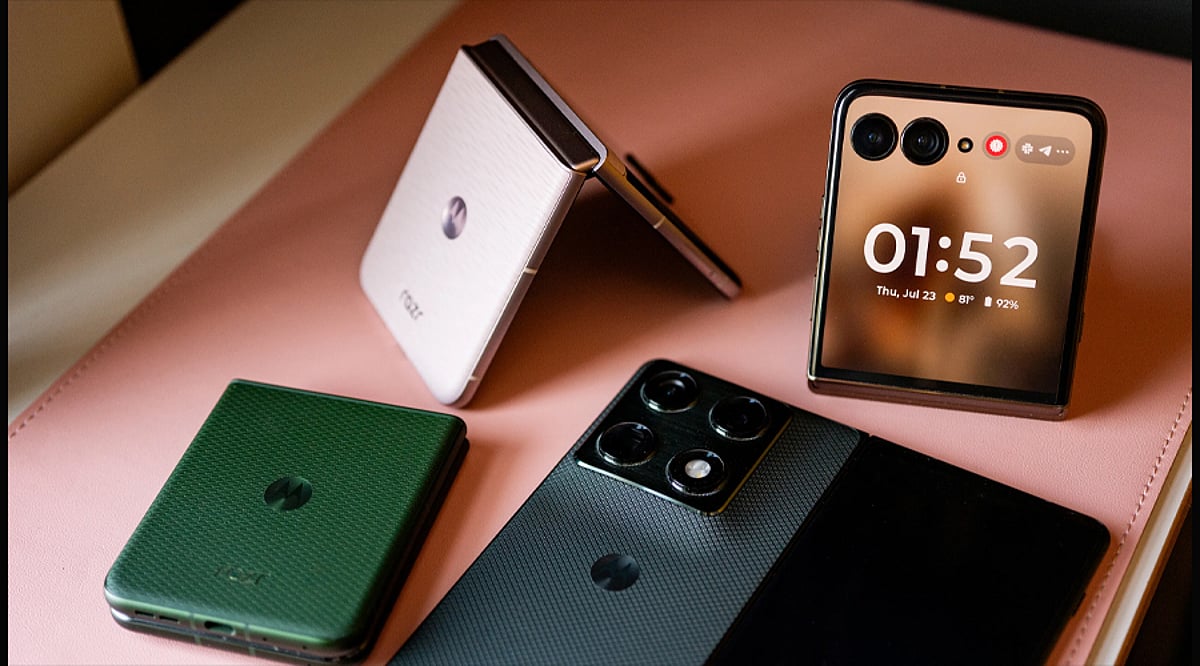
    Motorola has significantly expanded its smartphone portfolio for 2026, offering devices across premium, foldable, and budget segments. The iconic Razr series continues to lead the company’s foldable innovation, while the Edge and Moto G lines cater to mainstream and practical buyers. Here’s a closer look at seven models that define the brand’s current strategy.

    Motorola Razr Ultra

    The Razr Ultra sits at the top of Motorola’s foldable range, blending the nostalgic flip-phone form factor with cutting-edge hardware and a generously sized external display. This model is a key player in Motorola’s push to make foldables more mainstream.

    Motorola Razr

    The standard Razr brings the foldable experience to a broader audience. Its compact clamshell design is pocket-friendly when closed, yet reveals a full-fledged smartphone screen when opened. The 2026 iteration continues the modernization of the classic Razr identity.

    Motorola Edge 2026

    The Edge 2026 focuses on a balanced combination of design, camera capabilities, and battery endurance. It features an AI-powered Photo Enhancement Engine that enhances the entire camera system, along with Action Shot and Adaptive Stabilization for moving subjects and video. A 5,000mAh battery ensures all-day usage.

    Motorola Moto G Power 2026

    The Moto G Power 2026 prioritizes practical everyday features over flagship pricing. Its main selling point is exceptional battery life, making it an ideal choice for users who need dependable endurance without breaking the bank.

    Motorola Moto G Stylus 2026

    The Moto G Stylus 2026 adds pen-based functionality to Motorola’s accessible phone range. Designed for users who like to write, sketch, or interact with content using a built-in stylus, this model demonstrates Motorola’s continued experimentation with features beyond standard touch interaction.

    Motorola Edge Family

    The Edge series remains the bridge between mainstream and premium smartphones in Motorola’s catalog. Combining modern displays, capable processors, and AI-enhanced camera systems, the Edge 2026 strengthens imaging tools while keeping battery life and everyday usability at the forefront.

    These seven models showcase Motorola’s diverse approach to the 2026 smartphone market, from cutting-edge foldables to reliable budget options.

  • 7 ASUS Laptops to Watch in 2026: Zephyrus, ProArt, Zenbook, and Vivobook

    7 ASUS Laptops to Watch in 2026: Zephyrus, ProArt, Zenbook, and Vivobook

    ASUS refreshes its laptop portfolio for 2026

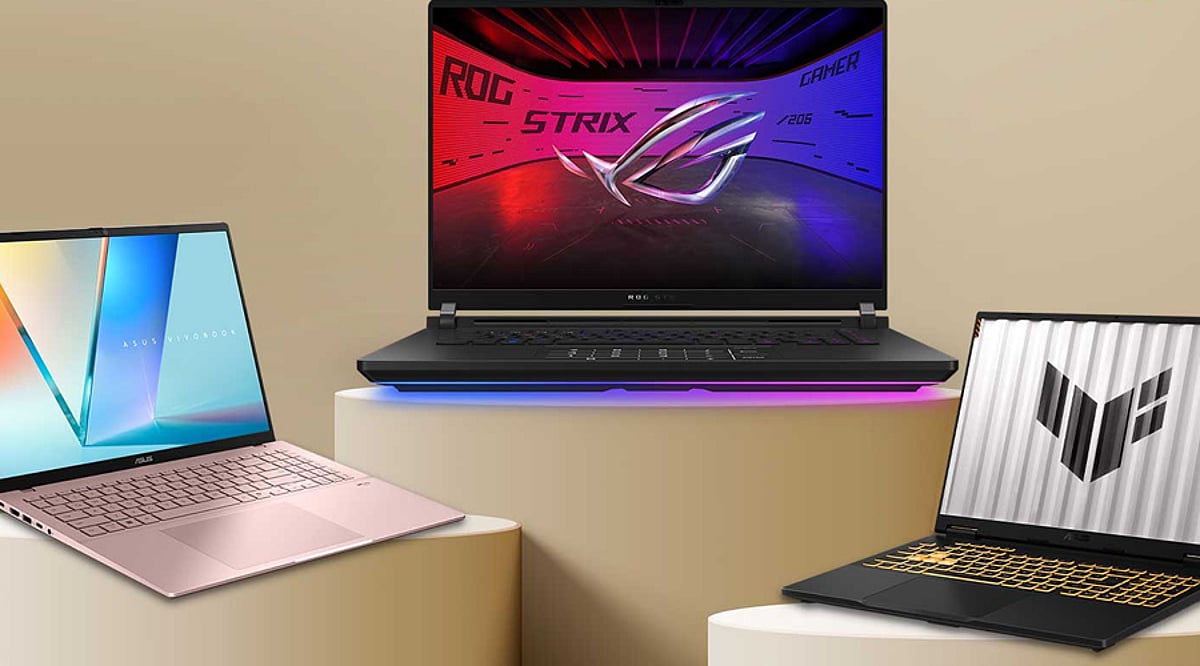
    ASUS is entering 2026 with a broad laptop lineup spanning ultraportables, creator workstations, and gaming rigs. The company is leaning into new processors, OLED panels, and AI-focused hardware across its Zenbook, Vivobook, ROG, and ProArt families. Here are seven models and product families that define ASUS’s 2026 laptop strategy.

    ROG Zephyrus Duo 16: Dual-screen power

    The ROG Zephyrus Duo 16 remains ASUS’s answer for users who want maximum screen real estate. Its dual-screen design pairs two 16-inch displays, making it well suited to gaming, multitasking, and creative workflows. The 2026 edition comes with high-end Intel and NVIDIA components underneath.

    ROG Zephyrus G16: Performance in a traditional clamshell

    For gamers who prefer a conventional laptop form factor, the Zephyrus G16 delivers serious hardware. The 2026 model can be configured with an Intel Core Ultra 9 processor and NVIDIA RTX 5070 Ti graphics. Its 16-inch OLED panel features a 240Hz refresh rate, so fast-moving action stays smooth.

    ROG Zephyrus G14: Smaller, still powerful

    The Zephyrus G14 targets portability without sacrificing gaming performance. ASUS groups it with the G16 and Duo 16 in its 2026 Zephyrus family. Expect OLED displays and premium processors and graphics in a more compact package for gamers and creators on the move.

    ProArt P16: Built for AI-heavy creative work

    The ProArt P16 is designed for creators tackling demanding AI and visual workloads. ASUS introduced it with NVIDIA RTX Spark technology, which brings together a Blackwell RTX GPU, Grace CPU, and up to 128GB of unified memory. The Lumina Pro OLED display adds high brightness and a 120Hz refresh rate for color-critical work.

    ProArt P14: Creator power in a smaller chassis

    The ProArt P14 takes the same creator-focused approach and shrinks it into a more portable format. ASUS positions it for AI-powered creative workflows and developers who need strong local processing power. It belongs to the new ProArt generation built around NVIDIA’s RTX Spark platform.

    Zenbook 14: Ultraportable with flexible processor options

    The 2026 Zenbook 14 combines portability with choice. ASUS offers Intel, AMD, and Snapdragon-based configurations, while the chassis weighs about 1.1kg. A Ceraluminum cover gives the ultraportable a distinctive premium finish that stands out from typical aluminum laptops.

    Vivobook 14 and 16: Everyday AI for mainstream users

    For everyday users who want modern AI abilities without stepping into gaming territory, the Vivobook 14 and 16 aim to deliver. The 2026 models can feature Intel Core Ultra 7 Series 3 processors, up to 32GB RAM, and a 49 TOPS NPU. Their 16:10 displays round out a productivity-focused package.

  • POVA AI Buds Pro: 5 Smart AI Features That Elevate Wireless Earbuds

    POVA AI Buds Pro: 5 Smart AI Features That Elevate Wireless Earbuds

    The POVA AI Buds Pro combine wireless audio with intelligent features designed for everyday use. Instead of relying solely on traditional controls, these earbuds bring AI into calls, translation, sound management, and daily interactions. Here are five standout features that make them more than just a pair of wireless earbuds.

    1. AI-Powered Translation

    One of the most notable features of the POVA AI Buds Pro is real-time AI translation. The earbuds can help users communicate across language barriers by translating conversations in supported languages. This is especially useful while traveling, meeting international contacts, or navigating everyday situations where language differences might otherwise create friction.

    2. Active Noise Cancellation

    The POVA AI Buds Pro are engineered to reduce unwanted background noise through active noise cancellation. This allows users to focus on music, podcasts, calls, or other audio in busy environments. By limiting surrounding distractions, the earbuds deliver a more controlled listening experience without forcing users to raise the volume to uncomfortable levels.

    3. AI Voice Assistance

    AI voice assistance adds a hands-free layer of convenience. Users can interact with supported AI functions through voice commands instead of reaching for their smartphones. This makes everyday tasks like asking questions, accessing information, or managing certain functions quicker and more seamless.

    4. Smart Call Features

    Calling is another area where AI makes a real difference. The POVA AI Buds Pro include intelligent features aimed at improving voice clarity and handling surrounding noise during calls. This helps users stay connected in crowded locations, offices, and other settings where call quality can be challenging.

    5. Comfort and Everyday Usability

    Beyond AI capabilities, the POVA AI Buds Pro remain practical for extended use. Their compact wireless design, touch controls, and convenient operation let users manage audio and selected functions without repeatedly pulling out their smartphones. This keeps common interactions quick, simple, and hassle-free.

    Why These AI Features Matter

    The POVA AI Buds Pro demonstrate how artificial intelligence is moving beyond smartphones and computers into everyday audio devices. Translation, noise cancellation, voice assistance, and call-enhancing functions reduce friction during routine tasks. As these technologies become more common, earbuds are increasingly acting as intelligent companions rather than simple wireless headphones.

  • Top Threats to Your External Hard Drive: How to Avoid Damage and Data Loss

    Top Threats to Your External Hard Drive: How to Avoid Damage and Data Loss

    External hard drives are convenient for storing backups, media, and important files, but they are vulnerable to several types of damage. Understanding these risks can help you protect your device and the data it holds. Below are the most common threats and practical tips to avoid them.

    Physical Damage

    Drops, bumps, and rough handling are leading causes of hard drive failure. Mechanical drives contain spinning platters and moving read/write heads that can be easily misaligned or broken by sudden shocks. Even if the outer casing appears undamaged, internal components may still suffer. Always place your drive on a stable surface and handle it with care to reduce the risk of physical failure.

    Heat Exposure

    Excessive heat can degrade performance and shorten your drive’s lifespan. Avoid leaving it in direct sunlight, near heaters, or inside a hot car. When transferring large files or using the drive continuously, ensure adequate ventilation around it. Overheating can cause components to expand, leading to read/write errors or permanent damage.

    Unsafe Ejection

    Disconnecting a drive without using the “Safely Remove Hardware” option can corrupt data. The operating system may still be writing to the drive when the cable is pulled. Always use your computer’s eject function before unplugging to ensure all read/write operations have finished.

    Power Problems

    Sudden power interruptions, unstable connections, or incompatible power adapters can harm external drives—especially those that rely on external power. Use high-quality cables, the original power adapter, and a surge protector to minimize the risk of electrical damage or data corruption.

    Water and Moisture

    Liquids and electronics do not mix. Spills, high humidity, or accidental immersion can short-circuit internal components and damage connectors. Keep your drive away from drinks and damp areas. If it gets wet, do not power it on immediately; let it dry completely before attempting use.

    Dust and Dirt

    Dust accumulation can block ventilation, causing overheating, and can also degrade ports and connectors over time. If you work in a dusty environment, store the drive in a clean case or bag. Regularly inspect cables and ports for debris, and keep ventilation openings unobstructed.

    Malware and Data Threats

    Not all threats are physical. Malware, ransomware, and other malicious software can corrupt or encrypt files stored on your external drive. Avoid connecting your drive to untrusted computers, maintain separate backups, and regularly scan devices with up-to-date antivirus software. Following basic cybersecurity practices helps protect your data.

    By being aware of these risks and taking simple precautions, you can significantly extend the life of your external hard drive and keep your valuable data safe.

  • Acerpure Nitro 55-Inch QLED TV Review: Affordable 4K with Gaming Features

    Acerpure Nitro 55-Inch QLED TV Review: Affordable 4K with Gaming Features

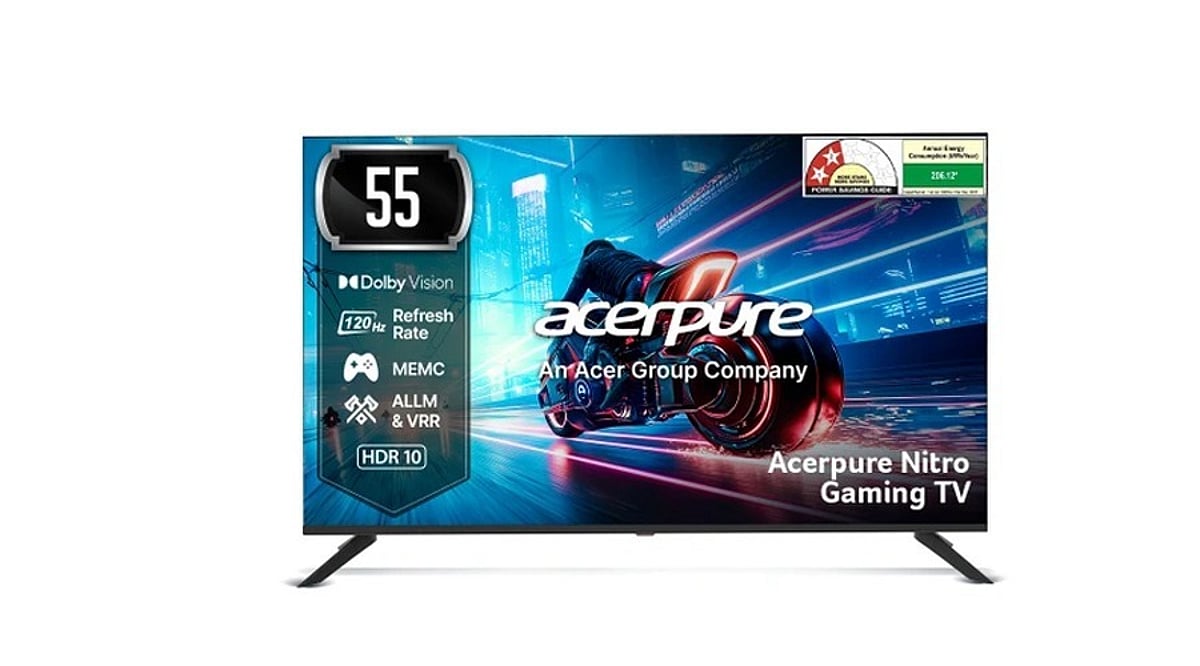
    The Acerpure Nitro 55-inch QLED TV is a feature-packed smart television that delivers strong value in the budget-friendly large-screen segment. It combines a 55-inch 4K QLED panel with a 120Hz refresh rate, Dolby Vision, MEMC, VRR, and ALLM support, making it an appealing option for both casual viewers and gamers. Powered by Google TV on Android TV 14, it also includes a 50W sound system with Dolby Atmos and dedicated gaming modes.

    Specifications

    • Display: 55-inch 4K QLED, 120Hz refresh rate
    • HDR Support: Dolby Vision, HDR10, HLG
    • Gaming Features: VRR, ALLM, MEMC
    • Smart Platform: Google TV (Android TV 14)
    • Audio: 50W speakers, Dolby Atmos
    • Connectivity: HDMI 2.1, USB, Wi-Fi, Bluetooth

    Pros and Cons

    Pros

    • Affordable price for a 55-inch QLED with 120Hz
    • Good brightness and sharpness for everyday content
    • Dolby Vision and Dolby Atmos support enhance movies and games
    • VRR and ALLM improve gaming responsiveness

    Cons

    • Color accuracy can be inconsistent; vivid colors sometimes appear washed out
    • Black levels are not as deep as higher-end OLED or Mini-LED TVs
    • Built-in sound, while decent, may not satisfy audiophiles

    Final Verdict

    The Acerpure Nitro 55-inch QLED TV offers an impressive set of features at a competitive price point. With 4K resolution, a 120Hz panel, and gaming-friendly technologies like VRR and ALLM, it is well-suited for gamers on a budget. However, those seeking superior color accuracy and deep blacks may want to consider higher-tier alternatives. Overall, it is a solid choice for anyone looking for a large, feature-rich TV without breaking the bank.

  • Why the OnePlus Pad Go 2 Is Worth Buying: 5 Key Features to Know

    Why the OnePlus Pad Go 2 Is Worth Buying: 5 Key Features to Know

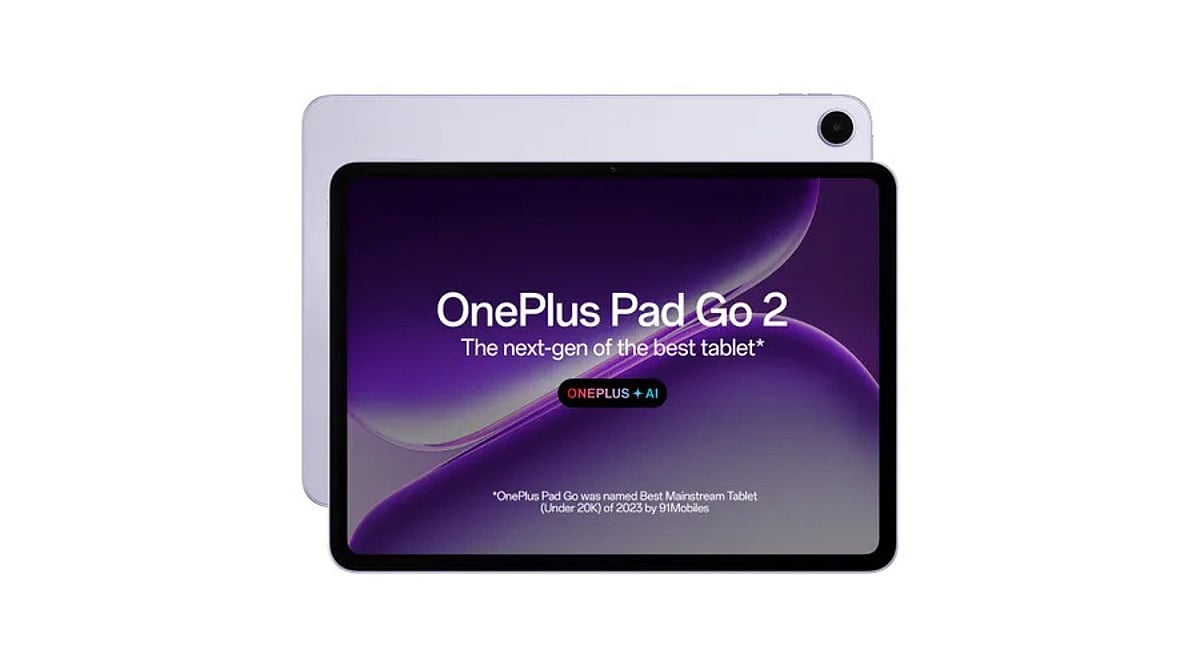
    The OnePlus Pad Go 2 is more than just another Android tablet. It combines a large 2.8K display, a capable MediaTek chip, a long-lasting battery, optional 5G connectivity, and practical AI tools in a package that stays well below premium-tablet pricing. Here are five standout features that make the OnePlus Pad Go 2 worth considering in India.

    1. Stunning 12.1-Inch 2.8K Display

    The 12.1-inch panel delivers a 2800 x 1980 resolution (284 ppi) with a 7:5 aspect ratio that feels more like a book than a typical widescreen tablet. It supports an adaptive 120Hz refresh rate, 900 nits HBM brightness, 98% DCI-P3 color coverage, and Dolby Vision for vibrant streaming content. The slim bezels also give the display an 88.5% screen-to-body ratio, while OnePlus Eye Comfort helps reduce eye strain during long reading or note-taking sessions.

    2. Solid Performance From the Dimensity 7300-Ultra

    Under the hood, the MediaTek Dimensity 7300-Ultra octa-core chip handles everyday tablet work with ease. The Pad Go 2 comes with 8GB of RAM and up to 256GB of storage. OxygenOS 16 adds multitasking tools like Open Canvas, which lets you run up to three app windows on the same screen, plus resizable split-screen and floating windows. OnePlus also says the software-and-hardware setup is TÜV SÜD certified for 48 months of lasting smoothness.

    3. Big 10,050mAh Battery for All-Day Use

    The Pad Go 2 packs a 10,050mAh typical-capacity battery, backed by 33W SUPERVOOC fast charging and reverse charging for compatible accessories. OnePlus claims up to 60 days of standby time, although real-world endurance depends on screen brightness, network usage, and apps. Still, the large cell gives the tablet enough staying power for study sessions, travel, and video playback.

    4. Optional 5G for True Portability

    For buyers who don’t want to rely on Wi-Fi, the 5G version of the OnePlus Pad Go 2 supports Nano-SIM and 4G/5G networks. The 256GB 5G model is priced at Rs. 35,999 in India, while Wi-Fi models start at Rs. 29,999 for 128GB and Rs. 32,999 for 256GB of storage. That gives shoppers three clear price points to choose from.

    5. Built-In AI Tools and Stylo Support

    OnePlus adds several useful AI features to the Pad Go 2. AI Recorder records, transcribes, and summarizes audio; AI Translation translates websites, screenshots, and articles; AI Summary condenses web content; and AI Speaker can read on-screen text aloud. The optional OnePlus Pad Go 2 Stylo stylus supports 4,096 pressure levels and low latency for note-taking and sketching. Quad speakers, Dolby Vision, and AI photo tools round out the entertainment experience.

    Final Take

    With a starting price of Rs. 29,999 in India, the OnePlus Pad Go 2 delivers a strong mix of display quality, battery life, performance, and software features. The optional 5G model adds more flexibility for people who need connectivity on the go. If you’re looking for a large-screen Android tablet without paying flagship prices, the OnePlus Pad Go 2 deserves a close look.

  • OPPO K14 Lite Review: 7 Key Factors to Evaluate Before Buying This Budget 4G Smartphone

    OPPO K14 Lite Review: 7 Key Factors to Evaluate Before Buying This Budget 4G Smartphone

    The OPPO K14 Lite has one feature that stands out immediately: a huge 7,000mAh battery. OPPO has also confirmed a 6.75-inch display with a 120Hz refresh rate, ColorOS 16, an IP64 rating and a 13MP rear camera. The India launch takes place on September 16 at 12 PM IST, with Flipkart as the sales platform.

    There is also an important detail that changes the picture. Despite some reports and headlines that call the phone a 5G model, current specifications list the OPPO K14 Lite as a 4G-only phone. The listed chipset, Unisoc T7250, also supports 4G rather than 5G. That point deserves attention before any purchase decision.

    1. Check the 4G Network First

    Network support is the first major point to consider. The OPPO K14 Lite does not support 5G, according to the latest specification data. The phone supports 4G LTE, dual SIM use and Voice over LTE. This makes the device quite different from the OPPO K14 5G and K14x 5G.

    The difference matters for anyone who expects faster mobile data or plans to keep the phone for several years. A 4G connection can handle calls, social media, video and regular app use with ease, but the K14 Lite should not carry a 5G label in product coverage.

    2. Check the Large 7,000mAh Battery

    Battery capacity forms the strongest feature of the K14 Lite. The phone carries a 7,000mAh cell, while OPPO claims battery durability for up to six years. The company also lists up to 26.84 hours of video playback and up to 675.13 hours of standby time on a single charge.

    Such capacity can suit users who spend long hours away from a charger. The large cell also gives the K14 Lite a clear focus within the budget phone market. Battery size alone, however, should not decide the purchase. Charging speed also matters with such a large cell.

    3. Check the 6.75-Inch 120Hz Screen

    The K14 Lite uses a 6.75-inch LCD panel with a 120Hz refresh rate. Current specification data lists a 720 x 1570-pixel HD+ resolution, along with a peak brightness of 1,125 nits. The large size can help with video, reading and everyday app use, while the 120Hz rate can make menus and page movement feel smoother.

    The HD+ resolution is also worth noting. A 6.75-inch panel with this resolution will not offer the same sharp detail as a Full HD+ screen. The 120Hz rate adds smoothness, but resolution still matters for text, photos and fine details.

    4. Check the Unisoc T7250 Chip

    The Unisoc T7250 sits at the heart of the K14 Lite. Current listings show an octa-core setup with two Cortex-A75 cores at 1.8GHz and six Cortex-A55 cores at 1.6GHz, along with Mali-G57 graphics. The phone also carries 4GB of RAM, with virtual RAM support that can take the advertised memory figure up to 8GB.

    This hardware points toward basic daily tasks rather than heavy games. Calls, web use, video, messaging and common apps should fit the phone’s intended class. Buyers who want strong game performance should pay close attention to the chipset before purchase.

    5. Check the Camera Hardware

    The rear camera setup centres on a 13MP main sensor. Current listings also show a 5MP front camera, Full HD video at 30 frames per second from the rear camera and HD video at 30 frames per second from the front camera.

    The camera hardware looks simple rather than ambitious. That setup can handle casual photos, video calls and basic social media shots, but it does not match the camera hardware found on higher-priced phones. Camera quality will depend on image processing as well as the sensor count, so real-world tests should matter more than megapixel figures alone.

    6. Check ColorOS 16 and Durability

    OPPO gives the K14 Lite ColorOS 16, based on Android 16. The phone also carries an IP64 rating for dust and water resistance. OPPO has highlighted durability as part of the phone’s design, while reports also link the model with a claim for 36 months of smooth OS performance.

    The IP64 rating offers useful protection for normal dust exposure and water splashes. It does not make the phone suitable for underwater use, so the rating still needs careful interpretation.

    7. Check the Price Before Paying

    Price will decide how the K14 Lite fits into the market. As of the latest available pre-launch data, OPPO had not confirmed the official India price. Some reports place the phone below Rs. 20,000, while other estimates sit higher. Those figures remain estimates, not confirmed launch prices.

    Final Thoughts

    The OPPO K14 Lite has a mix of useful features and clear compromises. Its 7,000mAh battery and 120Hz display stand out, while 4G support and the basic chipset need close attention. These details can shape the phone’s daily experience, long-term value and suitability for different types of users.

    The K14 Lite therefore has a clear profile: a 7,000mAh battery, large 120Hz screen, ColorOS 16 and IP64 protection, paired with a basic processor and 4G connectivity. The final price will determine how those trade-offs fit the market.

    FAQs

    Is the OPPO K14 Lite a 5G phone?
    Current specifications list the OPPO K14 Lite as a 4G LTE phone, not a 5G model.

    How large is the OPPO K14 Lite battery?
    The phone has a 7,000mAh battery, with OPPO claiming up to 26.84 hours of video playback.

    What processor does the OPPO K14 Lite use?
    The phone uses the Unisoc T7250 chipset with two Cortex-A75 cores and six Cortex-A55 cores.

    What display does the OPPO K14 Lite have?
    The phone has a 6.75-inch LCD with a 120Hz refresh rate and 720 x 1570-pixel HD+ resolution.

    Which software does the OPPO K14 Lite use?
    The OPPO K14 Lite runs ColorOS 16 based on Android 16.

  • Dex AI Camera: 7 Standout Features for Instant Language Discovery

    Dex AI Camera: 7 Standout Features for Instant Language Discovery

    Dex is an AI-powered camera designed to identify unfamiliar languages using visual recognition. It helps users understand written text without needing to search or translate manually. Here are seven standout features that make Dex different.

    1. AI Language Recognition

    Dex analyzes visible text and language patterns, allowing users to quickly discover which language is in front of them.

    2. Real-Time Translation

    Through built-in AI, Dex translates recognized text, making unfamiliar signs, labels, and written information much easier to understand.

    3. Visual Search

    Dex turns real-world text into searchable information, helping users explore words, phrases, and language-related details directly from what they photograph.

    4. Language Discovery Beyond Translation

    Rather than stopping at basic translation, Dex helps users recognize unfamiliar languages and understand the linguistic context captured in a scene.

    5. AI-Powered Camera Design

    Artificial intelligence is at the center of Dex, combining camera input with language analysis to interpret whatever users photograph.

    6. Travel Assistance

    Dex can help travelers understand unfamiliar signs, menus, and written instructions while exploring places where different languages are spoken.

    7. Hands-Free Understanding

    By bringing language recognition into a dedicated camera experience, Dex reduces the need to switch between separate translation applications.

    A Different Kind of Camera

    Unlike conventional cameras, Dex combines image capture with AI language discovery, making visual understanding its primary purpose.

  • OpenAI’s First AI Hardware: 7 Key Details About the Mystery Gadget

    OpenAI’s First AI Hardware: 7 Key Details About the Mystery Gadget

    OpenAI is moving beyond ChatGPT and into the world of consumer hardware. The company is developing its first mysterious device in collaboration with former Apple design chief Jony Ive. Recent reports suggest it could be a screenless AI companion, not another smartphone or smart speaker.

    1. Jony Ive Is Behind the Design

    The mystery device stems from OpenAI’s partnership with Jony Ive and his design team. That connection has fueled expectations for an unusual, minimalist product. OpenAI acquired Ive’s io Products in 2025 as part of its push into hardware.

    2. It Could Be a Screenless Speaker

    Reports increasingly describe the first device as a portable, screenless AI speaker. Instead of relying on apps and menus, it would make conversation the primary way users interact with technology. The design is reportedly intended to feel more like a personal companion than a conventional smart speaker.

    3. Think Small, Minimal, and Portable

    The device has been described as roughly hockey-puck-sized, with some reports pointing to a rounded or doughnut-like form. A compact design could allow it to sit on a desk or move around the home. However, OpenAI has not publicly confirmed the final hardware design.

    4. A Camera Could Give It Context

    One intriguing reported feature is a built-in camera. The camera could help the device understand its surroundings and provide more context-aware responses. That would push it beyond a traditional speaker, although the exact camera capabilities and privacy controls remain unknown.

    5. ChatGPT Would Be at Its Core

    The gadget is expected to rely heavily on OpenAI’s AI technology and GPT-Live for natural conversations. Reports suggest it could answer questions, play media, and potentially interact with messages. The larger idea is an AI companion that understands context instead of simply waiting for commands.

    6. It Could Control Your Smart Home

    OpenAI’s hardware vision reportedly extends beyond answering questions. The device could control compatible smart-home accessories and become a central interface for connected devices. That could turn a small AI gadget into a hands-free control hub for everyday activities around the home.

    7. A Built-In Battery Could Change Everything

    Unlike a conventional home speaker, the reported device may include a rechargeable battery. That would make it easier to carry between rooms and use without keeping it permanently plugged in. Portability could therefore become one of the gadget’s defining differences from existing smart speakers.

    The launch timeline may have shifted. OpenAI had previously indicated that its first hardware device was on track for 2026. More recent reporting now points to an early-2027 launch window for the speaker, showing that the timeline remains fluid. Pricing estimates have also varied, with reports putting it in the few-hundred-dollar range.

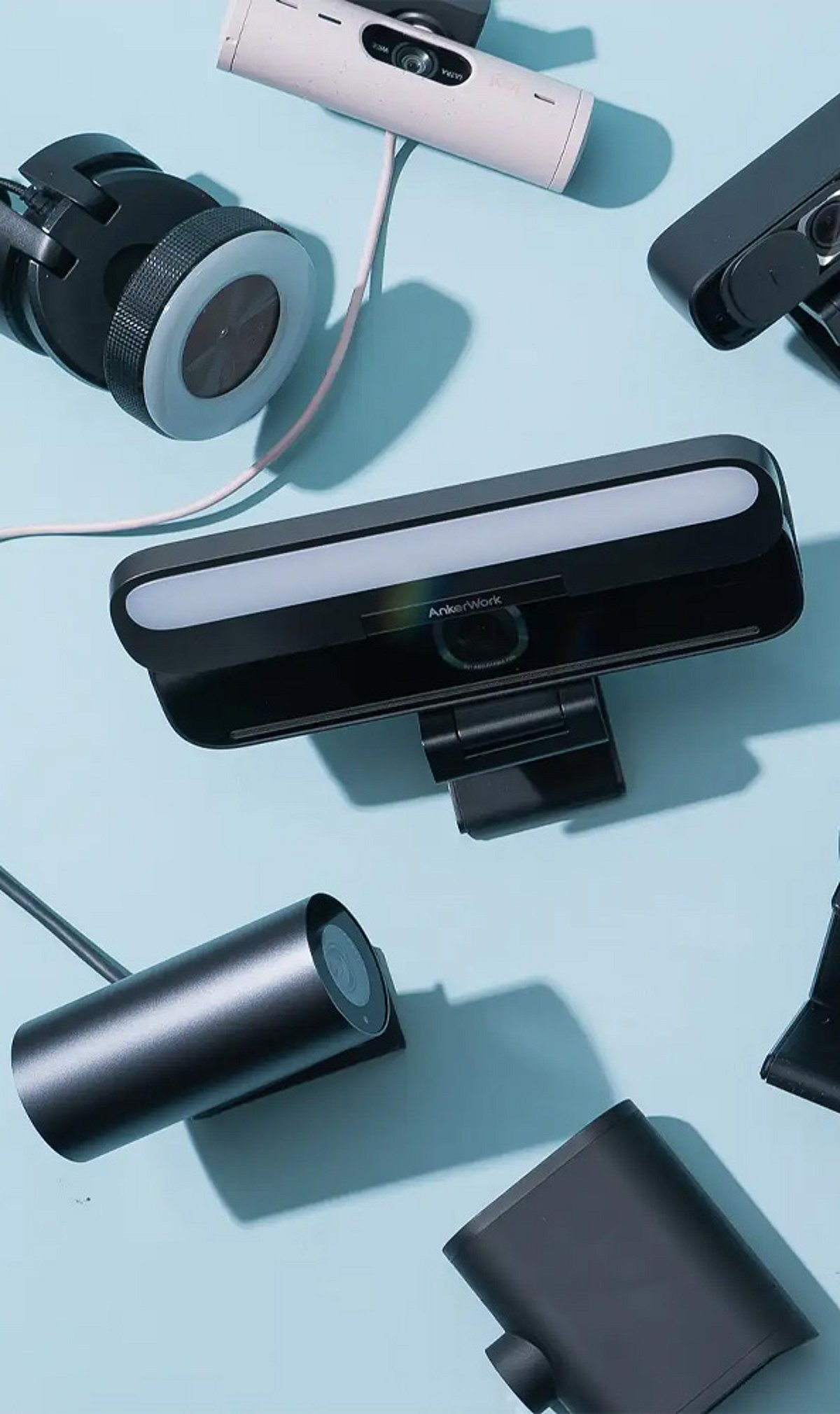
  • Top Webcam Upgrades for Remote Work and Streaming in 2026

    Top Webcam Upgrades for Remote Work and Streaming in 2026

    The best webcam upgrades in 2026 focus on 4K video, improved low-light sensors, AI framing and tracking, and enhanced microphone quality. Whether you’re a remote worker, streamer, or content creator, these models deliver professional-grade performance.

    Leading Webcam Models

    Logitech MX Brio offers 4K video, 1080p at 60fps, HDR support, a privacy shutter, and dual beamforming microphones — ideal for professional calls.

    Insta360 Link 2C Pro stands out with sharp 4K video, strong low-light performance, AI features, and a compact design suitable for both work and content creation.

    Elgato Facecam Pro targets streamers and creators with 4K video at up to 60fps, detailed manual controls, and support for professional streaming setups.

    Razer Kiyo Pro Ultra is built for difficult lighting conditions, featuring a large Sony STARVIS 2 sensor, f/1.7 aperture, HDR, and 4K video at 30fps.

    AI Tracking and Use Cases

    AI tracking webcams such as the Insta360 Link and OBSBOT models can follow movement, making them valuable for presentations, teaching, fitness, and dynamic streams.

    Important Considerations

    For everyday video calls, 4K may not be essential. Platforms like Zoom, Google Meet, and Microsoft Teams commonly limit webcam video to 1080p, so image quality and lighting remain equally important.

    Before purchasing, check USB-C connectivity, autofocus, microphone quality, privacy shutters, Mac and Windows support, and compatibility with apps such as Zoom, Teams, and OBS.

    Recommendations

    Choose based on your setup: Logitech MX Brio for professional calls, Insta360 for AI features, Elgato Facecam Pro for streaming, and Razer Kiyo Pro Ultra for strong low-light performance.