Category: Gadgets

  • Top Walmart Wireless Charger Deals: Save Up to 32% on 3-in-1 Stations and Magnetic Chargers This Weekend

    Top Walmart Wireless Charger Deals: Save Up to 32% on 3-in-1 Stations and Magnetic Chargers This Weekend

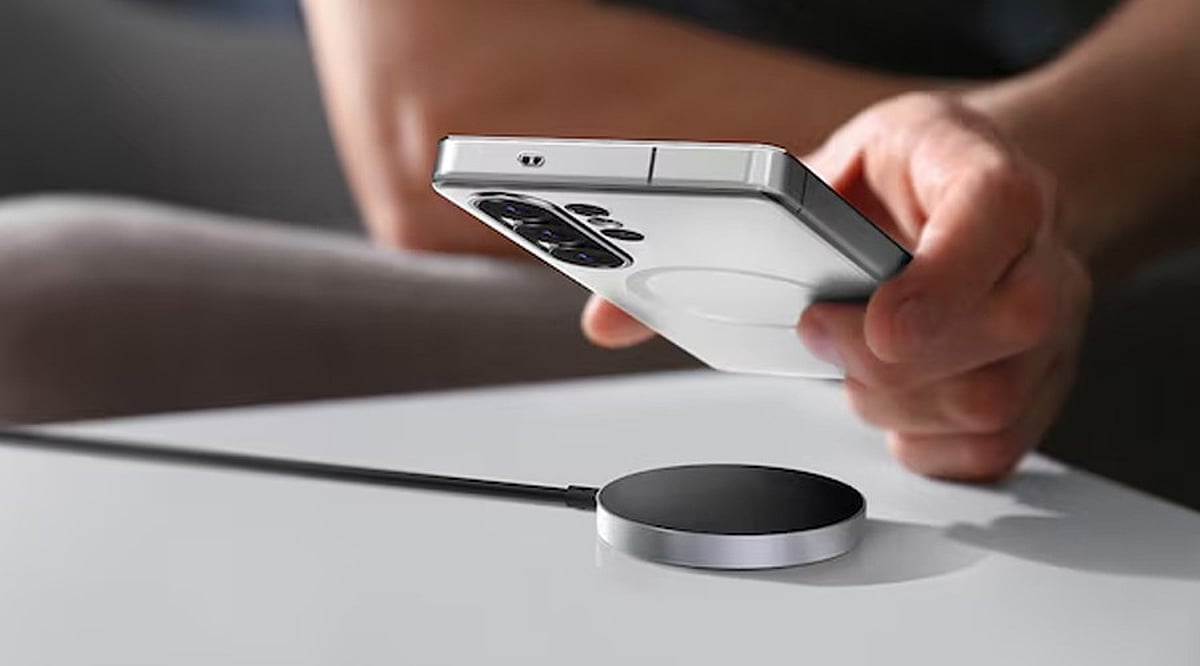
    Wireless charging is one of those small conveniences that quickly becomes part of your daily routine. Instead of reaching for a cable every time your phone needs power, you can simply place it on a charging pad or stand and let it do the work. This weekend, Walmart has several wireless chargers and charging stations available at reduced prices, including magnetic models, 3-in-1 stations, and foldable travel options.

    Best Wireless Chargers at Lower Prices

    Here are some of the deals currently worth a look:

    • ETEPEHI Magnetic Wireless Charger – Deal price: $13.49 (was $23.99). A straightforward magnetic charger for compatible iPhone models and AirPods.
    • ETEPEHI 3-in-1 Charging Station – Deal price: $17.98 (was $40.99). Charges phone, earbuds, and Apple Watch from one station to reduce cable clutter.
    • Wireless 15W Charging Station – Deal price: $16.37 (was $29.99). Supports compatible iPhones, Apple Watch, and AirPods.
    • Cshidworld 3-in-1 Wireless Charger – Deal price: $12.77. One of the most affordable options, compatible with iPhones, AirPods, Apple Watch, and some Samsung devices.
    • 15W 3-in-1 Charger With Alarm Clock – Deal price: $32.39 (was $35.99). Combines wireless charging with an alarm clock and night-light, ideal for bedside use.
    • Belkin 3-in-1 Wireless Charging Station – Deal price: $55.24 (was $64.99). A well-known brand with USB-C connection and magnetic charging support.
    • YINIUTECHNO Foldable 3-in-1 Charger – Deal price: $13.99. Foldable design for travel or saving desk space.
    • It’s Just Smart 3-in-1 Magnetic Charging Station – Price: $29.98. Features rotating watch charger and foldable design.

    Final Thoughts

    Walmart’s current wireless charger deals cover a wide range of needs and budgets. A basic magnetic charger works well if you only need to power your phone, while a 3-in-1 station can reduce cables on a desk or bedside table. Prices and availability can change, so check the Walmart listing before buying, especially if a specific discount catches your eye.

  • 7 Everyday Laptop Battery-Saving Tips for Longer Usage

    7 Everyday Laptop Battery-Saving Tips for Longer Usage

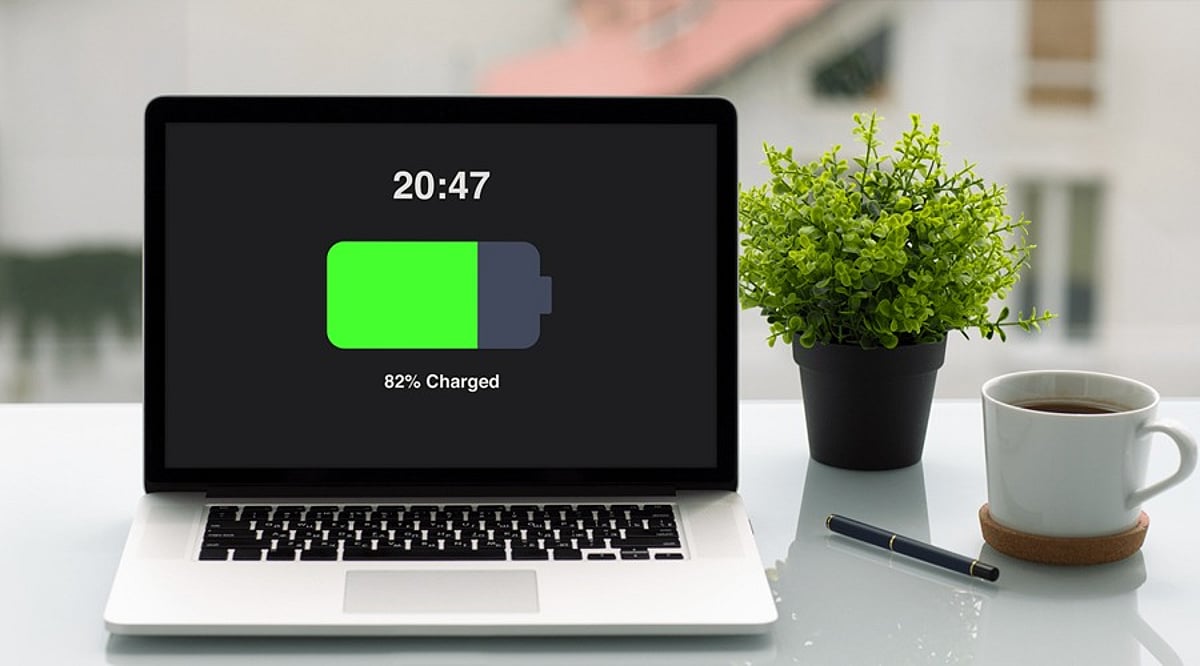
    Running out of battery in the middle of work can be frustrating, especially when you don’t have access to a charger. While modern laptops offer better battery life, your daily habits still play a significant role in how long a charge lasts. By making a few simple adjustments, you can reduce unnecessary power consumption and get more usable hours from your laptop between charges.

    7 Simple Tips to Save Laptop Battery

    1. Lower Screen Brightness

    The display is one of the biggest power consumers. When working indoors, reduce the brightness to a comfortable level. You don’t need maximum brightness all the time, and even a small reduction can help stretch your remaining battery.

    2. Enable Battery Saver Mode

    When your battery gets low, turn on your laptop’s built-in power-saving mode. Windows offers Energy Saver, while MacBooks have Low Power Mode. These settings automatically reduce background activities and other power-hungry processes to keep your laptop running longer.

    3. Close Unused Apps

    Leaving multiple programs open, including browsers with many tabs, editing software, and cloud apps, consumes system resources in the background. Close anything you’re not currently using to reduce battery drain and improve responsiveness.

    4. Reduce Background Activity

    Some apps continue to sync files, check for updates, or perform tasks even when not visible. Check which apps are allowed to run in the background and disable permissions for those you rarely use.

    5. Set Your Laptop to Sleep Sooner

    If you often step away from your laptop, reduce the inactivity time before the display turns off and the laptop enters sleep mode. This prevents battery waste when you’re not using the computer.

    6. Unplug Unnecessary Accessories

    External drives, USB devices, and wireless accessories draw power even when not in use. Disconnect peripherals you don’t need, especially when battery is low.

    7. Use Battery Health Features

    Modern laptops include battery care options like Smart Charging on Windows or Optimized Battery Charging on MacBooks. Enable these features to support long-term battery health and extend overall lifespan.

    Final Thoughts

    You don’t need to obsess over battery usage. Simple changes like lowering brightness, closing apps, and enabling power-saving mode can make a big difference. Also, remember to disconnect extra devices and let your laptop sleep faster. For long-term care, use your laptop’s battery health tools.

    By incorporating these habits, you can enjoy longer battery life and a more efficient laptop experience.

  • 10 Hidden Smartphone Features That Will Transform Your Daily Use

    10 Hidden Smartphone Features That Will Transform Your Daily Use

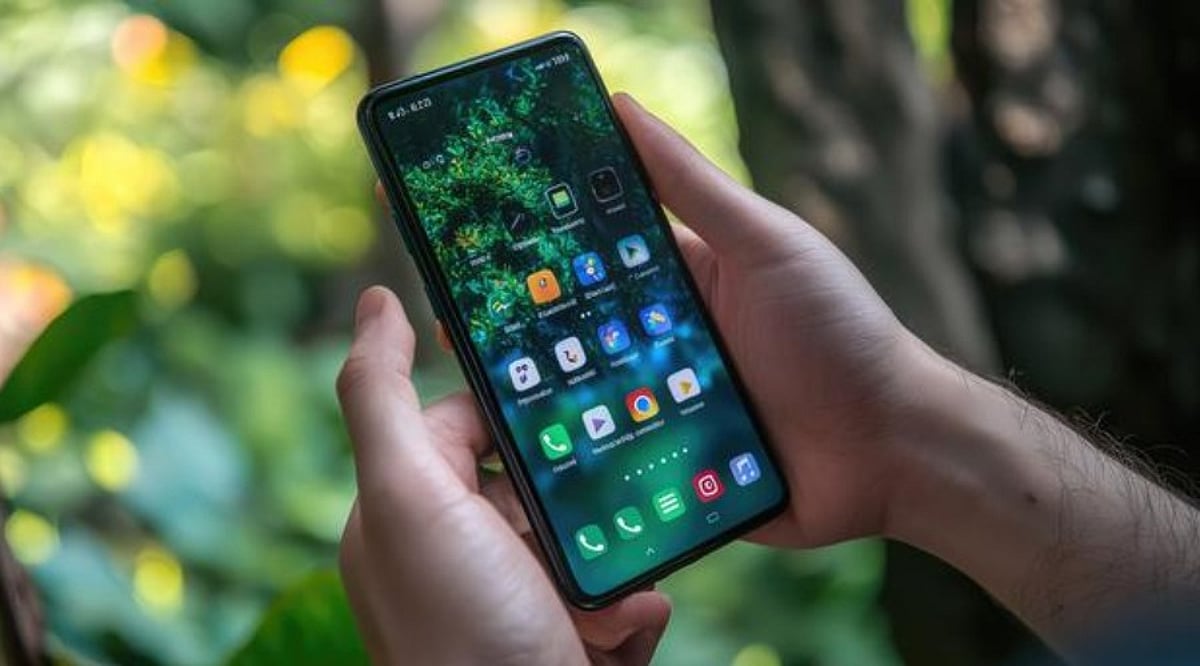
    Your smartphone is capable of far more than making calls and running apps. Many powerful tools remain hidden in menus and settings, waiting to be discovered. Both Apple and Google have added practical features that can boost productivity, enhance privacy, extend battery life, and simplify everyday tasks. The best part? You may already own a phone with these features—you just need to know where to find them. Here are several hidden smartphone features worth trying.

    Circle to Search: Find Anything on Your Screen

    Android users can search for items directly from their screen using Google’s Circle to Search. Simply press and hold the navigation handle or Home button, then circle, highlight, or tap something displayed on your screen. Google will search the selected text, image, or object, and you can even translate content without leaving the current app. This is especially useful while shopping or browsing social media—identify products without manually typing their names. The feature is available on selected Android devices, including Pixel 6 models.

    Lock or Hide Private Apps

    Your phone may contain apps you’d rather keep private. iPhones offer built-in options to lock or hide supported apps. Press and hold an app icon on the Home Screen, then choose the option requiring Face ID, Touch ID, or your passcode. You can also hide eligible downloaded apps completely; they move into a dedicated Hidden folder within the App Library. This helps protect banking, messaging, or personal applications, even when someone temporarily uses your unlocked phone. Android phones also offer similar privacy tools—check your device’s security settings for available options.

    Turn Search into a Quick Action Tool

    Many people use smartphone search only for finding apps, but on iPhone, Spotlight can do much more. Swipe down from the middle of the Home Screen, then type the information or action you need. Search can find contacts, messages, emails, photos, settings, and applications. On supported software, it can also trigger certain actions directly—for example, search for a setting and change it, or search for a contact and quickly start a communication. This can save several taps throughout the day.

    Use Focus Modes for Different Parts of Life

    Notifications can quickly become a distraction. Modern smartphones provide more control than simply switching on silent mode. iPhone Focus lets you create profiles for different situations—work, sleep, driving, or personal time. Each Focus can control which people and apps can notify you, and you can automate Focus modes around specific schedules or locations. Android phones offer comparable tools through notification and digital wellbeing settings. A customized Focus setup can reduce unnecessary interruptions while keeping important notifications from getting lost.

    Turn Your Phone into a Smart Display

    An iPhone can become a useful bedside display while charging with Apple’s StandBy feature. When the phone is positioned horizontally, it can show clocks, widgets, photos, and other information. Widgets provide quick access to calendars and reminders, and you can customize the information shown according to your routine. This feature is especially handy beside a bed or workspace, giving an older charging habit a more useful purpose.

    Check Battery Insights Before Blaming the Battery

    Battery problems aren’t always caused by an aging battery—background activity can sometimes explain unusually high power consumption. Recent iPhones provide battery usage charts and activity information, showing which apps and system processes consume the most power. Apple also provides battery suggestions and Insights that can flag settings affecting battery life. Some newer iPhones support Adaptive Power, which adjusts settings when daily usage becomes unusually high. Android devices offer similar battery dashboards and adaptive battery features. Checking these reports can quickly reveal power-hungry apps.

    AI Features Are Becoming Smartphone Shortcuts

    AI is changing how people use smartphones. Newer devices can handle tasks that once required separate applications. On supported iPhones, Apple Intelligence works across several system experiences, including writing assistance, image editing, visual intelligence, and Siri AI. Android manufacturers are adding comparable AI tools to newer devices. Availability depends on the phone, software version, language, and region. Many smartphone features are already available without downloading another app. Spend a few minutes exploring your settings this month—you may discover tools that make your phone far more useful.

  • 7 Smartphone Camera Settings That Improve Night Photography

    7 Smartphone Camera Settings That Improve Night Photography

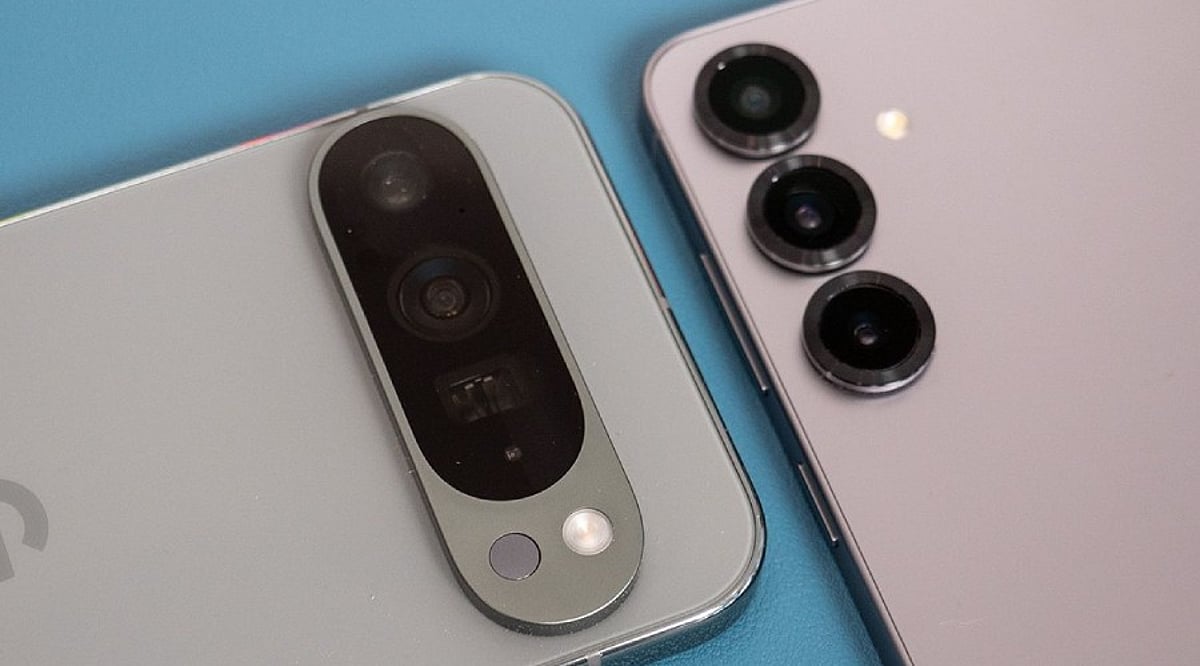
    Night photography exposes the limits of even the best smartphone cameras. Dark scenes provide much less light for the sensor, often resulting in grainy images, motion blur, weak colors, and lost detail. However, the problem isn’t always the hardware. A few key settings can make a noticeable difference after sunset. Many phones also use computational photography to improve low-light results automatically. Before blaming your device, try these seven adjustments.

    1. Turn On Night Mode

    Night mode should be your first check in low light. It captures more light over a longer period, combining multiple frames for a brighter, cleaner image. On iPhones, Night mode activates automatically in dark environments, and you can adjust the capture time. Samsung Galaxy phones offer a dedicated Night mode, while Google Pixel devices use Night Sight. Keep the phone still during the exposure to avoid ghosting and blur.

    2. Adjust Exposure

    A dark image isn’t always fixed by increasing brightness. Too much exposure can wash out signs, lights, and buildings. Tap the main subject and adjust the exposure slider if your phone allows it. Small tweaks preserve natural darkness, especially around streetlights and illuminated structures.

    3. Control ISO Sensitivity

    ISO controls the camera’s sensitivity to light. Higher ISO brightens dark scenes but adds noise. Phones usually manage ISO automatically, but some Android devices offer manual controls. In Samsung’s Pro mode, you can set ISO manually — use the lowest practical value for stationary night scenes to keep the image clean.

    4. Manage Shutter Speed

    Shutter speed determines how long the sensor collects light. A slower shutter produces brighter photos but is more sensitive to movement. Samsung Pro mode provides manual shutter controls. Use a tripod for very long exposures, and consider a timer or remote shutter to avoid camera shake.

    5. Check Focus Manually

    Autofocus can struggle in extremely dark scenes. Tap the subject manually before shooting. Some phones offer manual focus in Pro modes. Google Pixel cameras include a Far focus option for distant subjects like night skies. Focus carefully when photographing buildings, landscapes, or distant lights.

    6. Avoid Excessive Digital Zoom

    Zoom makes nighttime image quality worse by amplifying noise and softening details. Use the phone’s main camera whenever possible — it usually has the best low-light performance. Some newer phones combine frames to improve zoom clarity, but extreme zoom still reduces detail. Move closer when safe and practical.

    7. Try Pro or RAW Modes

    Advanced users can gain more control with Pro or RAW photography. Samsung Pro mode lets you adjust ISO, shutter speed, exposure, white balance, and focus. Apple ProRAW preserves more editing information on supported models, giving greater control over exposure and color. RAW files require more storage and editing, so for casual shots, computational Night mode may be easier.

    Why Night Photos Still Go Wrong

    Even perfect settings can’t overcome every limitation. Small sensors have less light available than larger dedicated cameras. Bright signs create difficult exposure differences, and moving people or vehicles introduce blur during long exposures. Clean lenses matter too — fingerprints and dust can create haze around lights. Before changing every setting, wipe the lens, then try Night mode with steady hands and modest adjustments.

    Frequently Asked Questions

    Why do smartphone photos look worse at night?

    Smartphone cameras receive much less light after sunset. The camera may use higher sensitivity or longer exposures, introducing noise, motion blur, reduced detail, and inaccurate colors.

    What is the best camera setting for night photography?

    Night mode is usually the simplest starting point. It’s designed for low-light scenes and often combines multiple frames. Results depend on the phone model, lighting, and subject movement.

    Should I always use Night mode?

    Not necessarily. Night mode works best in genuinely dark scenes. In moderately bright environments, regular Photo mode may produce a more natural result. Some phones activate low-light processing automatically when needed.

    Does increasing ISO improve night photos?

    Higher ISO can brighten a darker image but introduces more visible noise. On phones with manual controls, a lower practical ISO can produce cleaner results when enough light is available.

    How can I reduce blurry night photos?

    Keep the phone as still as possible during capture. Use a tripod or stable surface for longer exposures. Avoid moving subjects when the camera needs more time to collect light.

  • iPhone Duo Too Pricey? 5 Compelling Foldable Alternatives Worth Your Money

    iPhone Duo Too Pricey? 5 Compelling Foldable Alternatives Worth Your Money

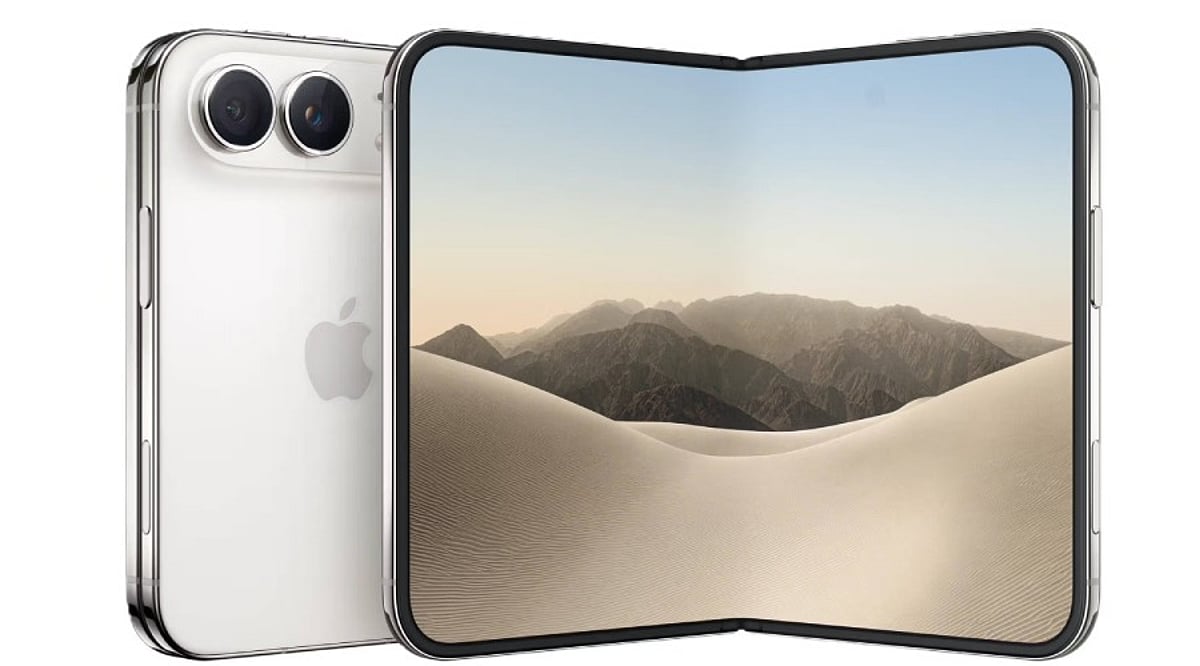
    Apple has finally entered the foldable phone market with the iPhone Duo, and the announcement has generated as much debate as excitement. The device carries a starting price of USD 1,999, which makes it the most expensive iPhone Apple has ever sold. For many buyers, this price tag raises a fair question: Is a foldable phone from Apple worth it, or would the same budget be better spent on a rival device that offers similar innovation at a lower cost?

    The foldable phone category has matured a great deal over the past few years, and several brands now offer devices that rival Apple on design, durability, and software, often at a friendlier price. This article looks at why the iPhone Duo costs so much and lists five foldable phones worth considering as alternatives.

    Why Apple’s iPhone Duo Carries a Heavy Price Tag

    The iPhone Duo opens like a book and reveals a 7.6-inch internal display, which Apple describes as the largest screen ever placed inside an iPhone. The cover screen measures 5.4 inches, and the device runs on Apple’s A20 Pro chip paired with a new cooling system. Apple claims this combination delivers 35% higher sustained performance compared with the iPhone 17 Pro. Battery life is rated at 31 hours of video playback, and the phone includes dual 48-megapixel rear cameras along with an under-display FaceTime camera. These components, along with the folding mechanism and reinforced hinge, add to key manufacturing costs. Foldable displays remain expensive to produce, and Apple has spent years refining the technology to avoid a visible crease, a problem that affected earlier foldables from other brands. The result is a premium device built with premium components.

    Samsung Galaxy Z Fold 7

    Samsung’s Galaxy Z Fold 7 remains one of the strongest book-style foldables on the market and starts at around USD 1,799, which is USD 200 less than the iPhone Duo. It runs on the Snapdragon 8 Elite chip, features a flagship camera system, and is noted for being one of the thinnest foldables available when closed. Samsung’s DeX mode also turns the phone into a near-laptop experience when connected to a keyboard, adding genuine productivity value beyond entertainment and browsing.

    Google Pixel 10 Pro Fold

    Pixel 10 Pro Fold is priced near USD 1,799 at launch, though it can often be found closer to USD 1,499 through retailers. What sets this device apart is durability. It carries the first IP68 water resistance rating given to a folding phone, a meaningful upgrade over earlier foldables that struggled with dust and moisture protection. Google also backs the phone with seven years of software updates, the longest commitment offered on any foldable today, which gives buyers strong long-term value for their money.

    Honor Magic V5

    Honor has positioned the Magic V5 as a direct challenger to Samsung and Apple, pricing it at EUR 1,999 in Europe, which works out to roughly 100 pounds less than the Galaxy Z Fold 7 in the UK market. The phone measures just 8.8 millimetres when folded, making it one of the slimmest foldables sold anywhere. It runs on the Snapdragon 8 Elite chipset, includes a 5,820mAh battery, and offers a triple rear camera system with a periscope telephoto lens. For buyers who want flagship specifications without paying Apple-level prices, the Magic V5 is a compelling option.

    Motorola Razr Ultra

    Not every buyer wants a large book-style device, and Motorola’s Razr Ultra 2026 caters to those who prefer a compact flip phone. Priced at USD 1,499, it features a 5,000mAh battery, dual 50-megapixel cameras suited for vlogging, and a bright cover display that supports Dolby Vision and HDR10 plus. Reviewers have noted that the price rose by 200 dollars over the previous generation, yet the phone still undercuts the iPhone Duo by USD 500 while offering a genuinely different form factor built around portability and design.

    Samsung Galaxy Z Flip 7

    For buyers who want to experience a foldable phone without spending close to USD 2,000, the Galaxy Z Flip 7 starts at around USD 999, roughly half the price of the iPhone Duo. It features a 4.1-inch cover screen that displays notifications, camera previews, and widgets without needing to open the phone. Samsung has also strengthened the hinge design in this generation, addressing a common concern among flip phone owners regarding long-term durability. It is not built for heavy multitasking the way the larger Fold models are, but it delivers the foldable experience at a price that many more people can afford.

    Foldable Phones Comparison Table

    Phone Starting Price Key Feature
    Apple iPhone Duo USD 1,999 Largest iPhone screen, A20 Pro chip
    Samsung Galaxy Z Fold 7 USD 1,799 DeX mode, thin design
    Google Pixel 10 Pro Fold USD 1,499 – 1,799 IP68 water resistance, 7-year updates
    Honor Magic V5 EUR 1,999 Slimmest foldable, 5,820mAh battery
    Motorola Razr Ultra USD 1,499 Compact flip, Dolby Vision cover display
    Samsung Galaxy Z Flip 7 USD 999 Affordable flip, 4.1-inch cover screen

    Final Thoughts

    The iPhone Duo is a genuinely impressive piece of engineering, and Apple has clearly worked to solve problems that affected earlier foldables, including screen creasing and hinge durability. However, its USD 1,999 starting price places it firmly in premium territory, and buyers now have several strong alternatives that offer comparable innovation at a lower cost. Samsung, Google, Honor, and Motorola have each built foldables that suit different needs, whether that means better software support, a slimmer design, a compact flip form, or simply a friendlier price. Choosing the right foldable ultimately depends on individual priorities such as brand ecosystem, camera quality, and long-term software support, rather than price alone. For most buyers, comparing these options carefully before committing to Apple’s most expensive iPhone yet is a sensible step.

  • Top 5 Party Speakers Under ₹20,000: Key Features to Consider Before Buying

    Top 5 Party Speakers Under ₹20,000: Key Features to Consider Before Buying

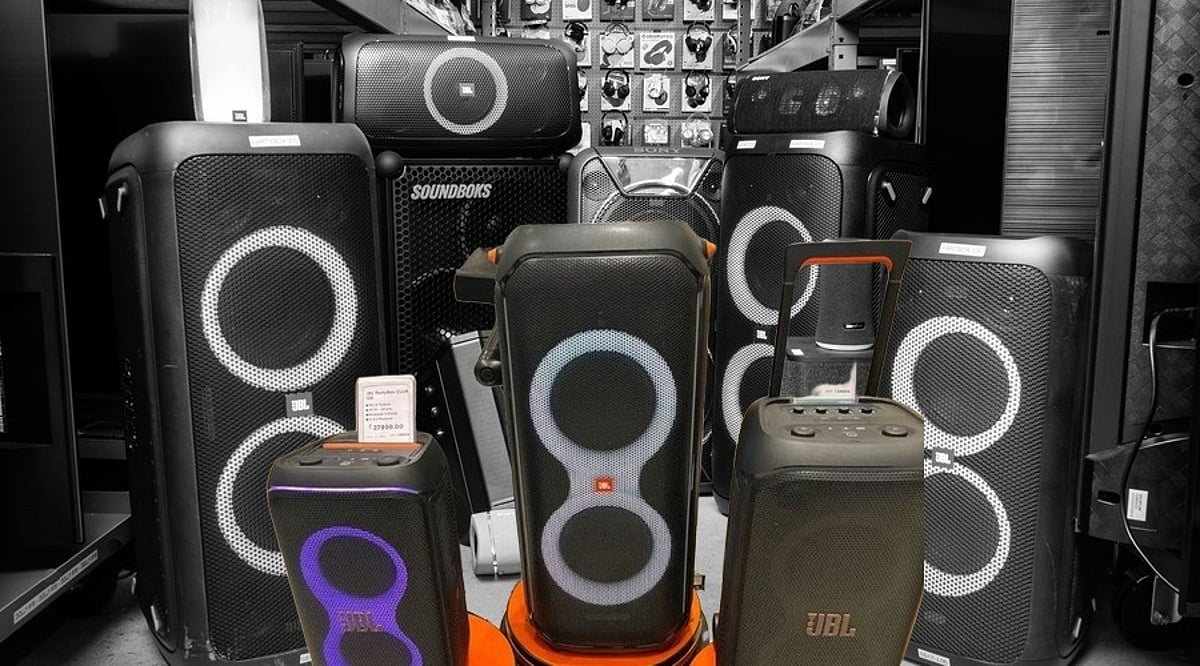
    When shopping for a party speaker under ₹20,000, you’ll quickly notice that wattage and battery life claims vary widely across brands. Some list RMS (continuous) output, while others advertise peak figures that can be misleading. We compared five models—from the Philips TAX5206 to the Soundcore Rave Party 2—to help you decode the numbers and choose the speaker that will actually deliver at your next event.

    Best Party Speakers to Buy

    Note: Output figures come from manufacturer or retailer listings and may follow different measurement standards. None of these five models list a formal IP water-resistance rating. Prices reflect recent listings and may vary by retailer.

    Philips TAX5206 — ₹15,990

    Rated at 80W RMS with a maximum output of 160W, the TAX5206 features a trolley design with dual 8-inch woofers and dual tweeters. It includes guitar and microphone inputs with rotary controls for echo, treble, and bass, making it one of the most karaoke-ready options at this price. Its advertised 14-hour battery life is the highest on this list, though that figure is measured under standard conditions and will likely be shorter at sustained high volume.

    Zebronics Party Fyre 102 — ₹16,999

    This speaker prioritizes portability with a trolley build and a remote control for managing music and lighting from a distance. Zebronics lists 200W output on the product page, but the brand does not specify whether that figure is RMS or peak, so treat it as a rough indicator rather than a precise number. Battery life is not listed in the specifications reviewed.

    boAt PartyPal 600 — ₹16,999

    The PartyPal 600 is rated at 220W RMS, a figure confirmed as continuous output rather than peak, making it more reliable when comparing against RMS-rated rivals. It supports TWS pairing, letting two units link into a stereo pair, and comes with a wireless microphone. Its battery is rated for 7 hours, lower than the Philips TAX5206, reflecting the trade-off between higher power output and shorter runtime.

    Soundcore Anker Rave Party 2 — ₹18,899

    At a brand-listed 120W, this is the lowest-output speaker on the list, but its PartyCast feature stands out: it can link several compatible speakers together for a larger, multi-room sound setup rather than acting as a single loud unit. Battery life is not specified in the listings reviewed, so anyone planning long outdoor use should confirm it directly before buying.

    Philips TAX5509 — ₹19,499

    The TAX5509 tops the list on price and brand-listed output at 260W, with built-in DJ and karaoke sound effects. As with other brand-listed figures, it is unclear whether this number reflects RMS or peak output, so it should not be read as a direct multiple of the TAX5206’s confirmed 80W RMS rating despite the shared brand name.

    Before You Buy

    None of these specs replace hearing a speaker in person—sensitivity and cabinet design shape real-world loudness in ways a wattage number alone cannot capture. Where possible, check user reviews for reported battery life and volume at full charge, and confirm water resistance directly with the seller if outdoor or poolside use is part of the plan.

    The biggest number on the box rarely tells the full story. A party speaker’s real test is whether the sound still holds up three hours in, at full volume, with the battery draining and the crowd not slowing down. Buyers who learn to read past the marketing number and check what it’s actually measuring end up with a speaker built for the party they are actually throwing, not the one described on the box.

    FAQs

    1. What should I look for in a party speaker under ₹20,000?

    Check the output rating, battery capacity or claimed runtime, connectivity options, portability, microphone support, and any water-resistance rating.

    2. Is higher wattage always better for a party speaker?

    No. Brands may use different output measurements, so wattage figures are not always directly comparable. RMS ratings provide more useful context when available.

    3. How long can a party speaker battery last at high volume?

    Actual runtime can be shorter than the advertised figure when playing music at high volume, especially with bass-heavy tracks and other power-intensive features.

    4. Do I need a water-resistant party speaker for outdoor use?

    If you plan to use it outdoors, check for a formal IP rating. Do not assume a speaker is rain-safe simply because it is designed for outdoor or trolley-style use.

    5. Is TWS pairing useful in a party speaker?

    Yes. TWS can let two compatible speakers connect for a wider stereo setup, while technologies such as PartyCast can support larger multi-speaker configurations.

  • Apple iPhone Eye Tracking: How to Set Up and Use Hands-Free Navigation

    Apple iPhone Eye Tracking: How to Set Up and Use Hands-Free Navigation

    Apple has introduced a new Eye Tracking feature for iPhones, enabling users to control their devices using only their eyes. This accessibility-focused tool provides a hands-free alternative to traditional touchscreen controls, benefiting individuals with physical disabilities and anyone seeking a touch-free experience.

    How to Enable Eye Tracking on iPhone

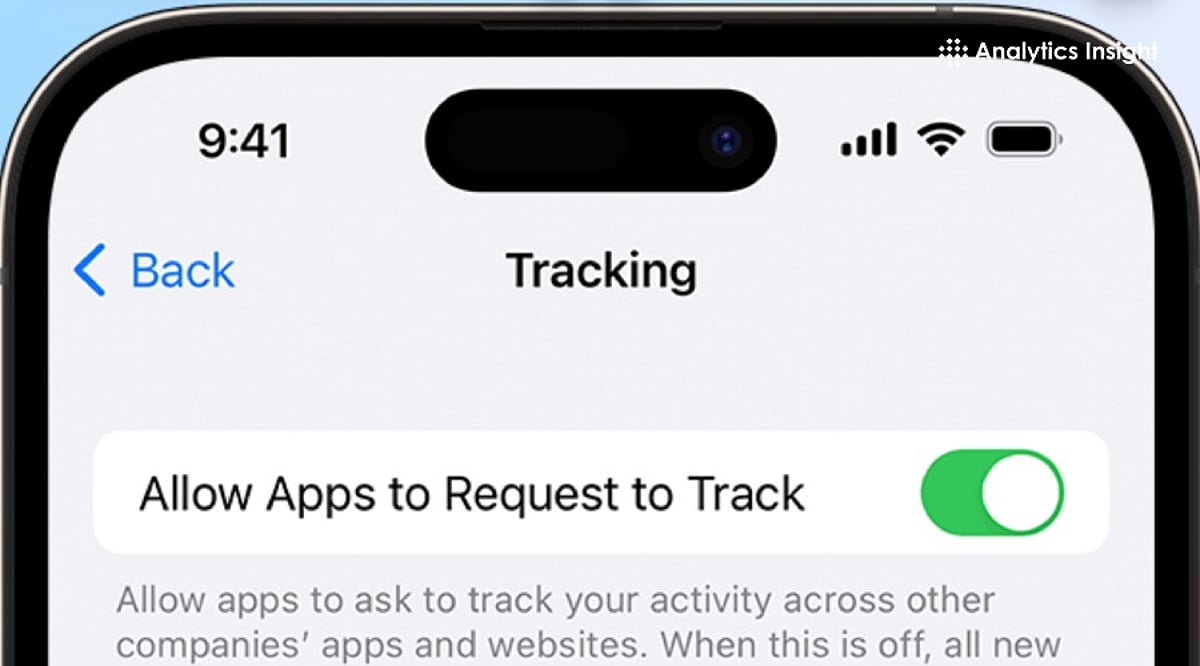
    To activate Eye Tracking, go to Settings, select Accessibility, and toggle the Eye Tracking option on. Once enabled, you can customize sensitivity and assign specific actions to eye movements for a personalized experience.

    How Eye Tracking Works

    The feature relies on the iPhone’s front-facing camera to track and interpret eye movements. Apple has developed advanced algorithms that allow the device to follow your gaze and respond accordingly. This eliminates the need for physical contact with the screen, making navigation easier for users with limited mobility.

    Performance and Considerations

    Early user feedback highlights precise and responsive tracking. However, performance can be affected by lighting conditions and camera angles. For best results, position your face clearly in front of the camera and ensure consistent lighting.

    A New Hands-Free Control Option

    Eye Tracking offers a new way to interact with your iPhone without touch input. While it significantly improves accessibility for people with physical disabilities, it also serves as a convenient hands-free option for all users. Apple combines the front camera with facial recognition and movement detection to deliver this innovative control method.

  • Apple Adds ‘Prepare to Ship’ Mode to iPhone 18 Pro Max to Meet 20Wh Battery Shipping Rules

    Apple Adds ‘Prepare to Ship’ Mode to iPhone 18 Pro Max to Meet 20Wh Battery Shipping Rules

    Apple has introduced a new Prepare to Ship option for the iPhone 18 Pro Max after increasing the device’s battery capacity beyond 20 watt-hours (Wh). The feature is designed to help owners send their phones in for repair, trade-in, return, or gifting without running into stricter shipping regulations for high-capacity batteries.

    Why the 20Wh Battery Threshold Matters

    In most countries and regions, devices with a single-cell battery above 20Wh are subject to additional shipping requirements. To keep the iPhone 18 Pro Max compliant through the supply chain, Apple uses a battery-firmware solution that keeps the battery below 20Wh during manufacturing and transport. Once the device is activated, the software restriction is removed and the battery operates at its full capacity.

    How Prepare to Ship Works

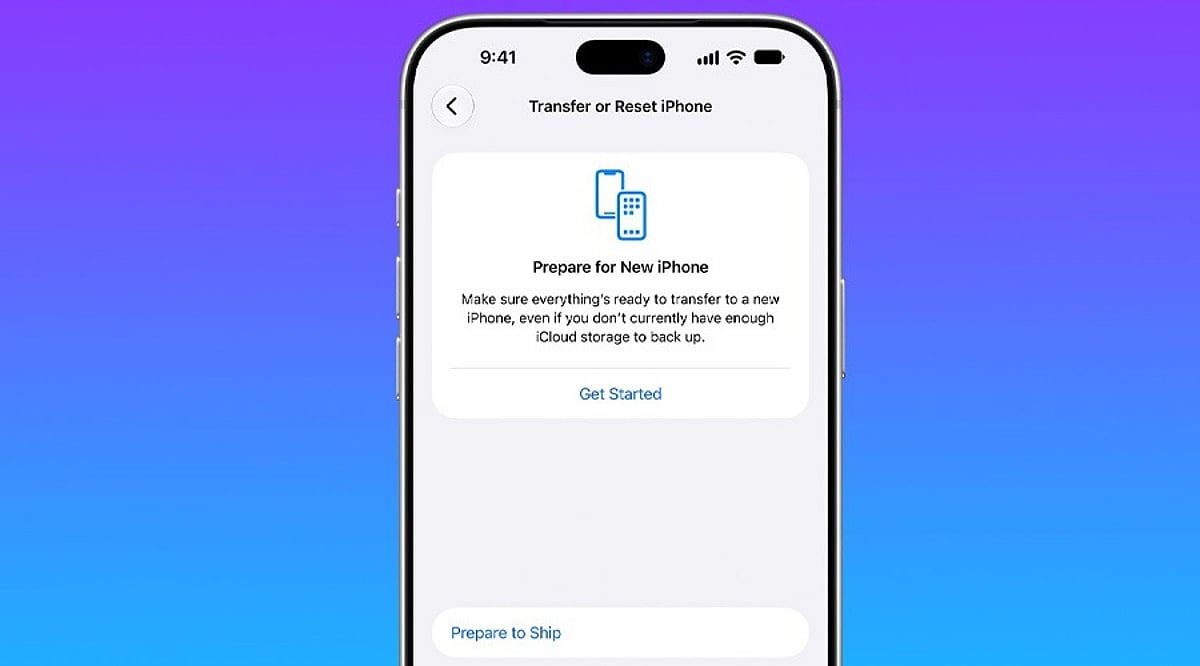
    When you need to send your iPhone 18 Pro Max to Apple for service, trade-in, return, or as a gift, the Prepare to Ship feature discharges the battery below the 20Wh threshold. It also applies a charging limit so the battery stays within the required range during transit.

    To use the feature:

    • Open Settings.
    • Go to General.
    • Tap Transfer or Reset iPhone.
    • Select Prepare to Ship.

    Apple says the process typically takes only a few minutes, but a fully charged device may take up to a couple of hours to complete. During discharge, the iPhone 18 Pro Max may feel warmer than usual, but it should cool down once the process finishes.

    No Safety Concern, Says Apple

    Apple has clarified that Prepare to Ship is not a response to a battery safety problem. The iPhone 18 Pro Max battery remains safe for shipping and air travel, and the additional step simply helps owners meet current regulations. Apple’s shipping guidance also recommends discharging the phone to 25% or less before switching it off and packing it in the provided shipping kit.

    For anyone planning to send back an iPhone 18 Pro Max, the new feature should help streamline the process and avoid shipping delays.

  • Dyson HushJet Purifier Compact Review: Whisper-Quiet Air Purification for Bedrooms and Offices

    Dyson HushJet Purifier Compact Review: Whisper-Quiet Air Purification for Bedrooms and Offices

    Overview

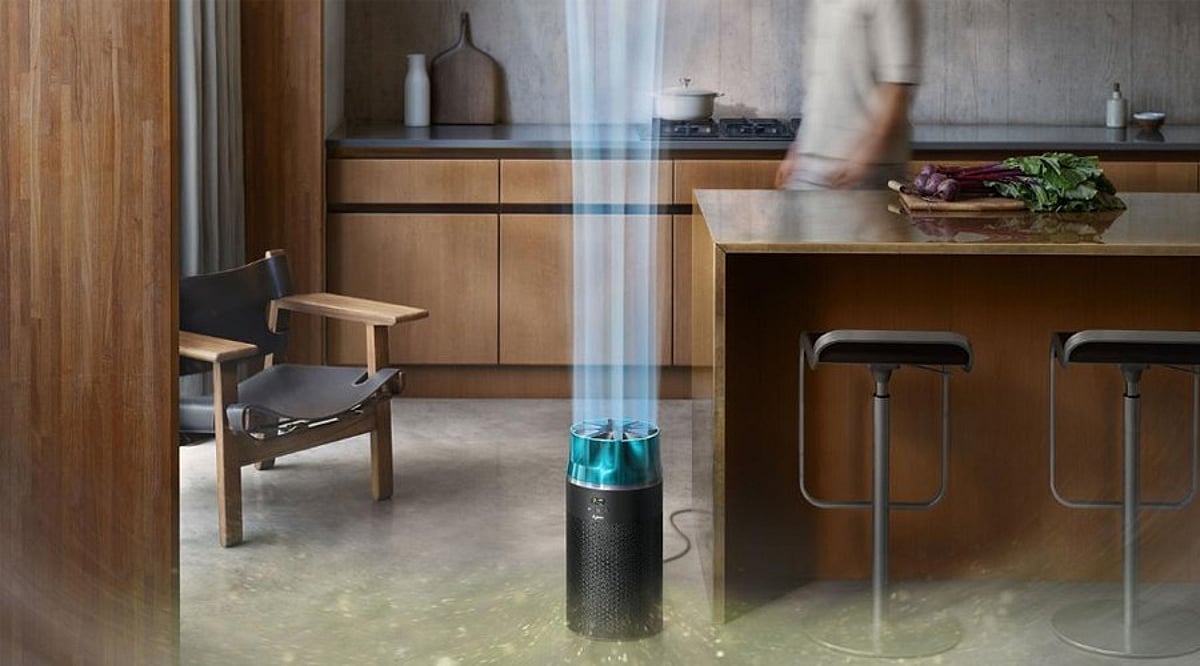
    The Dyson HushJet Purifier Compact is a premium air purifier designed for people who want effective filtration without the usual disturbance of fan noise. Its signature HushJet nozzle delivers a smooth stream of purified air, while electrostatic and activated carbon filtration work together to capture fine particles, allergens, gases, and odors.

    With adaptive sensors, the purifier automatically responds to changes in air quality, and remote control via the MyDyson app gives users detailed air quality analysis from anywhere.

    General Specifications

    The unit is engineered for compact spaces, combining Dyson’s signature design with practical controls. It supports automatic mode, real-time air quality monitoring, app-based operation, and a durable particle filter that is designed for long-term use.

    Pros and Cons

    Pros

    • Very quiet operation thanks to the HushJet nozzle
    • Auto mode adjusts purification based on current air quality
    • MyDyson app offers detailed air quality insights and remote control
    • Durable particle filter reduces the need for frequent replacements
    • Compact size works well in bedrooms and offices

    Cons

    • High price for the room coverage offered
    • Carbon filter adds to ongoing running costs

    Final Verdict

    The Dyson HushJet Purifier Compact is a well-built high-end purifier that gives as much attention to comfort as it does to cleaning the air. Its quiet operation, intuitive Auto mode, detailed app support, and long-lasting particle filter make it a strong choice for bedrooms, offices, and smaller rooms.

    The HushJet nozzle also stands out by delivering purified air without unnecessary turbulence or noise. However, the premium price is hard to justify based on the coverage area, and the carbon filter increases the cost of ownership. If quiet operation, intelligent monitoring, and Dyson’s design matter to you, the HushJet Purifier Compact is a worthy investment.

    Overall Rating: 4/5

  • Prime Big Deal Days 2026: 5 Verified Early Deals on Dyson, Garmin, Ninja & Roborock

    Prime Big Deal Days 2026: 5 Verified Early Deals on Dyson, Garmin, Ninja & Roborock

    Amazon’s Prime Big Deal Days 2026 is set for October 6–7, but early discounts are already rolling out on popular brands like Dyson, Garmin, Ninja, and Roborock. Not all deals are created equal, so we’ve sifted through the noise to highlight five products that offer genuine savings backed by price history and expert testing.

    How We Selected These Deals

    A discount badge alone doesn’t tell the full story. A high percentage off can still mean a higher price than the product’s typical selling point if the list price is inflated. That’s why we compared current prices against tracked price history from sources like TechRadar, Tom’s Guide, Gizmodo, NBC Select, and Windows Central. We also factored in independent reviews and testing. Only products that passed these checks made the list.

    The Five Standout Deals

    Prices are based on mid-September 2026 tracking and can change quickly during Prime Day. Always verify the final price at checkout.

    1. Garmin Vivoactive 6

    NBC Select tested a range of Garmin watches and named the Vivoactive 6 its top overall pick. It’s beginner-friendly yet covers a wide range of activities, unlike cheaper trackers. Battery life is rated up to 11 days, and it tracks sleep, stress, and daily energy via the Body Battery feature. At $50 off, the price matches its lowest tracked point—not a rare event, but a real saving nonetheless.

    2. Dyson V8 Plus

    The Dyson V8 Plus is a cordless stick vacuum with about 40 minutes of runtime. It works on multiple floor types, resists hair tangles, and converts into a handheld for furniture and cars. While it’s an older platform than Dyson’s current flagship, that’s why it can reach this price while newer models rarely drop as much.

    3. Ninja Creami Deluxe

    Tom’s Guide tested both the standard and Deluxe Creami and called the Deluxe a standout among ice cream makers. Pint containers slot directly into the outer jug for easy setup. The Deluxe adds settings for Italian ice and frozen coffee drinks, plus larger containers for making multiple treats at once—ideal for families.

    4. Roborock Q7 M5+

    This self-emptying robot vacuum offers 10,000Pa suction, a dual anti-tangle brush, and LiDAR navigation. The sealed dust bag lasts 7 to 9 weeks between changes. At $249.99, it’s well below many competitors, though features vary by model.

    5. Garmin Dash Cam Mini 3

    Windows Central reports this is the first time the Mini 3 has dropped below $100 on Amazon. It’s a compact 1080p camera with a 140-degree field of view and a built-in polarizing lens to reduce glare. Note: no microSD card is included, so factor that into your purchase.

    Reading the Discount, Not Just the Badge

    A percentage off means little without context. These five deals earned their spot through tracked pricing, discount depth, and testing history—not promotional language. That distinction matters more during a sale event than any single number on the page.

    Final Thought

    Prime Day discounts will continue to roll out in waves, and not every deal will hold up under scrutiny. The products worth buying are those with a price history to back them, not just a red banner. Happy shopping!