Category: Gadgets

  • 4 Classic iPod Models Still Worth Buying in 2026

    4 Classic iPod Models Still Worth Buying in 2026

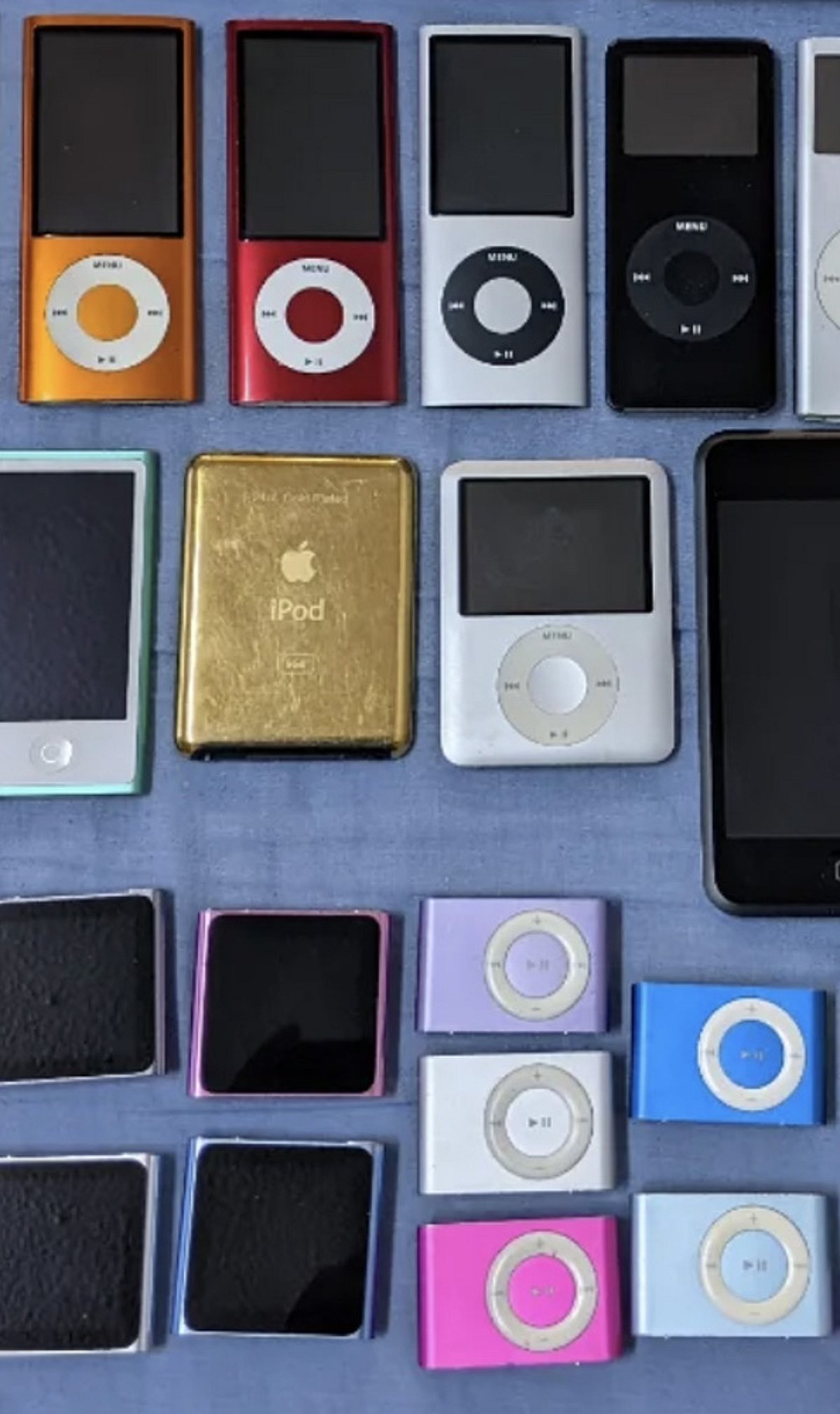
    Apple discontinued the iPod line in 2022, but older models are gaining renewed attention as listeners seek simpler, distraction-free music devices. If you’re looking to rediscover the joy of a dedicated music player, these four older iPods remain excellent choices in 2026.

    1st Generation iPod Shuffle

    The original iPod Shuffle offers a screen-free design with physical controls, making it tiny, lightweight, and ideal for workouts or running. With 512MB or 1GB of storage, it suits short playlists. Its built-in USB plug makes charging and syncing effortless.

    4th Generation iPod Nano

    The 4th generation Nano combines a slim design, color screen, Click Wheel, and up to 16GB of storage for music and video playback. Its vertical screen supports Cover Flow, and an accelerometer lets you shake the device to shuffle songs. Used models can cost between $20 and $40.

    5th Generation iPod Touch

    The 5th generation iPod Touch features a 4-inch HD display, iOS, Bluetooth, and video support, offering more versatility than classic iPod models. A used 5th generation iPod Touch typically costs $30 to $60, and its Lightning connector works with familiar Apple cables.

    4th Generation Click Wheel iPod

    The 4th generation Click Wheel iPod delivers the classic iPod experience with physical controls, a 30-pin connector, and a timeless design. Used Click Wheel iPods cost around $50 to $90, but buyers should check battery health and replacement-part availability before purchasing.

  • Googlebook Laptops Hit Pre-Order Stage: $899 Starting Price, Gemini AI Integration, and Global Rollout Details

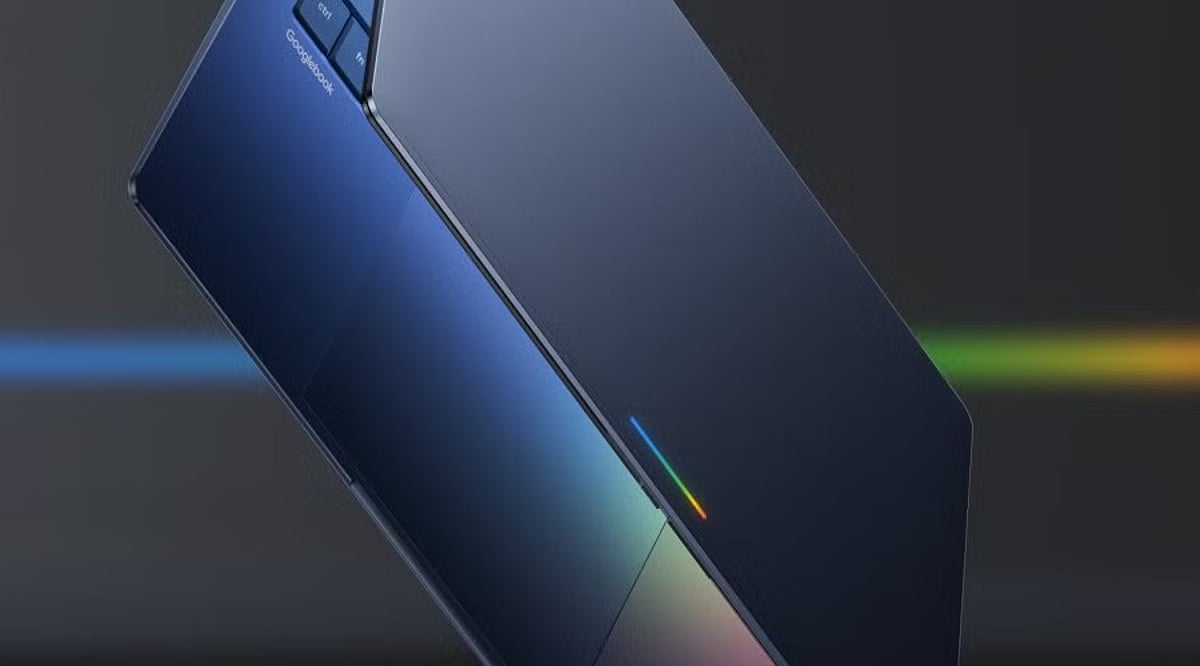
    Googlebook Laptops Hit Pre-Order Stage: $899 Starting Price, Gemini AI Integration, and Global Rollout Details

    Google has officially opened pre-orders for its new Googlebook laptops, marking a significant return to the premium laptop segment. Starting at USD 899 in the US, the lineup combines advanced Android integration with powerful Gemini AI features, all built on a foundation of premium hardware from Intel and Qualcomm processors.

    The initial batch of devices is supplied by Acer, ASUS, Dell, HP, and Lenovo. According to Google, the laptops will hit US shelves on October 4, followed by Canada, the UK, Ireland, France, Germany, and Australia on October 5.

    A New Take on Android and Laptop Computing

    Googlebook is built on Android technology with desktop foundations derived from ChromeOS. Google positions the platform as a premium alternative to traditional Chromebooks, emphasizing seamless integration with Android smartphones. Users can continue tasks across devices, access phone files directly, cast Android apps to the laptop, and transfer settings, passwords, Wi-Fi networks, and messages with end-to-end encryption during setup.

    Gemini AI-Powered Features

    Several Gemini-powered features are built directly into Googlebook:

    • Magic Pointer – Invokes Gemini to help with tasks involving on-screen content.
    • Rambler – Converts spoken thoughts into organized notes, checklists, and formatted content.
    • Create My Widget – Lets users describe a requirement to generate a customized desktop widget.

    Pricing and Availability

    The Googlebook range starts at USD 899. Individual models from the five manufacturers carry different price points. Each purchase includes 12 months of Google AI Pro, 5TB of cloud storage, and Gemini Advanced tools. Google also promises software updates for up to 10 years. Pre-orders are available through the Google Store, Best Buy, and select retailers.

    With its AI-first approach and deep Android ecosystem integration, the Googlebook line is poised to redefine the premium laptop experience.

  • Xiaomi 18 Pro Launching September 23: Dual 200MP Leica Cameras and 12.8x Lossless Zoom Revealed

    Xiaomi 18 Pro Launching September 23: Dual 200MP Leica Cameras and 12.8x Lossless Zoom Revealed

    Xiaomi 18 Pro Camera System Confirmed with Dual 200MP Leica Sensors

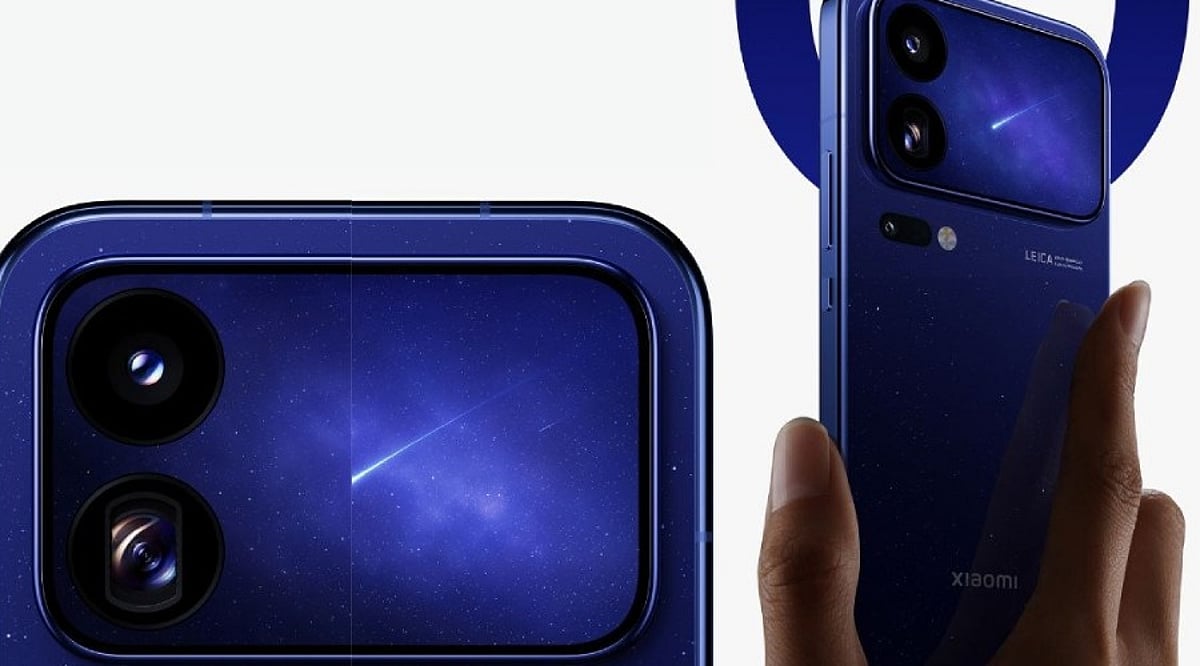
    Xiaomi is set to unveil the Xiaomi 18 Pro series in China on September 23. Ahead of the launch, the company has confirmed key details about the flagship smartphone’s camera system. The Xiaomi 18 Pro will introduce a dual 200MP Leica camera setup, combining a large primary sensor with a high-resolution periscope telephoto camera.

    Dual 200MP Leica Cameras

    The Xiaomi 18 Pro will feature two 200MP Leica cameras at the rear. The primary camera uses a large 1/1.28-inch sensor, focusing on light capture and image detail. The second 200MP sensor serves as the periscope telephoto camera with a 1/1.56-inch sensor, considerably larger than conventional smartphone telephoto sensors, and comes with an f/2.4 aperture.

    Zoom and Macro Capabilities

    Xiaomi confirmed support for up to 12.8x lossless zoom, offering flexibility for distant subjects without relying solely on digital zoom. The camera uses a dual-lens floating focus structure that can focus as close as 12cm, enabling telephoto macro photography. Xiaomi states that the telephoto camera on the Xiaomi 18 Pro increases light intake by 280% compared with its predecessor, while the Pro Max delivers an 83% improvement.

    What Remains Unconfirmed

    Xiaomi confirmed the primary and telephoto cameras, but some specifications remain unclear before the launch. Earlier reports indicated a three-camera system covering roughly 17mm to 75mm, with an ultrawide camera completing the setup, but those details have not received official confirmation. Video recording specifications and complete front-camera details are also expected to emerge during the launch event.

  • Vivo OriginOS 7 Debuts Globally with Jovi AI Agent and Dynamic Glow Interface

    Vivo OriginOS 7 Debuts Globally with Jovi AI Agent and Dynamic Glow Interface

    Vivo has officially launched OriginOS 7, its latest operating system based on Android 17, to international markets. The update introduces a redesigned interface, new multitasking capabilities, cross-device connectivity, and a built-in Jovi AI agent designed to streamline everyday tasks.

    Dynamic Glow Design Refreshes the Interface

    One of the standout features of OriginOS 7 is its new visual language. Vivo has incorporated translucent materials, dynamic lighting, and physics-based animations across system elements, creating an interface that responds naturally to user interactions. The Origin Animation system includes Fluid Motion, which allows interface elements to stretch, bounce, and move based on touch direction and speed, while Spring Animation applies similar principles across apps and system components.

    Personalization options have also been expanded with features like Wiggle Theme, Glint Theme, and StickIt, enabling users to customize photos, wallpapers, stickers, and other elements on both lock and home screens.

    Jovi Becomes a Cross-Device AI Agent

    OriginOS 7 introduces Jovi as a personal AI agent that works across connected devices. Through the Vivo Office Kit, Jovi can handle tasks involving smartphones and computers. For example, users can ask Jovi to retrieve a file from a connected computer, summarize its contents, and send the key information to their phone. Scheduled tasks can also be configured for activities such as preparing reports or organizing files.

    Vivo has added Jovi Security to provide greater visibility into autonomous actions. The system records actions performed by the agent and requires user authorization for important steps. Additionally, Snap Note can turn photographs of handwritten notes, whiteboards, and presentation slides into editable documents.

    Better Multitasking and Device Connectivity

    OriginOS 7 expands cross-device connectivity beyond Vivo’s own ecosystem. Compatible Apple Watch models can display notifications and synchronize health information, while AirPods users can access battery information and Spatial Audio on supported devices. The Vivo Office Kit also supports task handoffs, real-time note synchronization, and file transfers between Vivo phones and iPad, Mac, and Windows devices. Users can access iCloud photos and files through Vivo’s File Manager in supported markets.

    Global Preview and Rollout

    The OriginOS 7 preview program is now available for the Vivo X300 Pro and select iQOO devices in markets including India, Thailand, and Malaysia. The wider rollout will extend to additional Vivo and iQOO smartphones, though feature availability may vary by device and region.

    With this release, Vivo combines a major interface redesign with productivity tools, broader device connectivity, and the new cross-device capabilities of Jovi, marking a significant expansion of the OriginOS experience outside China.

  • iQOO Z11x 5G Review: 7,200mAh Battery, 120Hz Display & IP68/IP69+ Durability

    iQOO Z11x 5G Review: 7,200mAh Battery, 120Hz Display & IP68/IP69+ Durability

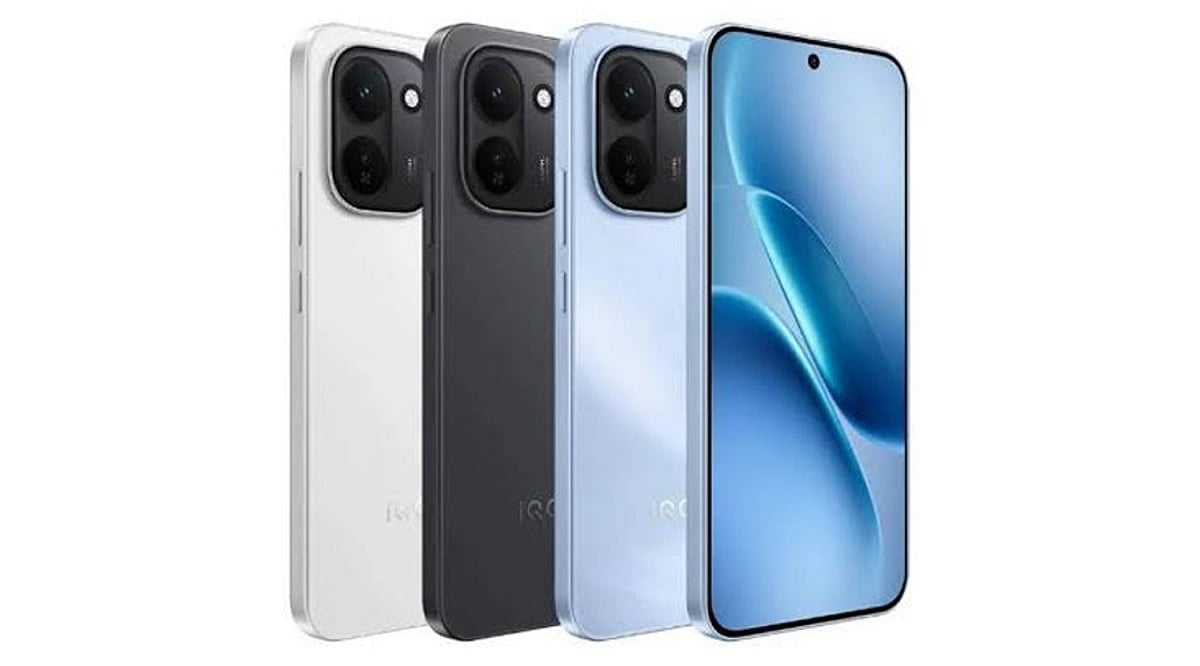
    The iQOO Z11x 5G is designed for users who prioritize practical features and a robust build. It offers a large 6.76-inch 120Hz display, a Dimensity 7400 Turbo chipset, 8GB of RAM, and a massive 7,200mAh battery. The phone also boasts impressive IP68 and IP69+ water and dust resistance. Running Android 16-based OriginOS 6, the iQOO Z11x 5G aims to deliver everything needed for a solid all-rounder experience in entertainment and gaming.

    General Specifications

    • Display: 6.76-inch, 120Hz refresh rate
    • Processor: Dimensity 7400 Turbo
    • RAM: 8GB
    • Battery: 7,200mAh
    • Water/Dust Resistance: IP68 / IP69+
    • OS: Android 16 with OriginOS 6

    Pros and Cons

    Pros

    • Exceptional battery life with 7,200mAh capacity
    • Smooth 120Hz display
    • Powerful Dimensity 7400 Turbo processor
    • High-level IP68/IP69+ water and dust resistance

    Cons

    • LCD panel (not OLED)
    • Noticeable bezels
    • Heavier build due to large battery
    • Secondary camera performance is average

    Final Verdict

    All in all, the iQOO Z11x 5G is a practical mid-range smartphone that focuses on the essentials for everyday users. Its standout features include the 7,200mAh battery, 120Hz display, Dimensity 7400 Turbo chipset, and robust IP68/IP69+ water and dust protection. This device will comfortably handle daily tasks, video streaming, and gaming. However, the LCD display, thick bezels, significant weight, and modest secondary camera may be drawbacks for some buyers.

  • Xiaomi 17T vs OnePlus 15R: Which Mid-Premium Phone Wins in 2026?

    Xiaomi 17T vs OnePlus 15R: Which Mid-Premium Phone Wins in 2026?

    The battle for the mid-premium smartphone segment continues in 2026 with two compelling contenders: the Xiaomi 17T and the OnePlus 15R. Both devices pack flagship-level specifications but cater to different priorities. OnePlus leans into raw performance, display fluidity, and marathon battery life, while Xiaomi focuses on optical zoom photography, screen brightness, and a compact design.

    Price Comparison

    According to listings on 91mobiles, the OnePlus 15R starts at Rs. 54,999 for the 12GB+256GB variant, while the 12GB+512GB version costs Rs. 59,999. The Xiaomi 17T’s 12GB+256GB model is priced higher at Rs. 64,999. Retail offers and bank discounts can shift these prices, so checking live rates is recommended.

    Performance

    The OnePlus 15R is powered by Qualcomm’s Snapdragon 8 Gen 5, while the Xiaomi 17T uses MediaTek’s Dimensity 8500 Ultra. In benchmark tests reported by 91mobiles, the OnePlus scored 9,363 on Geekbench multi-core versus 6,860 for the Xiaomi, and roughly 2.95 million on AnTuTu compared to 2.13 million. This gives the OnePlus a clear edge for gaming and heavy multitasking, though real-world performance also depends on thermal management and software optimization.

    Display

    The OnePlus 15R features a 6.83-inch AMOLED panel with a 165Hz refresh rate, supporting a billion colors and HDR Vivid. The Xiaomi 17T has a smaller 6.59-inch AMOLED display at 120Hz but adds Dolby Vision, HDR10+, and a claimed peak brightness of 3,500 nits. Xiaomi’s screen is better for HDR content and outdoor visibility, while OnePlus offers a smoother experience for gamers.

    Camera

    Both phones share a 50MP main sensor and a 32MP front camera. The key difference lies in the secondary lens: Xiaomi includes a 50MP periscope telephoto with 5x optical zoom and a 115mm equivalent focal length, enabling true optical zoom for distant subjects. OnePlus opts for an 8MP ultrawide lens with no telephoto. For photography enthusiasts who value zoom, the Xiaomi 17T is the clear winner.

    Battery and Charging

    OnePlus packs a massive 7,400mAh battery with 80W SUPERVOOC charging, while Xiaomi uses a 6,500mAh silicon-carbon cell with 67W charging. In PCMark battery tests, the OnePlus lasted 18 hours 13 minutes against 14 hours 45 minutes for the Xiaomi. However, real-world endurance may vary. The OnePlus also features IP69K dust/water resistance.

    Which One Should You Buy?

    The OnePlus 15R is better suited for gamers, power users, and anyone who prioritizes battery life. The Xiaomi 17T is ideal for photographers, travelers, and those who value a bright, compact display with excellent HDR support. Neither device is universally superior—the right choice depends on your personal usage patterns.

    For further reading, check out our comparisons of the Motorola Edge 70 Max vs OnePlus 15R vs iQOO 15R, and the Xiaomi 17T launch coverage in India.

  • Amazon’s Weekend Sale: Top Fujifilm Instax Cameras, Instant Film, and Printers to Shop

    Amazon’s Weekend Sale: Top Fujifilm Instax Cameras, Instant Film, and Printers to Shop

    Instant cameras are making a strong comeback, especially among people who want tangible photos rather than files buried in a smartphone gallery. Fujifilm’s Instax lineup remains one of the most popular choices, offering both instant cameras and smartphone printers in a range of formats and price points. If you’re planning to pick one up this weekend, Amazon is featuring several Instax products worth a closer look.

    Important: Prices and availability can shift depending on the seller and ongoing offers, so always confirm the final amount before checking out.

    Budget-Friendly Instant Cameras

    Fujifilm Instax Mini 12

    The Instax Mini 12 is a solid entry point for first-time instant camera buyers. It keeps the experience simple with an easy-to-use design and credit-card-sized Mini prints that work well for parties, holidays, birthdays, or casual photos with friends. Fujifilm’s India store lists the Mini 12 at ₹7,499, against an MRP of ₹9,499.

    Fujifilm Instax Mini 13

    If you want another compact option, the Instax Mini 13 uses the same Mini format and is easy to carry for scrapbooks, journals, or photo collections. Before buying, check whether the Amazon listing includes film or accessories; a bundle can sometimes offer better value than buying the camera and film separately.

    Fujifilm Instax Mini 99

    The Mini 99 is aimed at users who want more creative control. It includes six colour effects and shooting modes like Bulb, Double Exposure, Sports, Macro, and Vignette. Fujifilm currently lists it at ₹17,999 on its India website, compared with an MRP of ₹20,999.

    Smartphone Printers for Instant Photos

    Fujifilm Instax Mini Link 3

    Not everyone needs another camera. If most of your photos live on your phone, the Instax Mini Link 3 is a practical alternative. This portable printer turns smartphone pictures into physical Instax Mini prints, making it useful for albums, journal decorations, or small personalised gifts.

    Fujifilm Instax Link Wide

    The Instax Link Wide is a good option if you prefer larger prints. It uses the wider Instax format and prints directly from a smartphone, with editing options and different print modes available through the companion app. Fujifilm lists it at ₹16,999, down from an MRP of ₹21,999.

    Fujifilm Instax Square Link

    For something different from rectangular Mini prints, the Instax Square Link works with Fujifilm’s square-format film. It connects to a smartphone and prints existing photos, making it a good fit for people who like the look of square images for albums, walls, or scrapbooks.

    Don’t Forget the Film

    An Instax camera is only part of the expense. Standard Instax Mini film works with several cameras and printers in the Mini range, and Amazon often sells it in different pack sizes. Compare the cost per print instead of only looking at the overall pack price, especially if you expect to shoot regularly.

    What to Check Before You Buy

    • Current price and seller rating
    • Warranty coverage and return policy
    • Whether film or accessories are included in the bundle
    • Film compatibility with the camera or printer
    • Delivery dates and availability

    Final Take

    The Instax range gives shoppers several ways to create physical photographs without relying on a traditional printing service. The Mini 12 keeps things simple, while the Mini 99 offers more advanced controls. Smartphone printers make sense if most of your photos are already on your phone. Just remember to factor in the ongoing cost of film and confirm the current deal details on Amazon before completing your purchase.

    Frequently Asked Questions

    Which Fujifilm Instax camera is best for beginners?

    The Instax Mini 12 is a straightforward choice for beginners, offering simple controls, compact handling, and credit-card-sized prints for everyday photography.

    Are Fujifilm Instax cameras worth buying?

    Instax cameras can be worthwhile for people who enjoy physical photographs. However, buyers should also consider recurring film costs, camera features, and how frequently they plan to use them.

    Can Instax printers print photos from smartphones?

    Yes, compatible Instax printers can turn smartphone photos into physical instant prints. Models such as the Mini Link 3 connect through Fujifilm’s companion app.

    How much does Fujifilm Instax film cost?

    Instax film prices vary by format, pack size, and seller. Comparing the cost per print is useful because regular photography can make film an ongoing expense.

    What should I check before buying an Instax product on Amazon?

    Check the current price, seller ratings, warranty, included accessories, film compatibility, and delivery details. Prices and availability can change, especially during weekend sales.

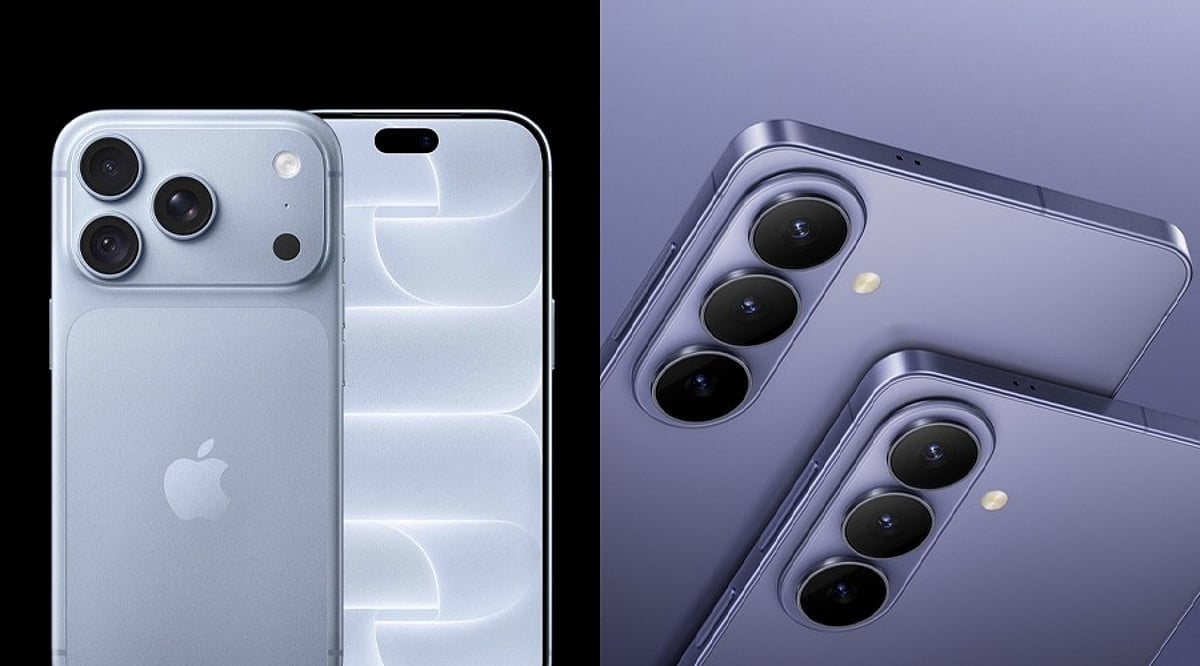
  • iPhone 18 Pro vs Galaxy S26 Ultra: Price, Cameras, Battery, and Performance Face-Off (2026)

    iPhone 18 Pro vs Galaxy S26 Ultra: Price, Cameras, Battery, and Performance Face-Off (2026)

    Apple’s iPhone 18 Pro and Samsung’s Galaxy S26 Ultra battle for flagship supremacy in 2026. This guide compares pricing, chips, cameras, battery life, and software to help you pick the right phone.

    Price Comparison

    Apple raised prices this year, breaking its recent habit of holding steady across generations. The iPhone 18 Pro costs $100 more than its predecessor, partly due to memory chip costs jumping from $13 to $51 per unit. Samsung kept the Galaxy S26 Ultra price flat against the S25 Ultra. Both brands dropped the 128GB base option; every buyer now starts at 256GB minimum.

    Specifications and Design

    Display Details

    The iPhone 18 Pro carries a 6.3-inch OLED screen; the Pro Max stretches to 6.9 inches. Samsung’s Galaxy S26 Ultra also measures 6.9 inches. Both phones refresh at 120Hz for smooth scrolling.

    Processing Power

    Apple’s A20 Pro chip uses a 2-nanometer process for the first time. It pairs a 6-core CPU with a 7-core GPU, delivering 40 percent faster graphics than the A19 Pro. A 32-core Neural Engine doubles AI processing speed. Samsung runs the Snapdragon 8 Elite Gen 5 for Galaxy with 12GB of RAM standard. Early benchmarks show Apple leading in single-core tasks; Qualcomm’s chip holds its own during long gaming sessions.

    Camera Systems

    Apple introduced a mechanical variable aperture on the 48MP main camera, shifting between f/1.48 and f/4.0 using six blades. This gives photographers real control over depth and light. Samsung stuck with its proven quad-camera formula, anchored by a 200MP main sensor, relying more on Galaxy AI tools for deeper image processing. Each brand chose a different path: Apple bet on mechanical innovation, Samsung on resolution and computational photography.

    Battery and Charging

    Apple says its battery gains come from chip efficiency, not a bigger cell. The Pro Max now reaches 45 hours of video playback — the largest battery jump in company history. Samsung’s 60W charging still beats Apple’s fastest wired speed, giving Galaxy owners a quicker top-up.

    Software and AI Features

    Apple’s Approach

    The iPhone 18 Pro runs iOS 27 out of the box. Siri received a major overhaul, now running on Google Gemini’s foundation models. A new Ask Siri button sits alongside a redesigned interface.

    Samsung’s Approach

    The Galaxy S26 Ultra ships with Android 16. Samsung expanded its Galaxy AI toolkit, including a built-in Privacy Display feature that blocks nearby onlookers from seeing the screen.

    Final Verdict

    Choosing between these two flagships depends on personal priorities. Apple delivers real innovation through its variable aperture camera and the 2-nanometer chip, but at a steeper price. Samsung counters with a sharper 200MP sensor and faster charging, with stable pricing. Neither phone falls short on power, camera quality, or battery life. The decision often comes down to ecosystem loyalty: Apple loyalists will find the upgrade worthwhile; Samsung loyalists gain a refined phone without losing everyday value.

    FAQs

    • Which phone offers better value for money in 2026? The Galaxy S26 Ultra offers stronger value since its price stayed flat. The iPhone 18 Pro costs $100 more due to rising memory chip costs.
    • Does the iPhone 18 Pro have a better camera than the Galaxy S26 Ultra? The iPhone adds a variable aperture for manual light control; the Galaxy relies on a 200MP sensor. Each excels in different conditions.
    • Which flagship has the longer battery life? The iPhone 18 Pro Max reaches 45 hours of video playback, ahead of the Galaxy S26 Ultra’s 5,000 mAh cell. Samsung compensates with faster 60W charging.
    • Is the A20 Pro chip faster than the Snapdragon 8 Elite Gen 5? Early benchmarks show the A20 Pro leading in single-core performance and power efficiency, while the Snapdragon stays competitive during sustained gaming.
    • When did the Galaxy S26 Ultra and iPhone 18 Pro launch? The Galaxy S26 Ultra launched on March 11, 2026. The iPhone ải Pro and Pro Max became available on S eptember 18,2026., after their September 9 announcement.
  • Best Mi Power Bank Deals 2026: Save on 10,000mAh, 20,000mAh & 30,000mAh Models

    Best Mi Power Bank Deals 2026: Save on 10,000mAh, 20,000mAh & 30,000mAh Models

    Flipkart is currently offering discounts on a range of Mi power banks across three capacities: 10,000mAh, 20,000mAh, and 30,000mAh. Charging output varies from 18W to 33W, catering to different needs — from compact daily carry options to high-capacity travel batteries. Below we break down each model, its price, key specs, and ideal use cases.

    Mi 10,000mAh Slim Pocket-Size Power Bank

    Priced around ₹1,398 (down from ₹2,499 — a 44% discount), this slim power bank supports 22.5W output with Power Delivery 3.0. It features Type-A and Type-C connectors and three output ports. Ideal for commuters, students, and anyone prioritizing portability. (Price and stock subject to change.)

    Mi 10,000mAh 33W Power Bank

    Listed at ₹1,699 (48% off ₹3,299), this model delivers faster 33W charging from a compact design. It includes Type-C and Type-A ports and supports Power Delivery 3.0. Great for users who need quick top-ups for phones, earbuds, and tablets on short trips.

    Mi 20,000mAh Pocket-Size Power Bank (22.5W)

    Costs ₹1,899 (62% off ₹4,999). Uses a lithium-polymer battery and charges up to three devices simultaneously via Type-C and Type-A ports. Offers a good balance of capacity and portability for travelers and multi-device users.

    Mi 20,000mAh 33W Power Bank

    Priced at ₹1,999 (50% off ₹3,999). Combines 20,000mAh capacity with 33W fast charging and Power Delivery 3.0. Suitable for longer days and multiple devices like phones, tablets, earbuds, and speakers. Check device compatibility for the advertised output.

    Mi 30,000mAh 18W Power Bank

    Listed at ₹3,499 (30% off ₹4,999). Offers maximum capacity but slower 18W charging via Micro-USB and Type-C ports. Heavier and bulkier — best for road trips, extended travel, or situations without regular access to power.

    Which Mi Power Bank Should You Choose?

    • 10,000mAh slim (22.5W): Best for daily carry and light backup.
    • 10,000mAh 33W: Compact and fast — ideal for quick charges.
    • 20,000mAh 22.5W: Balanced option for travel and multiple devices.
    • 20,000mAh 33W: Capacity plus speed for power users.</lil
    • 30,000mAh 18W: Extended endurance for long trips.

    What to Check Before Buyingh

    Always verify the final checkout price, seller, warranty, included cable, port types, and charging standards. Ensure your device supports the power bank’s advertised output. Consider the battery’s size and weight for portability. Flipkart prices and offers can change quickly — double-check before purchase and read the return policy.

    FAQs

    Which Mi power bank capacities are available in this Flipkart selection?

    The lineup includes 10,000mAh, 20,000mAh, and 30,000mAh models with different charging speeds, battery types, and connectivity options.

    Which Mi power bank is best for everyday use?

    A 10,000mAh model is easiest to carry daily. Choose between 22.5W and 33W based on your device’s charging compatibility and required speed.

    Is a 20,000mAh power bank better for travel?

    Yes, it provides more backup for longer trips. However, it is larger and heavier than a 10,000mAh unit. Balance capacity with portability.

    Is 30,000mAh better than 20,000mAh?

    A 30,000mAh offers greater capacity for extended use but is heavier and charges slower (18W in this model).

    What does Power Delivery 3.0 mean?

    Power Delivery is a USB charging standard that allows devices to negotiate optimal power levels. Both the power bank and connected device must support it for fast charging benefits.

  • 7 Easy Ways to Speed Up Your Laptop in 2026 (No Hardware Needed)

    7 Easy Ways to Speed Up Your Laptop in 2026 (No Hardware Needed)

    A slow laptop doesn’t always mean you need a new one. Often, simple software tweaks and maintenance can restore speed. From disabling startup apps to clearing storage, these seven methods can make a noticeable difference without spending a penny.

    1. Disable Unnecessary Startup Apps

    Many programs launch automatically when you boot up, draining resources from the start. On Windows, use Task Manager or Settings to review and disable apps with high startup impact. Keep only essential security tools. Mac users can check Login Items under System Settings.

    2. Free Up Storage Space

    A nearly full drive slows down your system and can block important updates. Remove temporary files, old downloads, and unused applications. Move large media files to external storage. Windows Storage Sense and Mac’s storage management tools automate this process.

    3. Close Resource-Hungry Programs

    Browsers with dozens of tabs or background apps can eat up RAM and CPU. Use Task Manager (Windows) or Activity Monitor (Mac) to identify and quit programs that are consuming excessive resources. Restart the laptop if performance remains sluggish.

    4. Keep Your Operating System Updated

    Updates often include performance fixes and driver improvements. Install all available Windows or macOS updates, including optional driver updates. Restart when prompted to complete the installation.

    5. Scan for Malware and Threats

    Malware can silently consume resources. Run a full scan using your built-in security tool (like Windows Security). Remove any suspicious software. Avoid third-party “optimizers” that may add more problems.

    6. Reduce Unnecessary Background Activity

    Many apps run in the background even after you close them. Manage background app permissions in Windows or disable unnecessary notifications and syncing. On laptops, use power settings like Best Performance mode when speed is critical, but be aware it may increase heat and battery drain.

    7. Consider a Fresh Start or Hardware Check

    If software tweaks aren’t enough, check your hardware specs. High CPU or memory usage may indicate limits. Upgrading RAM or switching to an SSD can help, but only if your laptop allows upgrades. Always verify compatibility first.

    Start with these simple steps before buying new hardware. You might be surprised how much faster your laptop feels.