Category: Gadgets

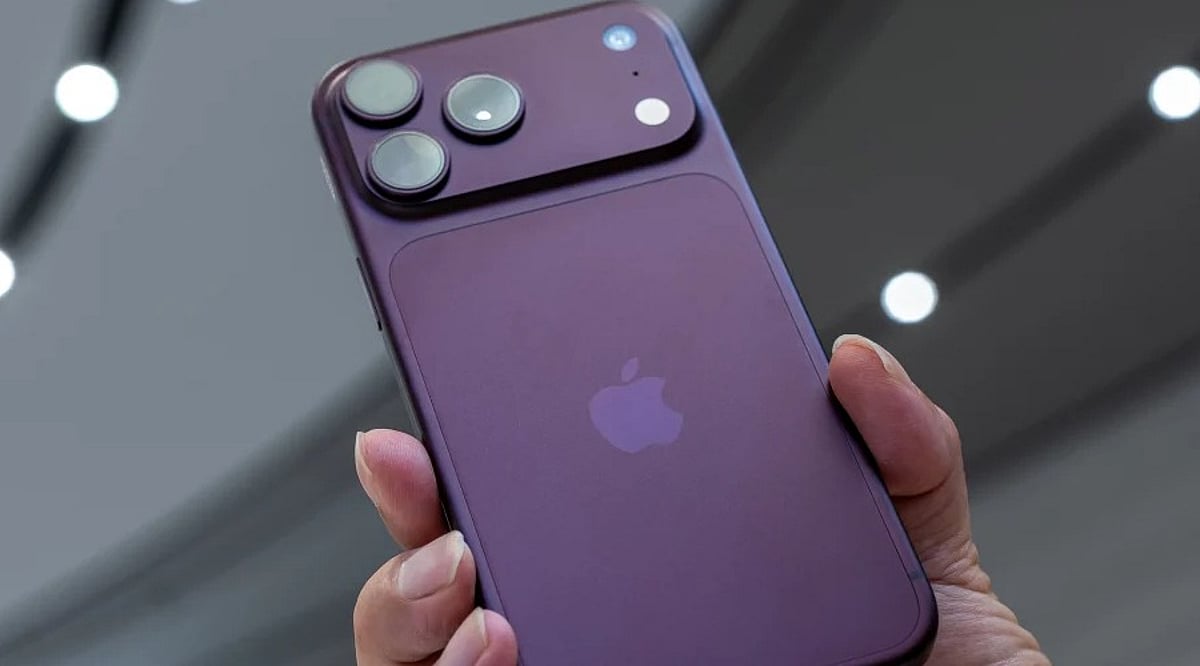
  • Apple Reveals iPhone 18 Pro Exclusive Camera Controls for iOS 27

    Apple Reveals iPhone 18 Pro Exclusive Camera Controls for iOS 27

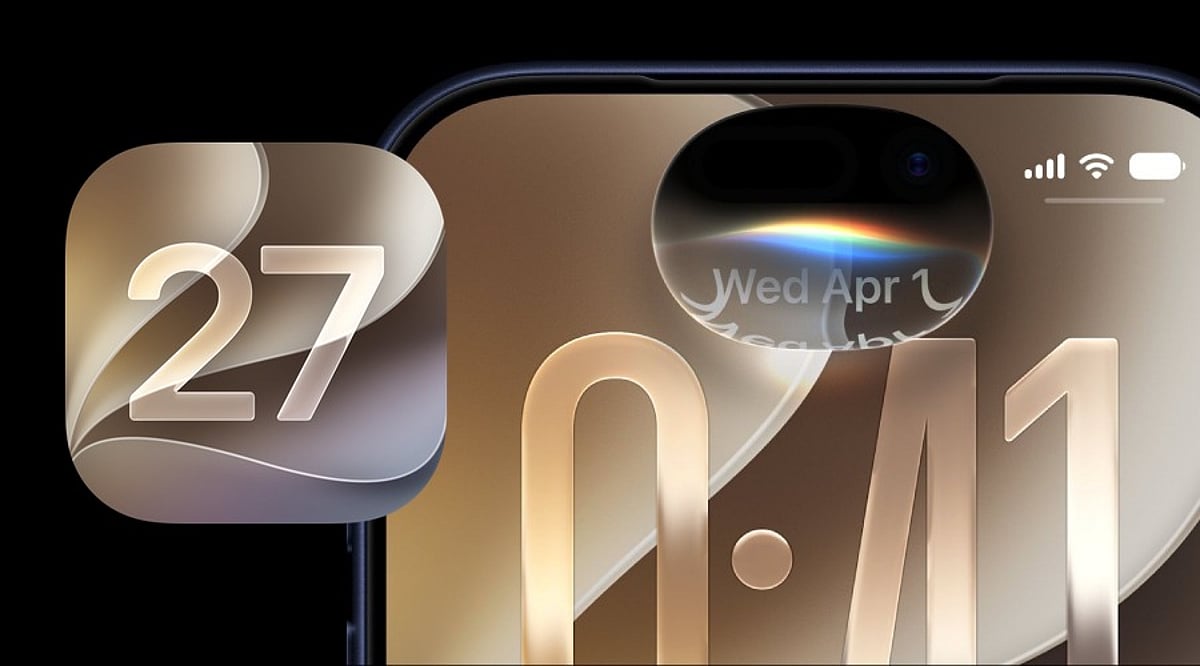
    Apple has quietly updated its official support documentation to clarify which devices will support the new Texture and Grain controls introduced with iOS 27. According to the latest information, these exclusive camera features are available only on the iPhone 18 Pro models and the iPhone Duo.

    When the iPhone 18 Pro was first announced, Apple’s Newsroom documentation suggested that the updated Photographic Styles and the accompanying Texture and Grain controls might be available on a broader set of iPhone models. However, the company has since refined that wording, and the current iPhone support page explicitly states that texture adjustments are limited to the iPhone 18 Pro lineup.

    The new controls are part of Apple’s upgraded Photographic Styles system, offering users more creative flexibility. The Texture setting lets photographers alter the visual treatment of an image, while the Grain control adds a film-like effect. Users can choose from presets such as Soft Skin, Glow, and Film, and then adjust the intensity to their preference.

    This update also affects older models like the iPhone 16 and iPhone 17 series, which were previously understood to support the feature based on Apple’s initial wording. Reports this week confirmed that those devices will not receive the new controls.

    In addition to the software enhancements, the iPhone 18 Pro features a 48MP Fusion Main camera with a variable aperture. This allows the camera to automatically adjust for lighting and depth of field, while manual aperture control is available through the Camera app for users who want a more hands-on approach.

  • Viture Unveils Vonder AI Glasses: Voice-Powered Wearable with ChatGPT, Gemini, and Claude Support

    Viture Unveils Vonder AI Glasses: Voice-Powered Wearable with ChatGPT, Gemini, and Claude Support

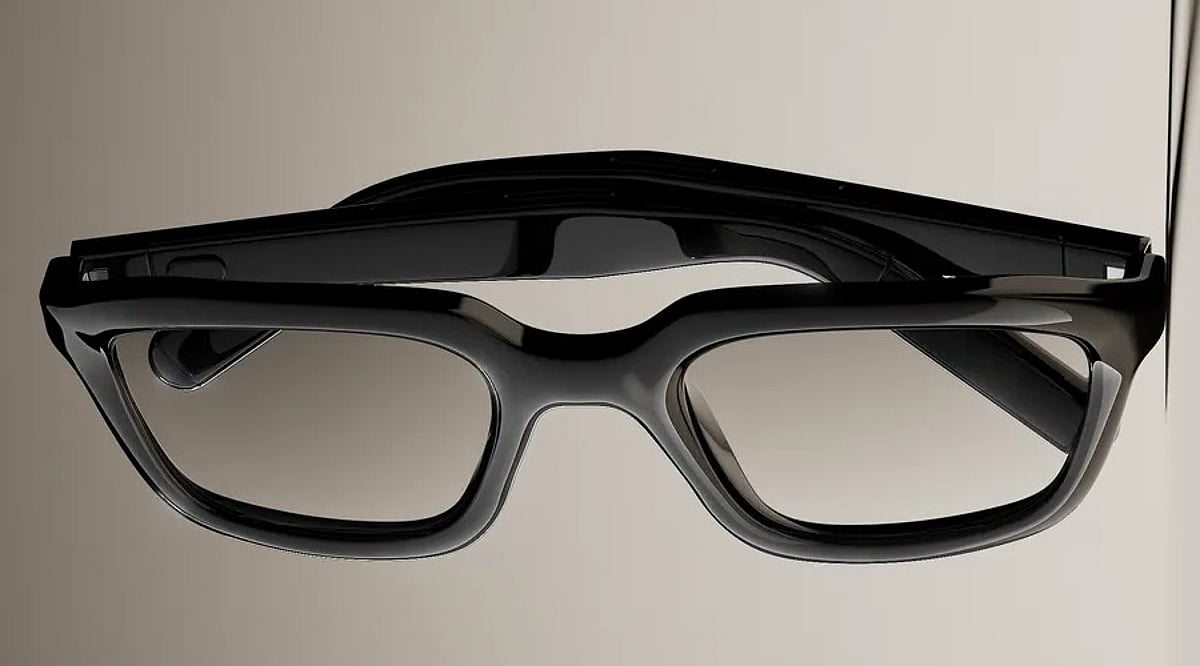
    Viture has introduced the Vonder, a new pair of AI-powered smart glasses that prioritize voice interaction and privacy over cameras and displays. Designed to resemble conventional eyewear, the Vonder weighs under 30 grams and relies on microphones, speakers, and onboard processing to deliver a screen-free AI experience.

    Unlike many smart glasses on the market, the Vonder does not include a camera or display. Instead, it focuses on voice-based features such as note-taking, hands-free calling, and memory recall. Audio recording is activated only when the user prompts it, and a physical Meeting Mode switch with an LED indicator provides additional control. After recording, the original audio is deleted and converted into text and memories stored in the companion app.

    At the core of the Vonder is its Personal Memory Graph, an AI system that organizes captured conversations and voice interactions. Users can choose from multiple AI models through the app, including Google Gemini, Anthropic Claude, and OpenAI ChatGPT. This approach allows the glasses to provide useful context from accumulated memories rather than simply storing raw recordings.

    Customization is a key selling point: buyers can select different frame shapes and finishes, and the glasses support prescription, progressive, and transition lenses. In the US, pre-orders begin on September 28 at a starting price of USD 299, with premium acetate frames starting at USD 399. Shipments are expected from November. International customers can register interest now.

    Viture emphasizes data privacy, stating that user data is protected with financial-grade encryption and that the company does not sell advertising or user data. The Vonder aims to offer a discreet, everyday wearable that blends AI assistance with the look and feel of ordinary glasses.

  • Apple’s New Mac Mini M6 and Mac Studio M5 Models Hit India: Full Pricing and Specs

    Apple’s New Mac Mini M6 and Mac Studio M5 Models Hit India: Full Pricing and Specs

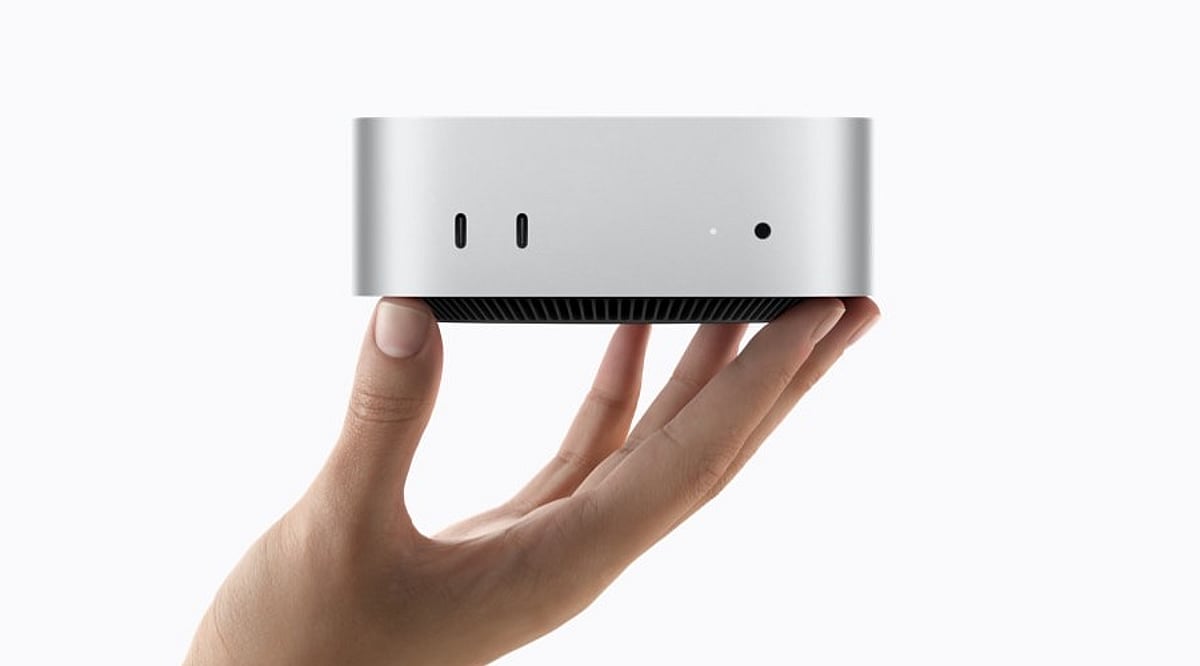
    Apple has officially begun selling its latest Mac mini and Mac Studio desktop computers in India, introducing new processors, boosted AI performance, and expanded memory configurations. The refreshed lineup includes the Mac mini with M6 and M5 Pro chips, while the Mac Studio now offers M5 Max and M5 Ultra options.

    Both desktops went on sale on September 22 and are available through Apple Store locations, Apple’s online store, the Apple Store app, and authorized resellers across India.

    Mac mini M6: Starting at ₹99,900

    The new Mac mini with the M6 chip starts at ₹99,900 in India, with education pricing beginning at ₹88,900. Apple is also offering a Mac mini powered by the M5 Pro, starting at ₹2,09,900.

    The M6-powered Mac mini packs a 12-core CPU, 12-core GPU, and a dual 16-core Neural Engine. According to Apple, it delivers up to 40% faster CPU performance, twice the graphics performance, and up to four times faster AI performance compared to the previous-generation M4 model.

    Memory starts at 16GB of unified memory and can be configured up to 32GB, with memory bandwidth reaching 170GB/s. Connectivity has also been upgraded to Wi-Fi 7, Bluetooth 6, and improved 2.5Gb Ethernet, with an optional 10Gb Ethernet port.

    Mac Studio with M5 Max and M5 Ultra

    For professional users, the new Mac Studio starts at ₹2,79,900 with the M5 Max chip. The M5 Ultra version begins at ₹6,29,900. Education pricing is set at ₹2,56,900 and ₹5,84,900, respectively.

    The M5 Max configuration features an 18-core CPU, up to a 40-core GPU, and support for up to 128GB of unified memory. The M5 Ultra scales even further with up to a 36-core CPU, 80-core GPU, and 512GB of unified memory, delivering up to 1.2TB/s of memory bandwidth.

    Apple says the Mac Studio offers up to 4.3 times faster AI performance and up to 1.8 times faster graphics performance compared with specified previous-generation systems.

    Both new Macs emphasize on-device artificial intelligence, making them strong choices for creative professionals, developers, and AI-focused workloads.

  • Samsung Galaxy Watch 5, 5 Pro, 6, and 6 Classic Will Stop Getting Wear OS Updates by 2027

    Samsung Galaxy Watch 5, 5 Pro, 6, and 6 Classic Will Stop Getting Wear OS Updates by 2027

    Samsung has confirmed that several popular Galaxy Watch models will stop receiving Wear OS upgrades in the coming years. While the watches will remain usable, owners should plan for a future with no major software updates and, eventually, no security patches.

    Galaxy Watch 5 and Watch 5 Pro

    Both models will receive their last Wear OS upgrades on December 31, 2026. After that date, Samsung will not add new features or platform improvements. Security patches will continue for a short period before the watches reach full end-of-life status. The Watch 5 Pro launched at a premium price, so some owners may be surprised that its update window ends so soon.

    Galaxy Watch 6 and Watch 6 Classic

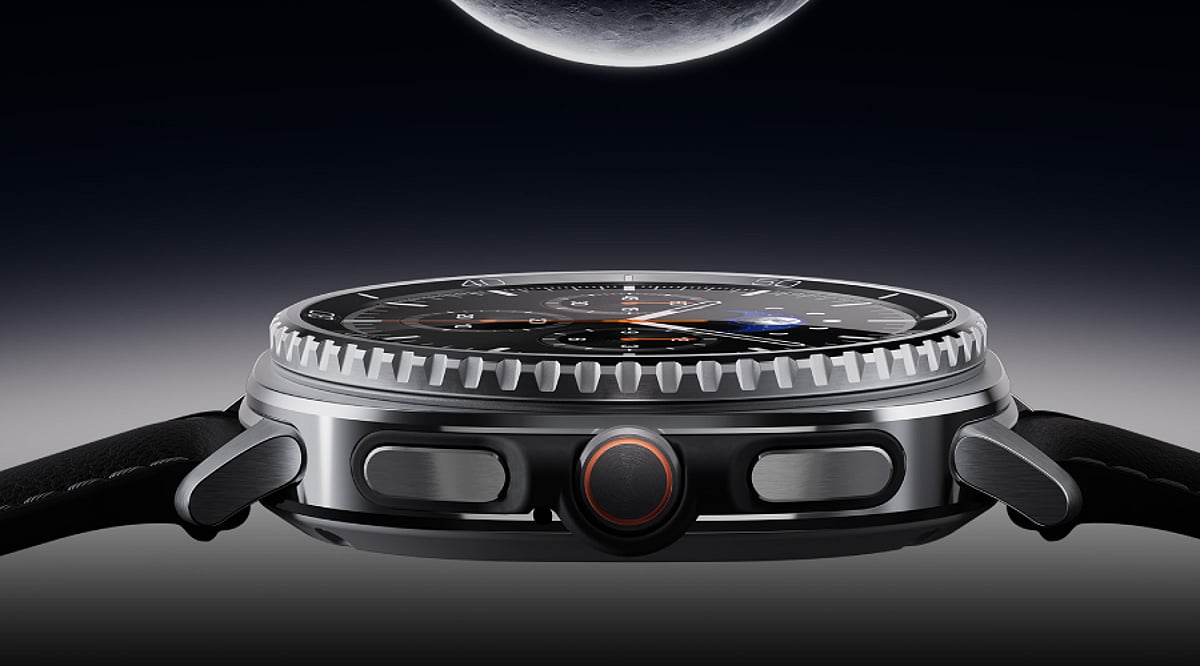
    The Watch 6 and Watch 6 Classic will lose Wear OS upgrades in December 2027, following roughly four years of major software support. Samsung typically follows the final OS update with about one more year of security patches. The Watch 6 remains one of Samsung’s best-selling models, meaning this cutoff will affect a large number of users. The Classic version, with its rotating bezel and premium design, is treated the same under Samsung’s software policy.

    What Losing Support Means for Owners

    An end to OS upgrades does not mean the watch will crash or stop working overnight. It simply means no new features will arrive. Security patches usually continue for about a year after the last OS update. Once that period ends, users who are concerned about data safety should consider upgrading to a newer Galaxy Watch model.

  • Amazon Great Indian Festival or Flipkart Big Billion Days: Best Gadget Deals in 2026

    Amazon Great Indian Festival or Flipkart Big Billion Days: Best Gadget Deals in 2026

    Gadget Shopping Showdown: Amazon vs Flipkart in 2026

    Amazon’s Great Indian Festival and Flipkart’s Big Billion Days are India’s two biggest festive shopping events. Both sales promise deep discounts on gadgets, but deciding where to buy requires a closer look at dates, bank offers, early access, and product-specific deals.

    Sale Dates and Early Access

    Amazon’s Great Indian Festival 2026 is scheduled to begin on October 8. Flipkart’s Big Billion Days will start with early access on October 8 as well, followed by the wider sale on October 9. Shoppers looking for limited-stock items should plan their purchases around these dates.

    Bank Discounts and Card Offers

    Bank offers can make a significant difference to final prices. Amazon has confirmed a 10% instant discount for eligible SBI credit and debit card transactions. Prime members can also save up to an additional 10% on qualifying purchases. Flipkart, meanwhile, is offering 10% instant discounts with select Axis Bank and ICICI Bank cards. Always verify card eligibility before checkout.

    Smartphone Deals on Both Platforms

    Smartphones are expected to be the biggest battleground in both sales. Flipkart has already teased attractive pricing on flagship devices like the iPhone 17 and Samsung Galaxy S25. Amazon’s event is also set to cover smartphones from multiple brands, with bank discounts and exchange bonuses adding to the savings. Compare the same model across both sites to find the best final price.

    Laptops, Tablets, TVs, and Audio

    Laptop and tablet buyers have plenty of choices as well. Flipkart has previewed deals on models such as the Samsung Book4 i5, while Amazon is including a wide range of electronics. Smart TVs, speakers, headphones, and other entertainment products are also expected to feature prominently in both sales. Check exchange values, delivery charges, and promotional conditions before placing an order.

    Final Tips for Gadget Shoppers

    • Compare the same product on both Amazon and Flipkart before buying.
    • Factor in instant discounts, exchange bonuses, warranty, and shipping costs.
    • Review price history and product ratings to spot genuine savings.
    • Use early access if you are targeting limited-stock devices.

    Neither sale guarantees the lowest price on every gadget. A little research before the sale starts can help you save more on smartphones, laptops, TVs, and other tech products.

  • iPhone 18 Pro vs Galaxy S26 Ultra: Which Flagship Wins in 2026?

    iPhone 18 Pro vs Galaxy S26 Ultra: Which Flagship Wins in 2026?

    Overview: Two Flagships, Two Philosophies

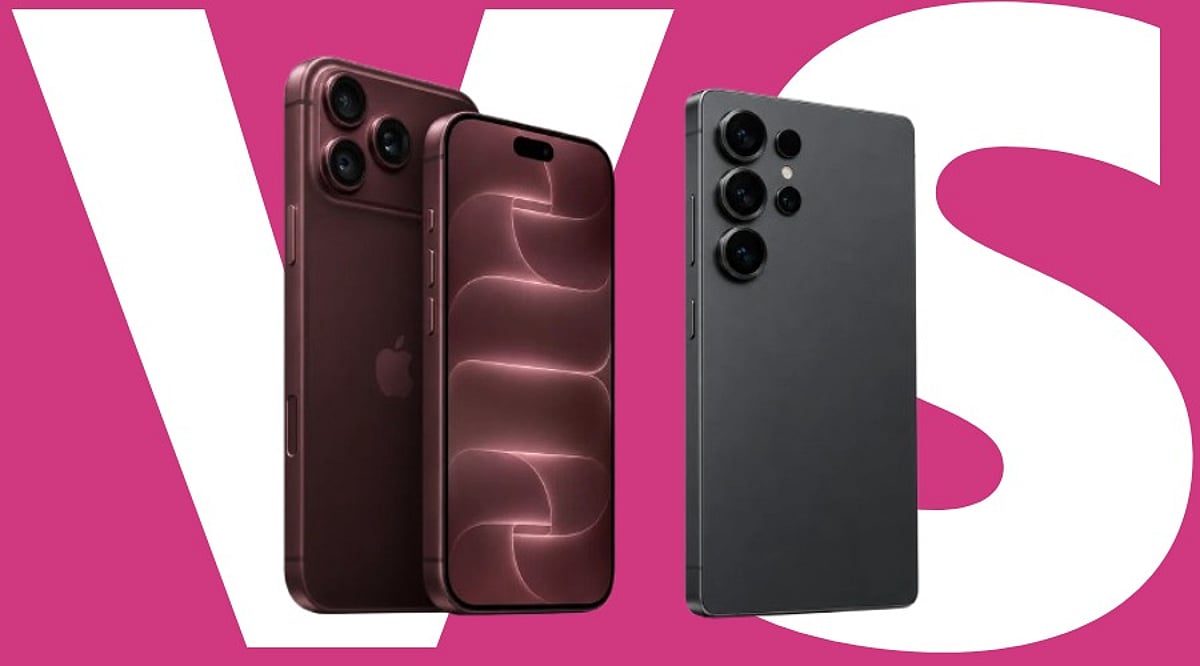
    In 2026, the flagship race comes down to one thing: which phone removes more friction from daily life? Samsung’s Galaxy S26 Ultra arrived first, bringing a 200MP camera system, a large display, and a built-in Privacy Display. Apple followed with the iPhone 18 Pro, which carries the A20 Pro chip, a variable-aperture camera, and the new C2 modem. Samsung widens what the phone can do; Apple sharpens camera control, sustained performance, and tight hardware integration.

    Chip and Connectivity: A20 Pro vs. Snapdragon 8 Elite Gen 5

    The A20 Pro gives the iPhone 18 Pro a strong performance base. It runs on a 2nm process and carries a 7-core GPU that Apple rates up to 40% faster than the A19 Pro. It also adds a dual 16-core Neural Engine for on-device AI. Apple redesigned the vapor chamber too—it’s now three times larger, bringing up to 40% higher sustained performance.

    The new C2 modem adds another change: Apple says it improves cellular quality through AI and enables faster uploads than C1X while using 15% less energy. mmWave 5G support now extends to the U.S.

    Samsung counters with a Galaxy-tuned Snapdragon 8 Elite Gen 5 and its own thermal system for heavy workloads. Both chips handle daily tasks well. The real gap shows up during long gaming sessions, video editing, and connectivity-heavy tasks, where thermal design and modem efficiency start to matter more.

    Camera: Precision vs. Resolution

    Apple’s camera strategy favors control over count. The 48MP Fusion Main camera adds variable aperture—a first for iPhone. Six laser-cut blades shift automatically for light and depth, or a user can set the aperture manually across four positions in the Camera app. Apple points to sharper low-light shots and cleaner detail toward the back of group photos.

    Samsung’s rear setup, confirmed on its own listing, pairs a 200MP main sensor (f/1.4) with a 50MP ultrawide (f/1.9), a 50MP periscope telephoto at 5x optical zoom (f/2.9), and a 10MP telephoto at 3x optical zoom (f/2.4). Four lenses give the S26 Ultra more framing range, especially at long zoom, than the iPhone’s three-lens setup built around aperture control instead.

    Neither system wins outright. The choice comes down to whether zoom range or aperture control matters more to the person holding the phone.

    Display and Everyday Privacy

    Samsung’s biggest hardware story this year is Privacy Display, which the company calls the industry’s first built-in privacy display on a phone. It narrows the viewing angle from the sides. Samsung’s own support page confirms it can cover the whole screen, single apps, notifications, or moments like typing a PIN. A commuter checking a banking app on a crowded train gets a real reason to switch it on. Samsung also notes that results can shift with viewing angle and brightness.

    The iPhone 18 Pro carries a smaller, redesigned Dynamic Island on its 6.3-inch screen, now able to run three Live Activities at once while still powering Face ID. It has no matching privacy mode, relying instead on standard Face ID and app-level controls.

    Battery and Charging

    Samsung lists a 5,000mAh battery and 60W wired charging for the Galaxy S26 Ultra. Apple does not share the iPhone 18 Pro’s exact battery size, but says the new battery design and chip efficiency bring better battery life. eSIM-only models get up to 36 hours of video playback.

    The iPhone 18 Pro can reach 50% charge in about 15 minutes with a 60W-capable cable and a USB PD 3.1 adapter. Apple and Samsung test battery life under their own conditions, so their figures cannot be compared directly.

    Price Comparison

    Phone Starting Price (India, 256GB)
    iPhone 18 Pro ₹1,64,900
    Galaxy S26 Ultra ₹1,39,999

    The Galaxy S26 Ultra is ₹24,901 cheaper at launch.

    Which One Actually Fits?

    Photography-focused buyers who value aperture control and those staying close to Apple’s ecosystem get more from the iPhone 18 Pro. Buyers who want a bigger screen, longer zoom, or extra privacy from side-angle glances in public, at a lower starting price, tend to lean toward the Galaxy S26 Ultra. Neither phone wins across the board. The right pick tracks daily habits more than spec count.

    Final Thoughts

    The gap between these two phones has less to do with one dominant chip or camera number and more to do with the role each one is built to play. The iPhone 18 Pro pushes harder on camera control and in-house hardware like the C2 modem. The Galaxy S26 Ultra pushes harder on screen size, zoom range, and a privacy feature no rival currently matches. For anyone spending more than ₹1 lakh on a phone, those everyday differences carry more weight than a single benchmark number.

    FAQs

    1. Which is more powerful, the iPhone 18 Pro or Galaxy S26 Ultra?

    Both offer flagship-level performance. The iPhone 18 Pro uses the A20 Pro, while the Galaxy S26 Ultra uses the Galaxy-tuned Snapdragon 8 Elite Gen 5.

    2. Does the iPhone 18 Pro have a better camera than the Galaxy S26 Ultra?

    They take different approaches. The iPhone 18 Pro adds variable aperture for greater camera control, while the Galaxy S26 Ultra offers a 200MP main camera and multiple telephoto lenses for greater zoom flexibility.

    3. Which phone has the larger display?

    The Galaxy S26 Ultra has the larger 6.9-inch display, compared with the iPhone 18 Pro’s 6.3-inch screen.

    4. What is the price difference between the iPhone 18 Pro and Galaxy S26 Ultra in India?

    The iPhone 18 Pro starts at ₹1,64,900, while the Galaxy S26 Ultra starts at ₹1,39,999, creating a difference of ₹24,901.

    5. What is the main difference between the iPhone 18 Pro and Galaxy S26 Ultra?

    The iPhone 18 Pro focuses on camera control, sustained performance, and Apple’s hardware ecosystem. The Galaxy S26 Ultra emphasizes camera versatility, a larger display, long-range zoom, and Privacy Display.

  • iOS 27 Siri AI: Apple’s Context-Aware Assistant Makes Your iPhone More Personal

    iOS 27 Siri AI: Apple’s Context-Aware Assistant Makes Your iPhone More Personal

    With iOS 27, Apple is reimagining Siri as a context-aware AI assistant that goes far beyond simple voice commands. Instead of just setting alarms or checking the weather, Siri can now pull from your personal data, understand what’s on your screen, use the camera view, and draw on live web information to complete complex, multi-step tasks.

    Personal Context: Siri Works Across Your Apps and Data

    The biggest shift in iOS 27 is Siri’s access to personal context. On supported iPhones, Siri can search through Messages, Mail, Photos, Calendar, Notes, and other supported apps to find relevant information. Ask for photos from a Lisbon trip and Siri can retrieve them. If a family member shares a recipe in Messages and the ingredients arrive by email, Siri can pull those details into Reminders for you.

    Beyond finding information, Siri can also act on it. The assistant can draft emails, edit and share photos, add items to a grocery list, and interact with more third-party apps. Apple confirms support for WhatsApp and Audible, with additional actions for Outlook, Notability, and Tripsy arriving soon.

    Visual Intelligence: Siri Understands Your Screen and Camera

    Siri AI can see and interpret content displayed on your iPhone. Open a class note with a diagram and ask for an explanation—Siri will analyze the visible content and can take a related action. According to Apple Support, Siri AI works with images, PDFs, notes, and files through Visual Intelligence.

    The camera also becomes part of the assistant’s understanding. Siri mode in the Camera app can use the live view to answer questions, search for details, and initiate actions, such as splitting a bill and sending payments with Apple Cash or adding a custom pass to Wallet.

    World Knowledge and Conversational Continuity

    Siri AI taps into broad web knowledge to answer questions about sports scores, vacation planning, or nearby coffee shops. Responses can combine private device data with fresh public information.

    A new Siri app stores past conversations, and iCloud syncs that history across iPhone, iPad, Mac, Apple Watch, and Apple Vision Pro. You can also invoke Siri via the side button, Dynamic Island, Spotlight on iPad and Mac, and system context menus. The assistant maintains context across follow-up requests, so you can build on a task without starting over.

    Privacy and Device Requirements

    Apple says privacy remains a core part of the design. The system orchestrator uses the on-device Spotlight index and App Toolbox to keep personal data under user control. Some Apple Intelligence features rely on server-side models, which may come with daily usage limits that vary based on request complexity and system demand.

    As for compatibility, Siri AI requires an iPhone 15 Pro, iPhone 15 Pro Max, or iPhone 16 models or later. While iOS 27 installs on a wider range of iPhones, not every device gets the full Siri AI experience.

    Availability and Language Support

    Siri AI launches in English as a beta, with French, Japanese, Korean, Portuguese, and Spanish support planned for October. Apple will not initially offer Siri AI on iOS, iPadOS, and watchOS in the European Union, and the feature won’t be available in China while regulatory approvals are underway.

    FAQs

    What is new about Siri in iOS 27?

    Siri gains access to personal context, screen content, camera input, supported apps, and web knowledge, enabling more complex multi-step tasks.

    Can Siri search my personal information?

    Yes. On supported devices, Siri can find relevant information across areas such as Messages, Mail, Photos, Calendar, and Notes.

    Can Siri understand what’s on my iPhone screen?

    Yes. Siri can work with visible content such as images, PDFs, notes, files, and diagrams through Visual Intelligence.

    Which iPhones support Siri AI?

    Apple lists the iPhone 15 Pro, iPhone 15 Pro Max, and iPhone 16 models or later for the new Siri AI capabilities.

    Is Siri AI available everywhere?

    No. It launches in English beta, with additional languages planned for October. Apple says availability is initially restricted in the European Union and China.

  • Master Your Android: A Complete Guide to Changing Default Apps for Browser, Messaging, Camera & More

    Master Your Android: A Complete Guide to Changing Default Apps for Browser, Messaging, Camera & More

    Android phones ship with a set of default apps for browsing, messaging, calling, and more. Most people never bother changing them, but customizing these defaults can make your phone feel truly personal. Whether you prefer a different browser, a dedicated gallery app, or a specific messaging service, switching defaults takes only a few taps. This guide explains where to find these settings, how to change them, and why it matters more than most users realize.

    What Default Apps Actually Are

    Every Android phone assigns a default app to handle common actions—opening a web link, sending a text, viewing a photo. When you tap a link in an email, the phone needs to know which browser should open it. That decision comes from the default app setting. Without a default set, Android sometimes asks you to pick an app every single time, which gets tiring fast. Setting a clear default removes that repeated prompt and speeds up everyday tasks like opening links, dialing numbers, or viewing images.

    Where to Find Default App Settings

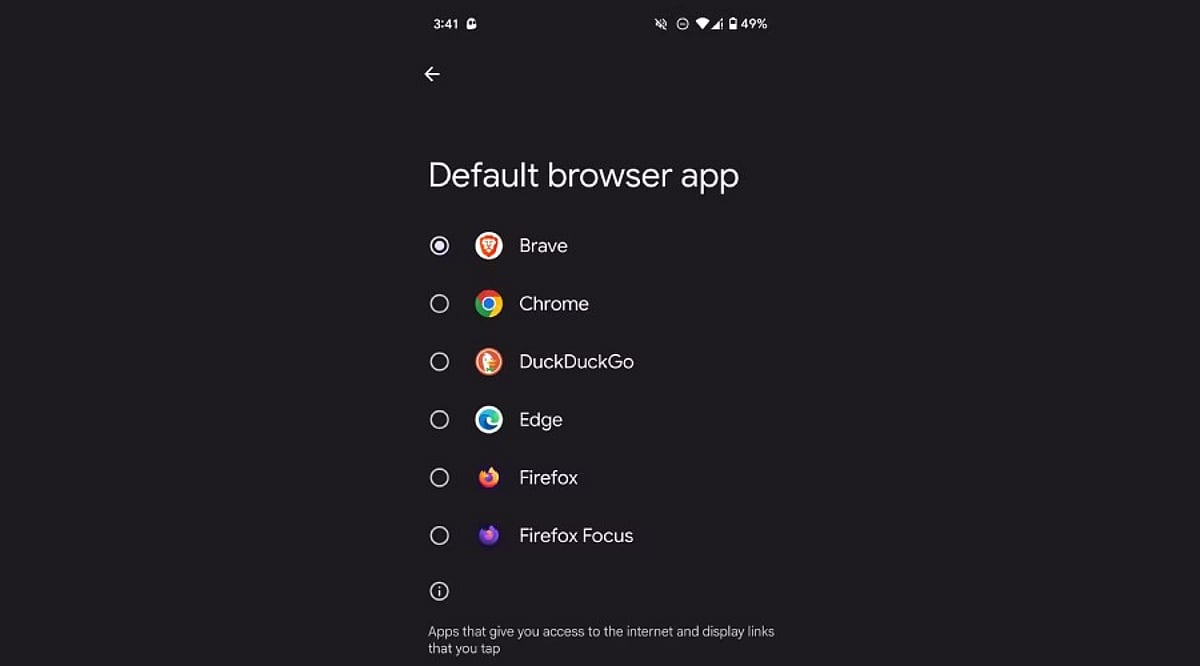
    The exact path varies slightly by phone brand, but the core steps are the same across most Android devices. Open the Settings app, scroll down, and tap Apps. Inside this menu, look for Default apps—on Samsung and Xiaomi it may be under a submenu called Advanced or App Management. Tapping this opens a full list of categories: browser, phone, SMS, gallery, and digital assistant. Here you can see exactly which app currently handles each task.

    Changing a Default Browser, Messaging, or Camera App

    Switching a default app takes just a few taps. Select the category you want to change, such as Browser app, and a list of every compatible installed app appears. Tap the desired app—like Chrome, Firefox, or Brave—to set it as the new default immediately. The same process works for messaging apps (WhatsApp, Google Messages) and camera or gallery apps. Android applies the change instantly, so the very next link, text, or photo opens through the newly chosen app without needing a restart.

    Handling Default Apps for Specific File Types and Links

    Beyond the main categories, Android lets you control which app opens specific file types or web links—known as “Opening links” settings. This sits inside each app’s settings page rather than the general Default apps menu. For instance, you can choose whether Instagram links always open in the Instagram app or default to a browser instead. This level of control matters if you juggle multiple similar apps, like two PDF readers or note-taking tools, since it avoids constant pop-ups asking which to use.

    Why Setting the Right Defaults Matters

    Choosing the right default apps affects daily convenience far more than people expect. A slow default browser adds unnecessary loading time to every link you tap. A messaging app that isn’t the default might cause missed notifications if messages route through another service. Privacy also plays a role—some apps collect more data than others, and picking a privacy-focused default browser or keyboard reduces exposure. For professionals relying on specific tools for calls, calendars, or file management, correct defaults keep workflows smooth without repeated interruptions.

    A Quick Recap for Everyday Use

    Changing default apps on Android takes only a minute but improves the overall experience noticeably. Open Settings, head to Apps, then Default apps, and pick your preferred option for each category. Beyond the basics, checking individual app link settings adds another layer of control for anyone using multiple apps that serve similar purposes. This small adjustment—across browsers, messaging, camera, and file handling—adds up to a phone that behaves exactly the way you want, cutting down on unnecessary taps and confusing pop-ups. Taking a few minutes to set these preferences correctly makes a real difference in how smooth and personal your Android phone feels every day.

    Frequently Asked Questions

    Where exactly are default app settings located on Android?

    Default app settings live inside the main Settings app. Open Settings, scroll down to Apps, and look for an option called Default apps. On some brands like Samsung or Xiaomi, this option sits inside a submenu named Advanced or App Management. Once inside, a full list shows categories like browser, phone, SMS, gallery, and digital assistant, each showing the app currently handling that task.

    Can users change the default browser without uninstalling the old one?

    Yes. Switching the default browser does not require removing any other browser. Inside the Default apps menu, selecting the Browser app category shows every compatible browser installed. Tapping a different option—such as Firefox or Brave—instantly sets it as the new default, while the old browser stays installed and available whenever needed.

    Why does Android keep asking which app to open a link with?

    This repeated prompt usually appears when no default app has been set for that category, or when multiple apps handle the same file type without a clear preference. Setting a proper default through the Default apps menu removes this pop-up for general categories. For specific links (like Instagram or YouTube URLs), you may also need to check that app’s individual “Opening links” setting to stop the recurring prompt.

    Does changing default apps affect phone performance or battery life?

    Changing default apps mainly affects convenience rather than overall performance or battery life. A faster default browser or messaging app can make everyday tasks feel quicker due to less friction from selection prompts, but the difference in actual battery usage or system performance is minimal. The bigger benefit shows up in daily experience—links, texts, and photos open through your preferred app right away without extra taps or delays.

    Is it possible to reset all default apps back to original settings?

    Most Android phones allow you to reset app preferences through a single option, usually found at the bottom of the Default apps or App Management screen, sometimes labeled “Reset app preferences.” Tapping this clears every custom default you’ve set, and the phone goes back to prompting for a choice the next time an action like opening a link or file happens. This works well for troubleshooting a default app that stopped working correctly or for starting fresh.

  • From the Enterprise to Everyday Life: 5 Star Trek Technologies That Became Real

    From the Enterprise to Everyday Life: 5 Star Trek Technologies That Became Real

    When Star Trek first aired in 1966, its futuristic gadgets seemed light-years away. Decades later, many of those ideas have become part of daily life. While today’s devices don’t exactly match their fictional counterparts, the similarities show how science fiction can shape real-world innovation.

    Communicators Transformed Into Mobile Phones

    On the show, crew members used handheld communicators for wireless long-distance conversations. Modern smartphones offer the same convenience through cellular networks, Wi-Fi and Bluetooth. Motorola’s 1996 StarTAC flip phone even echoed the communicator’s clamshell design. It remains one of the clearest examples of science fiction inspiring consumer technology.

    PADDs Evolved Into Tablets

    Star Trek characters used Personal Access Display Devices, or PADDs, to read documents, access data and manage tasks. Today’s tablets fill the same role with touchscreens, wireless connectivity and powerful processors. Portable computing concepts also developed independently beyond Star Trek, so direct inspiration is harder to prove than with communicators.

    Voice Computers Became AI Assistants

    In the series, officers often spoke naturally to the ship’s computer to retrieve information or execute tasks. Modern voice assistants and conversational AI provide a similar experience: ask a question, control smart devices, or access services by voice. Today’s systems are more advanced in many ways, but they still operate differently from the fictional Starfleet computer.

    Tricorders Inspired Portable Medical Diagnostics

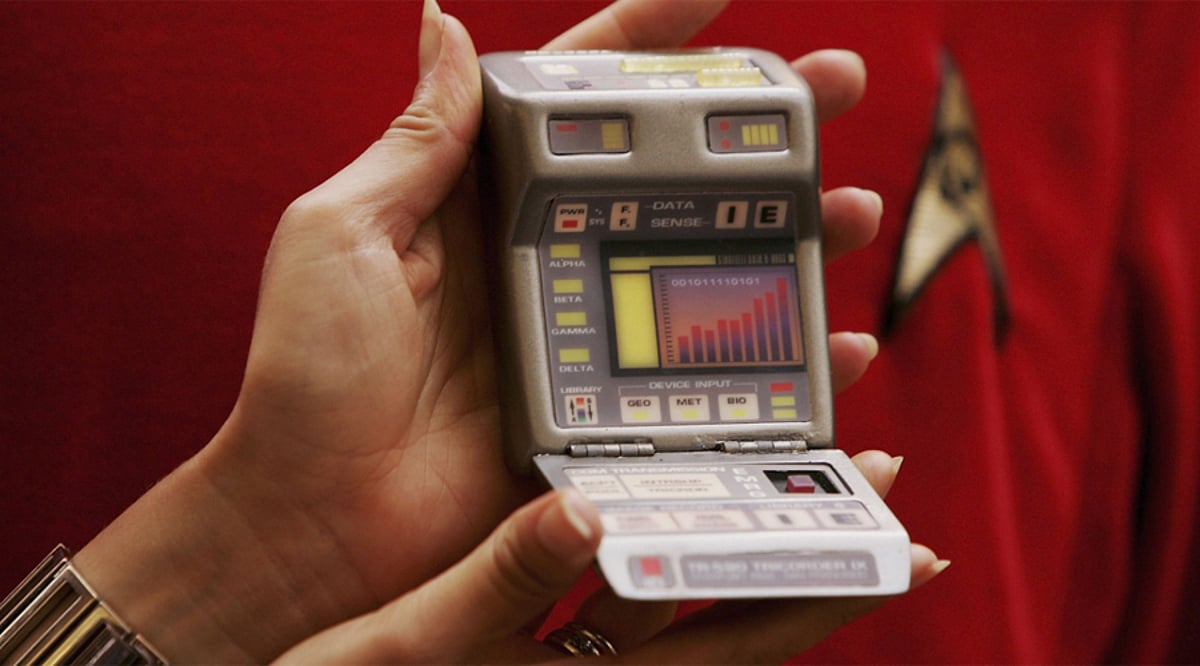
    The fictional tricorder could scan patients and identify conditions quickly. Researchers have worked on real-world portable diagnostic tools, including projects tied to the Qualcomm Tricorder XPRIZE. That competition challenged teams to build compact health monitoring devices. While no product yet matches the tricorder completely, these efforts show steady progress toward portable medical diagnostics.

    Video Calls Went Mainstream

    Star Trek often showed characters communicating face-to-face over video. Smartphones, laptops, and conferencing platforms now make live video communication routine. However, the idea was not entirely new—Bell Labs demonstrated its Picturephone in 1964. This makes video calling an example of parallel development rather than a direct Star Trek invention.

    Science Fiction Meets Modern Reality

    Star Trek’s greatest influence may be its vision of technology that is portable, accessible and integrated into everyday routines. Communicators, PADDs, voice interfaces and medical scanners all have real-world equivalents today. Some were inspired directly by the franchise, while others emerged on their own. Either way, Star Trek helped popularize a future that now feels familiar.

  • Acer TravelLite T24-54M Review: A Dependable Business Notebook for Professionals

    Acer TravelLite T24-54M Review: A Dependable Business Notebook for Professionals

    Overview

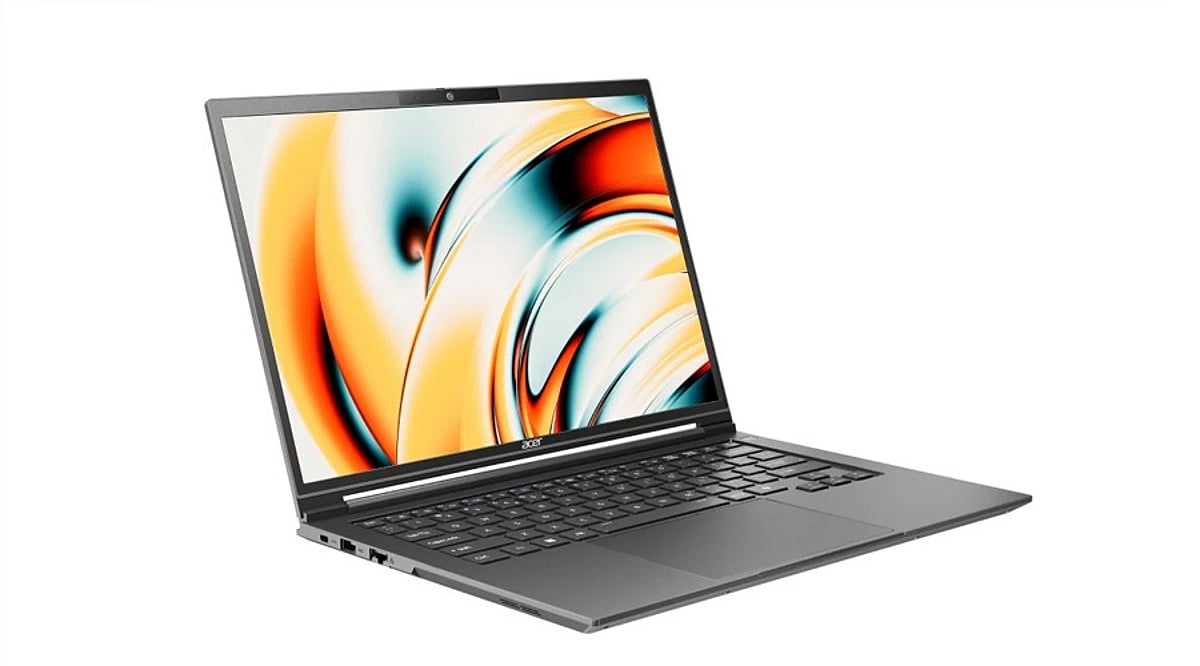
    The Acer TravelLite T24-54M is a professional notebook that strikes a solid balance between mobility, reliability, and productivity. Weighing just 1.30 kg and built to MIL-STD 810H standards, it is designed for on-the-go professionals. The laptop features a modern aluminum and polycarbonate chassis, an Intel Core Series 3 processor, 16GB of DDR5 RAM, and a comprehensive set of connectivity options. Its performance is well-suited for office workloads and web-based tasks, and the 60Wh battery easily lasts through a full workday. However, the dim 250-nit screen and certain design choices prevent it from being a perfect fit for all working environments.

    Rating: 4/5

    Specifications

    • Weight: 1.30 kg
    • Durability: MIL-STD 810H certified
    • Chassis: Aluminum and polycarbonate
    • Processor: Intel Core Series 3
    • RAM: 16GB DDR5
    • Battery: 60Wh
    • Display: 250-nit brightness

    Pros and Cons

    Pros

    • Lightweight and highly portable
    • Rugged MIL-STD 810H build quality
    • Good performance for office and web use
    • Excellent battery life for a full workday
    • Strong connectivity options

    Cons

    • Dim 250-nit display may be hard to view in bright environments
    • Some design drawbacks that affect ergonomics

    Final Verdict

    The Acer TravelLite T24-54M is a reliable business laptop that meets the core needs of corporate users: portability, durability, productivity, long battery life, and solid connectivity. The configuration with an Intel Core 5 320 (similar to Core Series 3) and 16GB RAM handles office tasks smoothly, and the port selection is a definite plus. The main shortcoming is the low screen resolution and brightness, which may hinder prolonged use in well-lit conditions. Overall, it is a commendable choice for professionals seeking a dependable workhorse.