
Blog

  • Crypto Self-Custody Explained: How It Works, Risks, and How to Stay Safe

    Crypto Self-Custody Explained: How It Works, Risks, and How to Stay Safe

    Self-custody gives cryptocurrency owners direct control over their assets by removing exchanges or banks from the key-management equation. Although this approach reduces counterparty risk, it also places full responsibility for security on the individual investor. Understanding how self-custody works—and where it can fail—is essential before moving funds off a centralized platform.

    How Crypto Self-Custody Works

    Cryptocurrency transactions are recorded on a blockchain, but the ability to authorize those transactions depends on cryptographic keys. On a custodial exchange, the platform controls the private keys. In a self-custody wallet, the user holds the keys and, by extension, full control over the assets.

    Self-custody wallets typically generate a 12- or 24-word recovery phrase. This phrase is the backup that can restore access to the wallet if the original device is lost, damaged, or replaced. However, losing the recovery phrase can mean losing access to funds permanently, because there is no central company that can reset the wallet or recover the keys.

    Hot Wallets vs. Hardware Wallets

    Self-custody comes in different forms. Hot wallets run on internet-connected devices such as smartphones and computers, making them convenient for frequent transactions. Hardware wallets, by contrast, keep private keys and signing information offline, making them a better option for long-term storage.

    Hardware wallets are not completely risk-free. In July 2026, vulnerabilities in seed generation affected multiple Coldcard wallets. TRM Labs reported that attackers stole approximately 1,816 BTC—worth around USD 116 million—from more than 5,200 wallets.

    Human Error Remains a Major Risk

    Assets can be lost without any breach of the underlying blockchain. Phishing attacks, malicious apps, exposed recovery phrases, and signing fraudulent transactions can all compromise a self-custody wallet. Because blockchain transactions are typically irreversible, one mistaken action can be permanent.

    Physical threats are also rising. Chainalysis estimates that attacks against cryptocurrency holders resulted in about USD 30 million stolen during the first half of 2026. Home invasions accounted for 37% of reported incidents, up from 26% in 2023.

    Blockchain Infrastructure Can Still Fail

    Self-custody does not eliminate risks in the infrastructure surrounding blockchains. On September 6, attackers withdrew roughly 4,000 BTC from the Bitcoin-based Liquid Network, initially worth about USD 319 million. TRM Labs reported that approximately 85%—USD 272 million—was returned after the vulnerability was patched, leaving about USD 47 million with the attackers.

    How to Reduce Self-Custody Risks

    • Keep recovery phrases offline and never share them with anyone.
    • Verify wallet software and transaction addresses before sending funds.
    • Keep device firmware and wallet applications updated.
    • Avoid signing unknown or suspicious transactions.
    • Separate long-term holdings from wallets used for DeFi or frequent transactions.

    These precautions can help reduce the chance of losing funds, but they do not eliminate risk entirely. Users must remain vigilant about both online and physical threats.

    Why This Matters

    Crypto theft remains a serious concern. According to TRM Labs, the first half of 2026 saw 207 hacks and USD 972 million stolen. These figures highlight the importance of wallet protection and of strengthening the digital-asset infrastructure that supports self-custody.

    Final Thoughts

    Self-custody offers direct ownership, not guaranteed protection. Investors trade the counterparty risk of centralized custodians for personal responsibility over keys, backups, and transactions. For users who are prepared to manage that responsibility carefully, self-custody can be a powerful way to maintain financial control. For others, a single security mistake can be irreversible.

    Frequently Asked Questions

    What does self-custody mean in cryptocurrency?

    Self-custody means the user controls the private keys required to access and transfer their crypto assets. Unlike custodial exchanges, no centralized platform holds the keys on the user’s behalf.

    What happens if you lose a self-custody wallet recovery phrase?

    A recovery phrase can restore access to a self-custody wallet if the original device is lost or damaged. If both wallet access and the recovery phrase are lost, the funds may be permanently inaccessible.

    Are hardware wallets safer than hot wallets?

    Hardware wallets can reduce exposure to online attacks by keeping signing information offline. However, vulnerabilities, phishing, compromised recovery phrases, and user errors can still cause losses.

    What are the biggest risks of crypto self-custody?

    Major risks include losing recovery phrases, phishing attacks, malicious wallet software, signing fraudulent transactions, and hardware vulnerabilities. Unlike traditional accounts, fraudulent or accidental blockchain transactions can often be irreversible.

    How can investors make crypto self-custody safer?

    Users should keep recovery phrases offline, verify wallet software and addresses, update firmware, and avoid unfamiliar transaction requests. Separating long-term holdings from frequently used wallets can also reduce exposure.

    Disclaimer: This article is for informational purposes only and does not constitute financial or investment advice. Cryptocurrencies carry significant risk, and you should conduct your own research before making any investment decisions.


  • 5 Proven Strategies for Embedding Ethics into AI Initiatives

    5 Proven Strategies for Embedding Ethics into AI Initiatives

    Artificial intelligence is advancing rapidly inside organizations, but ethical standards often struggle to keep up. Aligning AI initiatives with ethical principles requires more than good intentions—it demands concrete processes around fairness, accountability, and transparency. This article outlines five critical strategies that organizations are using in 2026 to ensure their AI systems operate ethically and responsibly.

    1. Build a Clear Governance Structure from the Start

    A formal governance framework gives ethical AI a permanent home within the company. Currently, 77% of organizations are developing such a program, making it a strategic priority. A strong structure assigns clear ownership, defines approval processes for new models, and establishes monitoring rules for live systems. Without this foundation, even well-meaning ethics efforts collapse when real problems emerge.

    2. Assign Accountability at the Leadership Level

    Ethics only stick when senior leaders are personally responsible. Adoption of Chief AI Officers has surged from 26% to 76% in one year, signaling that boards now demand a named executive who can explain AI decisions and take responsibility for failures. This shift also helps secure proper funding for ethics work, elevating it from a side project to a board-level priority.

    3. Make Bias and Fairness Testing a Continuous Process

    Bias can reappear as data evolves, so fairness testing must be ongoing. Organizations with clear ownership of responsible AI achieve higher maturity scores, according to McKinsey’s 2026 AI Trust Maturity Survey (average maturity rising to 2.3 from 2.0 in 2025). Regular testing, defined fairness metrics, and documented evidence catch issues before they affect users.

    4. Treat AI Incidents Like Any Other Business Risk

    AI-related incidents are skyrocketing. Stanford’s 2026 AI Index Report recorded 362 incidents in 2025, a 55% increase from 233 the year before. Implementing a proper incident response plan—including escalation paths, model rollback capabilities, and user notification processes—enables organizations to react quickly rather than scramble after damage is done.

    5. Invest in Ethics as a Business Decision, Not Just Compliance

    Ethical AI delivers tangible financial returns. IBM data shows companies spending more than 10% of their AI budget on ethics report roughly 30% higher operating profit growth, along with stronger customer satisfaction and higher internal AI adoption. This reframes ethics as a growth strategy rather than a cost, making it easier to secure ongoing budget and executive attention.

    Conclusion

    Aligning AI with ethical standards is no longer optional. Strong governance, real accountability, continuous bias testing, serious incident response, and genuine investment in ethics together provide a practical path forward. Organizations that adopt these strategies today are best positioned to build AI systems that earn and sustain user trust.

  • Application Modernization Guide: How to Modernize Legacy Software Systems

    Application Modernization Guide: How to Modernize Legacy Software Systems

    Legacy software often works quietly in the background, running payroll, managing inventory, processing claims, and keeping operations moving. But the business around it changes quickly. New products need faster releases. Customers expect digital experiences. Teams need systems that connect with modern platforms. The gap between what the business needs and what its software can deliver keeps widening.

    Application modernization closes that gap. It updates software, architecture, infrastructure, or interfaces while preserving the capabilities already in place. The real goal is freedom to change.

    Why Legacy Software Becomes a Business Constraint

    Leaving a legacy system alone feels safe. It works, and change brings risk. But the real question is not whether it works today; it is whether it can handle what the business needs tomorrow.

    Consider a retailer using an old pricing system built on fixed, batch-updated price lists. The business wants dynamic pricing based on demand and stock levels. The system cannot supply real-time data for that, so engineers spend months building workarounds instead of shipping the actual feature.

    Three pressures make this worse over time:

    • Fewer skilled professionals know these old systems, so maintenance gets harder and more expensive.
    • Rigid interfaces make it difficult to connect with modern APIs and cloud tools.
    • Technical debt stretches testing and release timelines.

    Together, these pressures slow down launches, raise costs, add risk, and make it harder to keep pace with the market.

    The Six Paths Forward: Understanding the 6 R’s

    A widely referenced framework describes six modernization strategies, often called the 6 R’s. Each answers a different question about an application’s future:

    • Rehost — Move the application to a different infrastructure without changing its code or architecture.
    • Replatform — Move to a new platform with minimal changes, often to take advantage of cloud services.
    • Refactor — Restructure existing code to improve its internal quality while preserving external behavior.
    • Rearchitect — Significantly alter the application’s architecture to enable new capabilities or scale.
    • Rebuild — Rewrite the application from scratch while keeping its scope and specifications.
    • Replace — Retire the application and adopt a commercial or off-the-shelf solution instead.

    None of these paths is inherently better than the others. A billing engine that rarely changes may suit rehosting well. An order system that must evolve every month likely justifies rearchitecting, even at higher upfront cost.

    Building a Modernization Strategy

    The first decision is not which technology to adopt. It is which applications deserve investment at all. A system with high business value and high technical risk should sit ahead of one that is outdated but operationally minor.

    At this point, sequencing and management matter more than the actual toolkit. Identify all dependencies that each application has, because modernizing one system may involve renegotiating links to a dozen other systems. Outline clear ownership for each stage to prevent scope and risk tolerance decisions from getting stuck between teams.

    Do not simply choose the latest or most fashionable modernization path. Avoid one large cutover. Instead, test a small move to see whether it behaves as expected in production, and roll it back if it does not. Design for uptime rather than treating it as an afterthought or allowing it to become a barrier to design.

    This discipline is well captured by the strangler fig pattern, where new functionality is added around an old system and incrementally replaces it over time.

    Measuring Success and Avoiding Modernization for Its Own Sake

    The strongest measures link technical change to operational outcomes, such as:

    • Releasing changes sooner
    • Recovering faster from incidents
    • Integrating new services with less effort
    • Running systems at a sustainable cost against a baseline established before the work begins

    A quieter risk is modernizing without a clear destination. Adopting microservices or containers just because they are the current pattern, rather than because the system actually needs them, produces an architecture that looks modern but remains just as hard to change. The complexity has moved, not disappeared.

    Final Thoughts

    Modernization is not a single project or a finish line. It is the ongoing work of finding which technical limits are quietly slowing the business down and removing them before they force a crisis. Judged by that standard, and not by how new the software looks, modernization earns its investment.

    Frequently Asked Questions

    What is application modernization?

    Application modernization is the process of updating older software, architecture, infrastructure, or interfaces so an application can support current business needs without losing its core capabilities.

    Why do businesses need to modernize legacy applications?

    Legacy applications can become difficult and expensive to maintain as technology, customer expectations, and business requirements change. Modernization can help improve release speed, integration, reliability, and operating costs.

    What are the 6 R’s of application modernization?

    The six common approaches are rehost, replatform, refactor, rearchitect, rebuild, and replace. Each option suits different business needs, technical conditions, and investment levels.

    How should a company decide which applications to modernize first?

    Companies should consider both business value and technical risk. Applications that are critical to operations but difficult to maintain or change generally deserve higher priority than systems with limited business impact.

    How can businesses measure the success of application modernization?

    Success can be measured through practical business and operational outcomes, such as faster releases, quicker incident recovery, easier integration, lower maintenance effort, and more sustainable technology costs.

  • EchoVision Smart Glasses: How AI Wearables See and Speak for You

    EchoVision Smart Glasses: How AI Wearables See and Speak for You

    EchoVision smart glasses pair a camera, microphones, and connected AI to interpret surroundings and answer questions through audio. Processing splits between the device, a paired phone, and the cloud. Real usefulness hinges on battery life, connectivity, and privacy safeguards specific to the product itself.

    Overview: A New Way to Access Information

    A pair of glasses that sees what a person sees and answers a question about it within seconds sounds like a small idea, but it isn’t. It signals a shift in how people expect computers to reach them. Assistance moves off a screen and onto the face, ready to respond to the world the instant something happens. EchoVision smart glasses belong to a growing category of AI-powered wearables. Some of what follows describes EchoVision directly. Some describes how AI glasses generally work as a category. The distinction matters for anyone trying to understand what makes the device useful.

    The Hardware Behind the AI

    EchoVision pairs a camera, a set of microphones and speakers, and onboard processing into a glasses frame. The camera captures a first-person view of the surroundings. The microphones pick up spoken commands. A battery built into the frame supports several hours of typical use. Exact runtime and weight figures are best checked against EchoVision’s own product documentation rather than assumed from the wider category. This hardware layer sets a ceiling on what the AI system can do. Wearable cameras have a narrower field of view than phone cameras. They also have less room for large batteries. Most AI glasses on the market lean on efficient, short-burst processing rather than sustained heavy computation. Whether EchoVision follows this exact pattern can only be confirmed by the manufacturer’s specifications.

    How the AI Processing Pipeline Works

    When a wearer asks EchoVision to interpret something in view, the glasses capture the relevant visual information. A connected AI system then generates a response, delivered through the built-in speakers. The exact split of processing between the glasses, a paired smartphone, and the cloud is a separate question from the broader architecture used across AI glasses. Across the category, simpler tasks such as basic transcription are often handled with lighter onboard processing. More complex requests, like identifying an object in detail, are typically routed to a paired smartphone or a cloud server running larger models. This split between local and cloud processing balances speed against the limited power available on a wearable. Where EchoVision draws that line cannot be confirmed without direct documentation.

    How Smart Glasses Use Visual Context

    A voice assistant can answer a question from what a person says. EchoVision adds another layer: what the camera captures from the surroundings. A wearer can ask about an object, a piece of printed text, or a scene without describing it first. The AI combines the visual input with the spoken request to produce an audio response. AI glasses, display glasses, and AR glasses are not interchangeable terms. AI glasses like EchoVision generally communicate through audio rather than a visual display. Display glasses project information onto a lens. AR glasses overlay interactive graphics onto the physical world.

    Connectivity and the Role of the Smartphone

    Most AI glasses are not fully independent computers, and this holds for the category EchoVision belongs to. They pair with a smartphone app over Bluetooth. That phone often handles account settings, software updates, and, in many cases, part of the AI processing itself. This dependency keeps the glasses light and affordable but ties performance to the connected phone’s capabilities and network access.

    Privacy Becomes Part of the Hardware Design

    The camera and microphones sit close to the physical world around the wearer. Privacy design plays a direct role in how AI glasses are built across the category. Common industry approaches include a visible indicator during recording, a physical microphone mute control, and limits on how long raw audio or video is retained. Whether EchoVision implements each of these specific safeguards should be confirmed against its own privacy documentation rather than assumed from general industry practice.

    Final Thoughts

    EchoVision’s significance lies less in putting AI into a pair of glasses than in changing how people access information day to day. The camera provides environmental context. The AI interprets it. Audio delivers the result without a conventional screen. The remaining challenge is reliability. As more people lean on wearable AI in everyday moments, accuracy, connectivity, privacy, and battery performance become the real measures of whether the product earns daily use.

  • AI vs Data Science vs Machine Learning: How to Choose the Right Tech Career Path

    AI vs Data Science vs Machine Learning: How to Choose the Right Tech Career Path

    Three tech careers often get lumped together under one job title, but they demand entirely different skill sets. Data science favors statistics and communication. Machine learning rewards mathematical depth. AI engineering blends both with systems thinking. Choosing the right path means matching your temperament to the problem type, not chasing trends.

    One resume, three different job titles. That overlap is why the right career choice cannot be made by job title alone. Executives often hire for AI, data science, and machine learning as if they were the same skill, but they aren’t. Each one solves a different problem. Each one rewards a different strength. Each one opens a different career door.

    Where AI, Data Science, and Machine Learning Actually Diverge

    The cleanest way to separate the three is by the problem each one owns, not by textbook definition. Artificial intelligence is the broad field. It builds systems that reason, perceive, or make decisions. Machine learning is a major approach within that field. It is the set of techniques that let a system learn patterns from data instead of following fixed rules. Data science is an interdisciplinary field that focuses on extracting insight from data using statistics, business context, and communication—often without building a predictive model at all.

    These fields overlap heavily but do not stack neatly on top of one another. A data scientist may use machine learning to build a forecast. An AI engineer may rely on neither, instead assembling existing models into a working product.

    Job descriptions rarely reflect this precision. Understanding the underlying discipline prevents a mismatch. The title alone does not tell the full story.

    The Skills Each Career Path Actually Demands

    Data science leans heavily on statistics, SQL, data visualization, and storytelling with numbers. Python and R matter, but so does the ability to translate a dataset into a recommendation that a non-technical stakeholder can act on. This path suits learners who enjoy structured problem-solving and communication as much as computation.

    Machine learning demands stronger mathematical grounding—linear algebra, probability, optimization, and a working command of frameworks like TensorFlow or PyTorch. Practitioners spend more time on model architecture, feature engineering, and tuning than on presenting findings. This path suits learners comfortable with iterative experimentation and code-heavy workflows.

    AI engineer roles increasingly span model integration, evaluation, orchestration, and deployment. Training foundation models from scratch is rarely part of the job anymore. Some roles demand strong machine learning fundamentals; others place greater emphasis on software engineering and system design, making this career path more varied in entry requirements than the other two.

    The Same Business Problem Can Require All Three

    Consider a company trying to reduce customer churn. A data scientist investigates the data to explain why customers are leaving, applying skills like segmentation and statistical testing. A machine learning engineer builds and deploys a model that predicts which customers are at risk. An AI engineer wires that prediction into a live workflow that triggers a retention offer automatically. Same business problem, three distinct jobs.

    How the Market Is Changing These Career Paths

    Data science often offers a broader entry market—analytics, reporting, experimentation, and predictive work appear across industries from finance to retail to healthcare. Machine learning engineer roles generally command a pay premium over generalist data science roles, reflecting the deeper technical bar and the engineering responsibility of shipping models into production.

    Generative AI is also moving the boundary between these fields. Building an AI application may require less model training than before, but it raises the importance of evaluation, data quality, system integration, and reliability. For technical roles, demonstrable project work gives employers evidence of how a candidate applies tools, handles problems, and delivers working systems—a certificate list alone cannot show that.

    How to Choose the Right Career Path

    The right path depends less on market hype and more on what kind of problem naturally draws you in. Choose data science when the starting point is a business question that needs an answer. Choose machine learning when the starting point is a prediction or optimization problem that needs a model. Choose AI engineering when the starting point is an intelligent product or workflow that needs to be built and shipped.

    A common mistake is trying to learn all three at once without depth in any. A more effective sequence starts narrow—take one foundational path to a demonstrable project level first, then expand sideways into adjacent skills as your career progresses.

    Final Thoughts

    The line between these three fields will keep blurring as tools converge and job titles lag behind actual work. The safer strategy is not picking a label to chase, but picking a skill foundation—whether statistical, engineering, or systems-based—that stays valuable regardless of what the next job posting decides to call it.

    FAQs

    1. Is AI, Data Science, or Machine Learning better for a career in 2026?
    There is no single best option. Data Science suits analytical and business-focused work, Machine Learning fits model development and engineering, while AI engineering is better suited to building and deploying intelligent applications.

    2. Can I learn AI without knowing Machine Learning?
    Yes, especially for AI application development. However, Machine Learning fundamentals become increasingly valuable when working with model behavior, evaluation, fine-tuning, or advanced AI systems.

    3. Is Data Science easier to learn than Machine Learning?
    The entry barrier can be lower for Data Science since beginners can start with statistics, SQL, and analytics. Machine Learning usually requires deeper mathematics, programming, and model-development knowledge.

    4. Which career has better long-term opportunities: AI or Data Science?
    Both offer strong opportunities, but roles are evolving differently. AI is expanding into intelligent applications and automation, while Data Science remains important for analytics, experimentation, forecasting, and data-driven decision-making.

    5. Should I learn Data Science, Machine Learning, and AI together?
    Not at the beginning. Building depth in one area first is usually more effective. Once you can demonstrate practical skills through projects, you can add adjacent capabilities and move toward broader AI or Machine Learning roles.

  • 2026’s Top All-in-One Printers for Home and Small Offices: Expert Picks and Buying Advice

    2026’s Top All-in-One Printers for Home and Small Offices: Expert Picks and Buying Advice

    Overview

    Running cost, consumable availability, and document handling matter more than headline print speed for most buyers. Ink tank printers dominate the Indian market for their lower long-term cost compared with cartridge models. The right printer depends on monthly print volume and the number of devices that need to connect to it.

    The wrong printer can quietly turn into one of the most expensive devices in a home or office. Cheap cartridges, slow output, paper jams, and manual double-sided printing add up fast. A low price today often hides a high cost later. The smarter move is to judge a printer by the work it does, not the number on its box.

    Five models stand out this year for different needs: Epson EcoTank L3252, Canon PIXMA G2012, Brother DCP-T730DW, Canon PIXMA G3730, and HP Smart Tank 750. Each one fits a specific workload, from student assignments to daily office paperwork.

    Quick Comparison Table

    Model Key Features Best For Connectivity
    Epson EcoTank L3252 5760 dpi, refillable ink tank, compact Home users who print occasionally Wi-Fi, Wi-Fi Direct, USB
    Canon PIXMA G2012 Low B&W running cost, simple operation Single-computer households on a budget USB only
    Brother DCP-T730DW 20-sheet ADF, auto duplex, 27 ppm black Small offices with multi-page documents Dual-band Wi-Fi, USB
    Canon PIXMA G3730 4800 dpi, 2-year warranty, wireless Connected families and students Wi-Fi
    HP Smart Tank 750 35-sheet ADF, auto duplex, Ethernet, up to 3 users Shared higher-volume workflows Wi-Fi, Bluetooth LE, LAN, USB

    Note: ipm and ppm figures come from each manufacturer’s own testing. Treat cross-brand comparisons as directional. Check current spec sheets before purchase.

    Detailed Reviews

    Epson EcoTank L3252: The Balanced Home Option

    The L3252 wins the top spot for combining low running costs, Wi-Fi, and a compact body without increasing the price. It prints at up to 5760 dpi and connects over Wi-Fi, Wi-Fi Direct, and USB. The refillable ink tank system cuts down how often ink needs replacing and how much it costs each time.

    The trade-off shows up in document handling. There is no automatic document feeder and no automatic duplex, so anyone scanning a multi-page file or printing on both sides has to feed pages by hand. For a household printing occasional documents and photos, that limitation rarely gets in the way.

    Canon PIXMA G2012: The Simplest Low-Cost Option

    The G2012 strips away features a single-computer household rarely uses, and that is its strength. It handles printing, scanning, and copying from a compact body, and its black-and-white running cost sits well below its color cost, according to Canon’s own figures.

    Connectivity runs through USB only. That makes it a strong fit for one computer, not for a household with several devices needing to print wirelessly. Students and home offices working on a tight budget, with print jobs that lean heavily black-and-white, get the most value here. Warranty terms and included consumables vary by SKU, so check Canon’s current India listing before buying.

    Brother DCP-T730DW: The Document Workflow Option

    Small offices that scan and print multi-page documents need a machine that does not demand manual feeding for every job. The DCP-T730DW solves that directly. Its 20-sheet automatic document feeder and automatic duplex printing matter more here than raw speed, since they remove one of the most repetitive steps in office paperwork.

    Dual-band Wi-Fi and USB round out the connectivity, with rated speeds up to 27 ppm in black and 23 ppm in color. Ink bottles carry high page yields across both black and color, per Brother’s specifications. The trade-offs are a higher price and a larger footprint than single-tray home printers, a fair exchange for offices that print in volume.

    Canon PIXMA G3730: The Connected Family Option

    Homes and students printing occasional color work alongside everyday documents find a well-rounded fit in the G3730. Wireless connectivity matters more here than print speed. A phone, a laptop, and a child’s tablet can all print from the same machine, with nobody needing to sit near a tethered PC.

    A two-year standard warranty adds weight for buyers who value after-sales cover, and print resolution reaches up to 4800 dpi. Running costs stay well below cartridge-based printers, in line with other ink tank models. There is no ADF, so repetitive scanning is not its strength. This is a home and student pick rather than an office one.

    HP Smart Tank 750: The Shared Higher-Volume Option

    The Smart Tank 750 fits users who have moved past occasional home printing and need a machine built for shared document workflows. Its 35-sheet ADF and automatic two-sided printing matter more than resolution for this kind of use, cutting down manual handling during repetitive scanning and double-sided jobs.

    Connectivity includes Wi-Fi, Bluetooth LE, LAN, and USB, so it can easily connect to different devices. HP also says it is designed for teams of up to three users. The combination of Ethernet and automatic duplex lets it sit on a shared network without needing a dedicated computer link. In-box ink carries a high page yield in both black and color, cutting how often a small office reorders consumables. Its higher price than single-user models reflects that added capacity.

    How to Choose the Right Printer

    Start with monthly page volume. Light, occasional printing favors a compact single-user model like the L3252 or G2012. As volume rises, especially with multiple people printing, an ADF-equipped model like the Brother or HP becomes worth the extra cost.

    Connectivity comes next. A USB-only printer works fine for one computer, but a household or office with several devices needs Wi-Fi or LAN. Duplex printing and scanning matter too: anyone handling multi-page or double-sided documents regularly will find automatic duplex and an ADF save enough manual effort to justify a higher price. Running cost deserves attention over the printer’s full expected workload, not just the price of an ink bottle. A machine that costs more upfront but offers automatic duplexing, higher ink yields, or better document handling often delivers more value across regular use. For occasional printing, paying extra for office-grade features rarely makes financial sense.

    Frequently Asked Questions

    1. Which type of all-in-one printer is best for home use?

    An ink-tank all-in-one printer is generally a strong choice for home users who print regularly. It combines printing, scanning, and copying while keeping ink replacement costs lower than many cartridge-based models.

    2. Is an ink-tank printer better than a laser printer for a small office?

    It depends on the workload. Ink-tank printers are better suited to offices that need economical colour printing, while monochrome laser printers are usually preferable for businesses that produce large volumes of text-heavy documents and value higher print speeds.

    3. Is automatic duplex printing important in an all-in-one printer?

    Yes, especially for office use. Automatic duplex printing prints on both sides of a sheet without requiring manual page turning, reducing paper consumption and making longer documents easier to handle.

    4. What should I check before buying an all-in-one printer?

    Look at the expected monthly page volume, ink or toner costs, print speed, duplex support, ADF availability, connectivity options, warranty and replacement consumables. These factors have a greater impact on long-term ownership than print resolution alone.

    5. Are ink-tank printers cheaper to operate than cartridge printers?

    Generally, yes. Ink-tank printers use refillable reservoirs and high-yield bottles, which can reduce the cost per printed page. However, actual savings depend on ink prices, page coverage and how frequently the printer is used.

    Final Thoughts

    The best printer isn’t the one with the most features, but the one that fits how you actually work. It handles your regular print volume, keeps pace with your daily routine, and stays affordable in the long run.

  • Free Fire MAX Redeem Codes (September 12, 2026): Grab Free Skins, Bundles, and More Rewards

    Free Fire MAX Redeem Codes (September 12, 2026): Grab Free Skins, Bundles, and More Rewards

    Garena has released a fresh set of Free Fire MAX redeem codes for September 12, 2026. Players can use these codes to claim free skins, emotes, weapon loot, and other in-game rewards without spending real money.

    Each code is a 12-character mix of letters and numbers, and works on a first-come, first-served basis. Since only a limited number of players can redeem each code, use them as soon as possible before they run out or expire. Garena refreshes this list almost every day, keeping the game’s economy active for free-to-play users who do not want to spend on diamonds.

    Redeem Codes for September 12, 2026

    Here are today’s active codes that players can try:

    • FFM1VSWCPXN9
    • 4ST1ZTBZBRP9
    • FT4E9Y5U1I3O
    • QK82S2LX5Q27
    • FL2K6J4H8G5
    • FFM6N1B8V3C4
    • XFR2D7G5T1Y8
    • HFJI4GFE45TG
    • 5RD3TZK7WME6
    • 5

    These codes can unlock items such as weapon skins, character outfits, emotes, and diamond vouchers. Keep in mind that these codes are region-specific and may not work for every server. Some codes also come with a usage cap, so once that limit is hit, the code stops working even if it is not expired yet. If a code shows an “invalid” or “already used” message, it likely means the redemption limit is already reached.

    How to Redeem the Codes

    Redeeming a Free Fire MAX code takes only a few steps:

    1. Visit the official Free Fire Rewards Redemption website at reward.ff.garena.com/en.
    2. Log in using a linked account through Facebook, Google, Apple ID, VK ID, or Huawei ID. A guest account will not work here.
    3. Paste the redeem code into the text box on the screen and click Confirm.
    4. Once the code goes through, open the game and check the Vault section in the lobby to collect the reward.

    Diamonds or gold rewards usually add to the account automatically, with no extra steps.

    Key Tips for Players

    A few small habits can help players make the most of these daily codes:

    • Redeem codes early in the day, since popular codes often hit their usage limit within a few hours.
    • Double-check every character before submitting a code, as the mix of letters and numbers is easy to mistype.
    • Link the game account to Facebook, Google, or another supported platform ahead of time, so there is no last-minute login trouble.
    • Bookmark a trusted source for daily codes instead of searching fresh each time, since fake codes circulate often on social media.
    • Take a screenshot of the codes before they get removed or replaced the next day.

    Final Thoughts

    Redeem codes remain one of the easiest ways for Free Fire MAX players to grab free skins and rewards without touching their wallet. Codes change daily, so today’s list may stop working by tomorrow. Players should also stay away from third-party ‘redeem code generator’ websites, since most of them are fake and can put the account at risk. Sticking to Garena’s official channels and the official redemption site is the safest way to make the most of these daily codes. Checking back each morning is a good habit for anyone who wants to stay ahead of new drops.

  • Why Skills-Based Hiring Claims Fall Short and How ACHNET Aims to Bridge the Gap

    Why Skills-Based Hiring Claims Fall Short and How ACHNET Aims to Bridge the Gap

    Despite widespread announcements about skills-based hiring, the reality on the ground tells a different story. According to NACE’s Job Outlook 2026 survey, 70% of employers report using skills-based hiring for entry-level roles, up from 65% the year before. TestGorilla’s 2025 research similarly found that 53% of employers had eliminated degree requirements, a sharp increase from 30% in the previous year. Yet when researchers from Harvard Business School and the Burning Glass Institute examined actual hiring outcomes, they discovered that the removal of degree requirements led to fewer than one in 700 hires coming from workers without degrees. The job postings changed, but the hires did not.

    The Policy Changed, but the Hires Did Not

    This gap is the most telling number in talent acquisition today, and it is not simply a matter of insincerity. Employers have genuine incentives to broaden their talent pools. McKinsey has cited research showing that skills are about five times more predictive of job performance than education and more than twice as predictive as work experience. Many organizations genuinely want to widen their candidate pools and place greater emphasis on demonstrated capability. However, they are doing it at the top of the funnel and then reverting at the next step. A job posting goes out without a degree requirement. Applications arrive. Someone sorts them—and the sorting instrument is still a resume, a document organized around where a person studied and which employers they passed through. Screening for skills while reading a credential summary inevitably produces credential-based outcomes.

    The Resume Survives Because Nothing Cheaper Replaced It

    The resume persists because it remains an efficient first source of candidate information. The problem begins when it becomes the primary evidence of capability rather than one input among several. Skills assessment has historically meant building a test, which requires someone to define what the role demands, write items that measure it, and validate that the results predict anything. For a single high-volume role, that investment makes sense. Across a requisition list running to dozens or hundreds of distinct jobs, it does not. So most employers test for a handful of technical positions and read resumes for everything else. The volume problem has since worsened with generative AI tools making applications uniformly polished, stripping the resume of what little discriminating power it retained. Recruiters now spend more time assessing whether a strong-looking application reflects real capability, which pushes them back toward using credentials as a shortcut. When direct evidence of capability is expensive to collect, credentials and prior experience remain convenient screening signals, even when an organization has formally adopted a skills-first policy.

    Replacing the Filter, Not the Wording

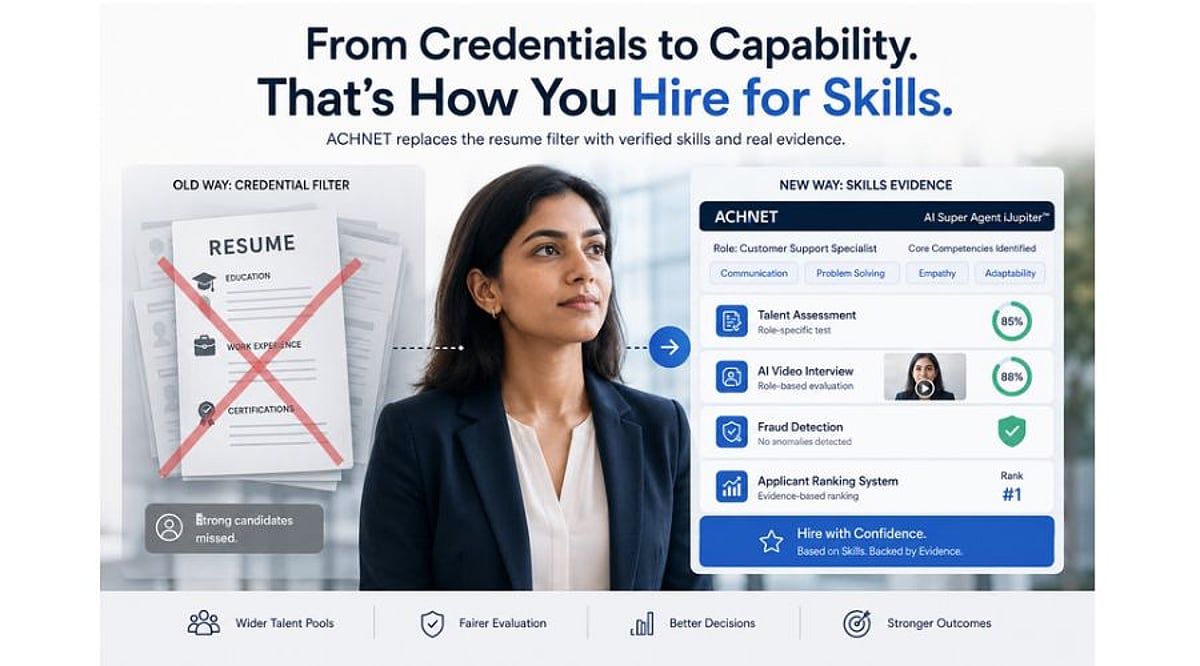
    ACHNET is targeting the mechanism rather than the intent. The platform analyzes the job description to identify role-relevant skills and competencies, which then inform role-specific talent assessments and AI video interview questions. The test is generated from the role rather than pulled from a library, making per-role assessment economical across a long requisition list rather than only for a few positions. As Manouj Gupta, CEO and Founder of ACHNET, puts it: “Dropping a degree requirement from a job posting changes nothing if the next screen is still a resume. You have to replace the filter, not just the wording.”

    Where the evidence lands is the second half. ACHNET’s Applicant Ranking System weighs the resume, the assessment result, and the interview score against the competencies written into the role, and any ranking can be opened up to show what produced it. The candidate report sets out what actually moved someone up or down, rather than just handing over a score. An employer can therefore see whether a candidate advanced on demonstrated competency or on background, which is precisely the audit most skills-first programs cannot currently perform on themselves.

    Scale Determines Usability

    Scale determines whether any of this is usable. ACHNET reports facilitating 150,000 interviews over a three-month period, demonstrating the volume at which structured evaluation can be delivered. These are company figures, and the relevant point is not the speed—it is that structured assessment at that volume is what a skills-first policy requires to be more than a posting change. None of this guarantees a different outcome. An employer can run competency assessments and still promote the familiar resume to the top of the pile, and the Harvard and Burning Glass findings suggest many will. But technology alone will not close the gap between skills-first policy and hiring outcomes. Manager behavior, organizational culture, and selection practices all matter. What better evaluation infrastructure can do is give employers clearer evidence of whether candidates advanced because of demonstrated capability rather than credentials alone. Companies cannot tell whether their skills-first policy is working because their process never produced the evidence either way. Replacing the filter at least makes the answer visible, and a policy nobody can measure is one nobody has to honor.

  • How PayPal Engineer Nishanthi Yuvaraj Is Building Proactive, AI-Driven Customer Support

    How PayPal Engineer Nishanthi Yuvaraj Is Building Proactive, AI-Driven Customer Support

    Nishanthi Yuvaraj, a Senior Software Engineer at PayPal with over a decade of experience, has been the driving force behind the company’s customer contact channels. Her work spans call, email, live chat, bot-driven support, and asynchronous messaging, all integrated into an omnichannel system that recognizes customer intent across platforms. Now, she is pushing the boundaries with agentic AI—systems that resolve issues before customers even have to ask.

    In a recent interview, Yuvaraj reflected on her journey from intern to innovator, the patents she holds, and her vision for self-healing customer experiences. Below are highlights from the conversation.

    From Intern to Architect of Customer Service

    Yuvaraj joined PayPal as an intern in 2013 and has since built or contributed to nearly every customer contact channel. Early projects included an expense-management app for the Florida Department of Transportation during her master’s at the University of South Florida. At PayPal, she worked on Message Hub—the system of record for over 230 million customers’ conversations—and Proactive Nudge Hub, which uses real-time event streaming to reach out to customers before they need help. Together with the Customer Journey platform, these systems treat a customer’s history as one continuous conversation.

    Patents and Research

    Yuvaraj is a named inventor on three granted U.S. patents and two pending applications. One patent covers proactive error resolution—automatically routing customers to help when a failure is detected. Another family of patents uses machine learning to surface relevant offers from shared transaction data. Her pending work includes a multimodal agentic resolution framework. She has also published a dozen peer-reviewed papers on data governance, AI-driven customer experience, and agentic systems, often generalizing solutions she built at PayPal.

    Agentic AI: The Next Frontier

    Yuvaraj’s recent research focuses on “zero-touch” customer experience—systems that self-heal without human intervention but maintain a full audit trail for compliance. In a keynote at the Kalinga Conference on Communication & Computing (KalingaConf) in 2026, she presented a framework combining autonomous AI agents, predictive analytics, event-driven orchestration, and reinforcement learning. The closed-loop approach detects problems before the customer does, diagnoses root causes, remediates automatically, and escalates only when risk is high. In evaluations, it improved customer satisfaction and reduced mean time to recovery while cutting compliance violations.

    Infrastructure and Leadership

    Early in her career, Yuvaraj built an automated end-to-end testing framework that cut PayPal’s regression cycle from five days to two. She emphasizes that unglamorous infrastructure work often unlocks innovation. Her leadership philosophy: fix first, understand second, blame never. She mentors women in engineering by giving them real ownership of hard technical problems early, building their confidence through reliable execution.

    Yuvaraj holds a master’s in Management Information Systems from the University of South Florida and a bachelor’s in Computer Science and Engineering from College of Engineering Guindy, Anna University. She received the International Universal Innovator Leadership Award in 2026.

  • Why Smartphones Charge Fast at First and Slow Down Near 80%

    Why Smartphones Charge Fast at First and Slow Down Near 80%

    Fast charging peaks early, then tapers near 80% as batteries approach their voltage limit. The slowdown reflects deliberate engineering, not a fault. Peak wattage rarely tells the full story. Brands like OnePlus, Samsung, Xiaomi, and Apple each balance speed against battery longevity differently.

    Fast charging is not constant. It runs hardest early and tapers as the battery fills, a pattern rooted in lithium-ion chemistry, not a flaw. The 80% slowdown is common but not fixed. The point where the curve turns conservative varies by phone, battery design, and temperature. Advertised wattage numbers describe a peak, not the average speed across a full charge, and real examples from major brands show why that gap matters.

    A phone does not charge at one steady speed. It pushes hard early, while the battery can take it, then pulls back near the top. That is why 50% can arrive in minutes, while the last 20% takes far longer. The slowdown is not weakness—it is the system managing power without adding extra heat or stress.

    The Battery Is Not a Simple Container

    Lithium-ion cells store energy by moving lithium ions between two electrodes through a liquid electrolyte. Charging pushes these ions in one direction. That movement generates heat on its own. Faster ion movement builds more heat, and repeated heat exposure wears down the electrode material over time. Every charging system balances speed against long-term battery health.

    How Fast Charging Pushes More Power Early

    A fast charger communicates with the phone’s charging system to set an appropriate voltage and current level. The phone then decides how much of that available power actually reaches the battery. Early in the cycle, the battery can generally accept higher power without reaching its upper voltage limit. The controller uses this room to push more energy in fast. This is why the first stretch of charging feels dramatic. The Redmi Note 14 Pro Plus supports 120W HyperCharge and filled its 5,110 mAh battery in 21 minutes during independent lab testing by GSMArena. That result shows how much charge can land in a short early window.

    Why Charging Slows Near 80%

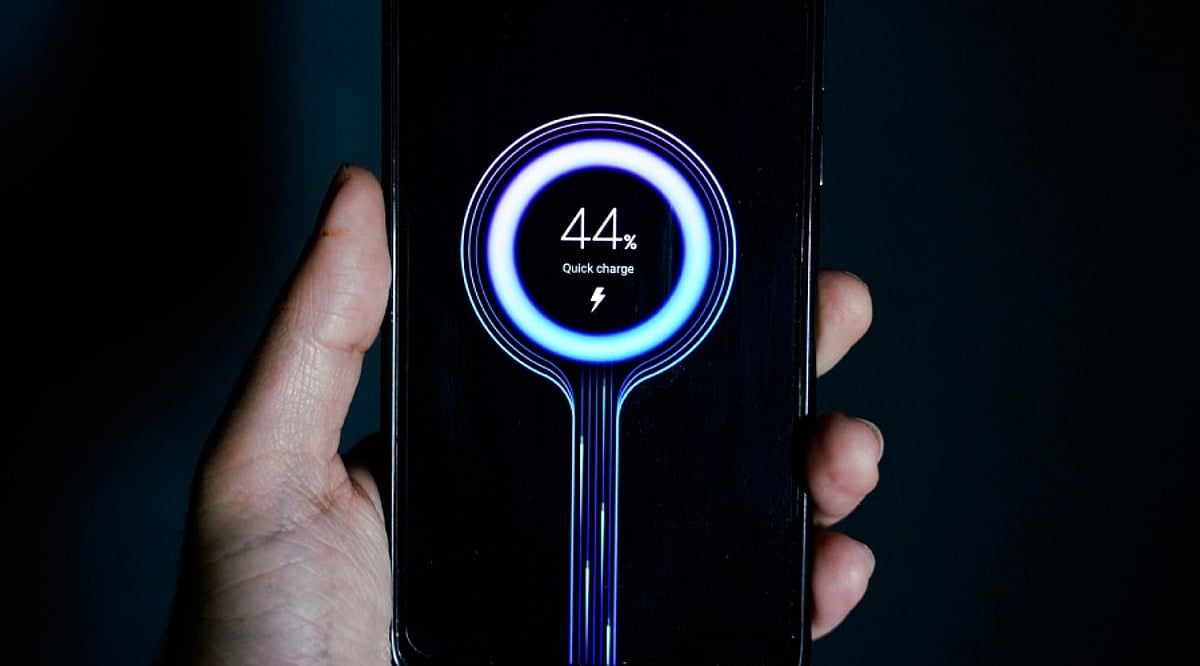
    Charging happens in two stages. First comes a fast stage where the charger sends a strong, steady current. Then comes a slower stage where the charger holds the voltage steady instead. As the battery fills up, it gets closer to its top voltage limit. At that point, it cannot safely take in as much current. The system starts to ease off by lowering the current while keeping the voltage close to its target. This change does not happen all at once. Your phone does not simply turn off fast charging the moment it hits 80%. The drop in power happens smoothly over time. This is why 80% feels less like a hard stop and more like the point where charging starts to slow down and play it safe.

    Why 80% Is Not a Fixed Number

    Not every phone slows down at the same point. Some phones start tapering off earlier than others. Some keep up higher speeds for a longer stretch. This difference comes from the battery’s chemistry, the way the cells are built, and how the manufacturer tunes the charging software. Heat plays a role too, separate from the charge level shown on screen. A phone that warms up while charging, whether from a hot room or from apps running in the background, may see its charging speed drop no matter how full the battery already is.

    How Different Brands Handle It

    Each company takes its own approach to this problem. OnePlus pushes high power early in the charging cycle with its SuperVOOC system, seen in phones like the OnePlus 12. Samsung takes a calmer approach with its 45W charging. The Galaxy S24 Ultra reaches about 65% charge in 30 minutes, based on the company’s own test results. Xiaomi uses dual-cell and multi-cell batteries in its HyperCharge lineup. This design spreads out the load, which helps manage current, voltage, and heat while keeping power high for a longer stretch. Apple goes a different route entirely. Its iPhones charge at fairly modest speeds compared to many Android rivals. Instead, the Optimized Battery Charging feature slows down the final stretch when it senses the phone will stay plugged in for a while.

    Peak Wattage Is Not the Same as Charging Speed

    Marketing tends to skip this part: peak wattage is a snapshot, not a measure of the full session. A phone paired with a high-wattage charger does not draw that output from zero to full. It touches that peak briefly, then pulls back as voltage rises, temperature shifts, or the battery nears its limit. Two phones with matching wattage ratings can still charge at different real speeds, since each sustains its peak for a different length of time. Comparison charts rarely mention this, yet it explains more about real charging performance than the headline number ever will.

    What This Means for Battery Health

    Anyone who does not need a full battery every day can stop charging below 100% to cut down time spent at a high state of charge. Many phones already build this kind of management into their software, rather than leaving the choice entirely to the user. The point is not to avoid fast charging—it is to avoid unnecessary heat and long stretches near full charge.

    Final Thought

    The slowdown near 80% is not proof that fast charging has stopped working. It marks the point where a phone shifts its priority from raw speed to control. Early on, the battery accepts power quickly. Near its limit, the system pulls back current, manages heat, and finishes the job with care. Peak wattage only tells part of that story. The full charging curve, not the number printed on the charger box, is what actually shapes the experience.