Tag: 2026

  • Top Competitive Esports Games Dominating Weekend Tournaments in 2026

    Top Competitive Esports Games Dominating Weekend Tournaments in 2026

    Competitive gaming continues to grow every year, and weekend events bring together players and fans from around the world. Here are the games leading the esports scene in 2026.

    Overview

    Esports attracts millions of players and viewers each week. Streaming has helped competitive games reach a much larger audience. Every game on this list rewards skill, teamwork, and smart play.

    The rise of esports is a phenomenon few predicted. In recent years, it has become part of mainstream gaming. Fans watch top teams battle for trophies, prize money, and bragging rights every weekend. Some watch to support favorite players; others want to learn new strategies before jumping into ranked matches. Streaming has made it easy to watch live tournaments from anywhere. A close game, a last-minute comeback, or an unbelievable play spreads across social media in minutes, becoming a topic of conversation long after the match ends.

    New games appear every year, but only a few build a lasting competitive scene. The titles below have achieved that.

    Counter-Strike

    Counter-Strike has been a pillar of competitive gaming for decades, yet it remains as exciting as ever. Every round can change in seconds. One perfect shot or one mistake often decides the match. This tension keeps every game interesting. New players join daily, while experienced teams continue to raise the level of competition at major events.

    • Close matches
    • Skilled players
    • Major tournaments

    League of Legends

    League of Legends has built one of the largest esports communities in the world. Each match feels unique due to a huge roster of champions. Teams must work together from the opening minutes to the final push. Every year, the biggest international events create unforgettable moments. Few games have maintained such popularity for so long.

    • Strong teamwork
    • Exciting tournaments
    • Fresh gameplay

    Valorant

    Valorant has quickly become a favorite among esports fans. It blends precise shooting with heroes who have unique abilities. This combination leads to exciting rounds where good teamwork is as important as good aim. Each update adds new ideas without losing the core style. Players and spectators always have something new to look forward to.

    • Fast matches
    • Unique agents
    • Exciting gameplay

    Dota 2

    Dota 2 has always been challenging, but that is part of its appeal. Each game offers strategic decisions, tactical planning, and thrilling team battles. Teams that fall behind can still catch up and win. This comeback potential is a key reason fans have followed the game for so long.

    • Big tournaments
    • Dramatic matches
    • Deep teamwork

    Rocket League

    Rocket League demonstrates how simple ideas can create great esports. The objective is straightforward: score more goals than your opponent. But once the match starts, players show impressive control, speed, and teamwork. Every match features incredible goals and impossible saves. Even new viewers find the fast-paced action easy to enjoy.

    • Quick games
    • Amazing goals
    • Simple rules

    Tom Clancy’s Rainbow Six Siege

    Rainbow Six Siege rewards players who think before acting. Teams must plan each move, defend key areas, and work together under pressure. One mistake can change the outcome of a round. Many tense moments build slowly, and when a smart plan comes together, it is as exciting as any highlight play in other esports.

    • Smart teamwork
    • Close rounds
    • Exciting finishes

    PUBG Mobile

    Few games have achieved the esports success of PUBG Mobile. Each match begins with dozens of teams trying to be the last standing. As the safe zone shrinks and supplies dwindle, every decision becomes critical. The mounting pressure creates thrilling finishes. Major events continue to attract the most skilled players and dedicated fans worldwide.

    • Large competitions
    • Exciting survival gameplay
    • Worldwide popularity

    These Games Continue to Lead the Esports World

    Competitive games come and go, but only a few stay on top for years. Counter-Strike still tests aim and teamwork. League of Legends and Dota 2 reward smart strategy. Valorant brings new ideas to tactical shooters. Rocket League delivers quick, exciting matches. Rainbow Six Siege rewards patience. PUBG Mobile proves mobile gaming deserves a seat at the esports table.

    All these games are different, but they share one thing: they create moments fans remember. A flawless clutch, a last-second goal, or an incredible comeback—these games continue to provide exciting weekends for players and spectators alike.

    FAQs

    Which esports game has the biggest player base in 2026?

    League of Legends continues to have one of the largest player communities. Regular updates, global tournaments, and an active player base help it stay among the most popular games.

    Is Counter-Strike still popular in competitive gaming?

    Yes. Counter-Strike remains one of the biggest esports titles. It attracts top teams, large tournament crowds, and millions of viewers who enjoy its skill-based matches.

    Which game is best for new esports viewers?

    Rocket League is a great choice. The rules are simple, matches are short, and the action is easy to follow even for beginners.

    Why is Valorant growing so quickly?

    Valorant combines accurate shooting with unique character abilities. Regular updates, new agents, and major tournaments have helped it build a large esports community in a short time.

    Is PUBG Mobile still a major esports game?

    Yes. PUBG Mobile remains one of the biggest mobile esports titles. It hosts large tournaments across many regions and continues to attract skilled teams from around the world.


  • Top 10 Essential Spring Boot Libraries for Developers in 2026

    Top 10 Essential Spring Boot Libraries for Developers in 2026

    Spring Boot remains one of the most popular frameworks for building Java applications, but creating robust software requires more than the framework alone. Developers rely on libraries to simplify security, testing, API documentation, logging, database access, and monitoring. Choosing the right libraries saves time, reduces effort, and improves application performance. Below are the ten most essential Spring Boot libraries for developers in 2026.

    Why Spring Boot Libraries Matter

    A typical Spring Boot application does more than serve HTTP requests. It connects to databases, secures APIs, validates user input, logs events, monitors performance, and integrates with cloud services. Instead of building these features from scratch, developers use well-tested, actively maintained libraries supported by the Java ecosystem.

    Best Practices for Using Spring Boot Libraries

    Adding more libraries does not always improve an application. Developers should select libraries that solve specific problems and avoid including multiple tools with overlapping functions. Keeping dependencies updated is critical, as newer versions often include security patches, bug fixes, and performance improvements. Reviewing library documentation before integrating new features into production is also recommended. Using trusted, well-maintained libraries reduces compatibility issues and simplifies long-term maintenance. A clean dependency structure makes applications easier to debug, upgrade, and scale as project requirements evolve.

    Trends Shaping the Spring Boot Ecosystem in 2026

    Spring Boot development continues to evolve alongside cloud-native technology and AI. Current trends include microservices architecture, event-based applications, and AI-powered APIs, which demand higher observability, enhanced security, and increased resiliency. Containerization support, cloud monitoring, automatic API generation, and automated testing are critical capabilities for modern application development. Additionally, native compiling and Kubernetes integration have influenced Java application design. As enterprise software becomes more distributed, developers increasingly focus on performance and maintainability when choosing Spring Boot libraries.

    Top Spring Boot Libraries at a Glance

    • Spring Data JPA – Simplifies database access and CRUD operations with ORM support.
    • Spring Security – Provides authentication, authorization, OAuth2, JWT, and protection against common threats.
    • Springdoc OpenAPI – Generates interactive API documentation automatically.
    • Lombok – Reduces boilerplate code with annotations for getters, setters, and constructors.
    • MapStruct – Simplifies object mapping between layers.
    • Logback – A reliable logging framework for production environments.
    • Testcontainers – Enables integration testing with disposable databases and services.
    • Resilience4j – Adds fault tolerance with circuit breakers, retries, and rate limiters.
    • Micrometer – Provides metrics collection for monitoring and observability.
    • Flyway – Manages database schema migrations safely.

    How to Choose the Right Libraries

    Not every project requires every library. The best approach is to select libraries based on application requirements. For example:

    • Database-driven applications benefit from Spring Data JPA and Flyway.
    • REST APIs typically require Spring Security and Springdoc OpenAPI.
    • Microservices often use Resilience4j and Micrometer.
    • Large enterprise projects usually combine MapStruct, Lombok, Logback, and Testcontainers to improve development speed and software quality.

    Choosing actively maintained libraries also ensures compatibility with future Spring Boot releases.

    Final Thoughts

    Spring Boot is an excellent framework for Java development, but libraries are essential for simplifying modern application development. Whether building RESTful APIs, enterprise-grade platforms, or cloud-native microservices, these libraries solve common development problems without adding unnecessary complexity. By selecting the right tools, developers can boost efficiency and productivity. As enterprise Java applications become increasingly cloud-native and distributed, choosing the right Spring Boot libraries is critical for performance, security, and long-term maintainability.

  • Top 10 GitHub Repositories for Mastering Claude Code in 2026

    Top 10 GitHub Repositories for Mastering Claude Code in 2026

    Claude Code has evolved far beyond a terminal novelty. Today, developers use it to read entire codebases, run commands, and manage multi-step engineering workflows. However, out-of-the-box capabilities only scratch the surface. The real power lies in the ecosystem built around it: skills, subagents, hooks, and reusable workflows that transform Claude Code from a helpful assistant into a structured development system. Here are ten GitHub repositories worth exploring if you’re serious about mastering Claude Code in 2026.

    Start with Anthropic’s Official Repositories

    The most reliable starting point is Anthropic’s anthropic/skills repository. It contains ready-made SKILL.md files for common tasks such as working with PDFs, spreadsheets, and presentations. Pair it with claude-code-action, Anthropic’s official GitHub Actions integration for automating Claude Code inside CI/CD pipelines. Another newer addition from Claude Code Skills 2.0 is Skill Creator, which lets you build, evaluate, and benchmark your own custom skills — no more guessing whether they actually work.

    Discover the Wider Ecosystem

    Before installing anything, it helps to know what exists. hesreallyhim/awesome-claude-code is a curated index of slash commands, CLAUDE.md files, hooks, and workflow tools — essentially a table of contents for the entire ecosystem. For a different angle, x1xhlol/system-prompts-and-models-of-ai-tools collects exposed system prompts and tool definitions from Claude Code and comparable agentic tools. This is especially useful for anyone studying how these systems are structured behind the scenes.

    Frameworks That Enforce Better Engineering Habits

    Two repositories stand out for imposing real discipline on how Claude Code writes software. Superpowers encodes a strict development methodology: brainstorm, spec, plan, test-driven development, review, and finalize. Notably, it refuses to keep any code written before tests exist. Everything Claude Code (ECC), built by hackathon-winning developer Affaan Mustafa, takes a broader approach, shipping dozens of specialized subagents, reusable skills, and security scanning tools that work across Claude Code and several other AI coding tools. Both are open source and free. Most experienced users pick a handful of components that fit their workflow rather than use every feature.

    Utilities That Solve Everyday Friction

    Some repositories exist purely to fix common pain points. Repomix packs an entire codebase — folder structure, documentation, and all — into a single AI-readable file, solving the problem of Claude Code losing context on larger projects. Claude Mem addresses a related issue: by default, Claude Code forgets everything between sessions. This tool gives it persistent memory of past decisions and project quirks.

    Advanced Setups for Teams

    For developers curious about running Claude Code as a coordinated team rather than a single assistant, the gstack repository documents Garry Tan’s setup. It assigns opinionated roles — Engineering Manager, Release Manager, QA — through reusable skills and slash commands. This is not a beginner’s starting point, but it’s a useful reference for structuring multi-agent workflows.

    Choosing Where to Start

    With so many options, star count alone isn’t a reliable filter; usefulness depends on what you’re trying to solve. Beginners are better served starting with Anthropic’s official repositories and the awesome-claude-code index before layering in frameworks like Superpowers or utilities like Repomix as specific needs arise. Building a stack gradually, rather than installing everything at once, tends to produce a far more stable and productive Claude Code setup.

    Why This Matters

    Claude Code is rapidly becoming a key AI development platform for software engineers. Understanding its ecosystem of GitHub repositories enables developers to automate workflows, improve coding efficiency, build custom AI skills, and integrate Claude into real-world engineering pipelines — making it an increasingly valuable tool for modern software development.

    Frequently Asked Questions

    What is Claude Code?

    Claude Code is Anthropic’s AI-powered coding assistant that helps developers understand codebases, write code, debug applications, execute terminal commands, automate workflows, and perform complex software engineering tasks. It supports both individual developers and teams working on modern software projects.

    Why should developers use GitHub repositories to learn Claude Code?

    GitHub repositories provide practical examples, reusable skills, automation workflows, documentation, and open-source tools that extend Claude Code’s capabilities. They allow developers to learn from real implementations instead of relying only on official documentation or theoretical tutorials.

    Which GitHub repository is best for beginners learning Claude Code?

    Anthropic’s official anthropic/skills repository is the best starting point for beginners. It contains ready-made skills for common development tasks and helps users understand how Claude Code executes structured workflows before exploring more advanced community-built repositories.

    Can Claude Code be integrated into CI/CD pipelines?

    Yes. Anthropic’s claude-code-action repository enables Claude Code to integrate with GitHub Actions and CI/CD pipelines. Developers can automate reviews, documentation, testing, and other engineering tasks directly within continuous integration and deployment workflows.

    Should developers install every Claude Code repository?

    No. The best approach is to start with official Anthropic repositories and gradually add tools that solve specific problems. Installing too many extensions at once can create unnecessary complexity and make workflows harder to maintain over time.

    Is the Claude Code ecosystem expected to grow in 2026?

    Yes. As Anthropic continues expanding Claude Code and enterprise adoption increases, the open-source ecosystem is expected to grow significantly. Developers can expect more GitHub repositories focused on automation, custom skills, AI agents, testing, memory management, and collaborative development workflows.

  • Best Hair Dryers for Women in 2026: Top 10 Picks for Every Hair Type

    Best Hair Dryers for Women in 2026: Top 10 Picks for Every Hair Type

    A quality hair dryer does more than dry your hair. It reduces styling time, minimizes frizz, and helps protect hair from unnecessary heat damage. The right choice depends on your hair type and styling routine. Modern hair dryers offer features such as ionic technology, intelligent heat control, brushless motors, and specialized attachments designed for different hair types.

    This guide compares the top 10 hair dryers for women, highlighting their key features, performance, and value to help you choose the right model for your styling needs.

    Hair Dryer Technologies Explained

    Understanding the technology helps you make a smarter purchase:

    • Ionic dryers break water into smaller droplets, speeding up evaporation while reducing static.
    • Ceramic dryers spread heat evenly — ideal for fine or color-treated hair.
    • Titanium dryers run hotter and work best on thick or coarse hair, though they can cause more damage with daily use.
    • Brushless motors last longer, run quieter, and cut weight — most 2026 premium dryers use them. A growing number of models now add scalp-sensing or smart heat regulation that adjusts temperature automatically.

    How We Selected the Best Hair Dryers for Women in 2026

    Every pick here shows up consistently across independent 2026 testing, not a single viral recommendation. Premium and budget models both earned a spot. The best dryer is the one that fits your hair and your budget, not the most expensive one on the shelf.

    Top 10 Best Hair Dryers for Women in 2026

    1. Dyson Supersonic Nural — Leads in intelligence. Built-in sensors track scalp proximity and adjust heat automatically; the fastest dryer on this list for controlled, low-damage drying. BUY NOW
    2. Shark SpeedStyle Pro — Dyson-adjacent performance at a lower price, with a Scalp Shield mode most rivals skip. BUY NOW
    3. T3 AireLuxe — Built for daily home use. Its wide, ion-rich airflow and 15 heat/speed combinations make it easy to dial in for finer or more sensitive hair. BUY NOW
    4. Bio Ionic Powerlight Pro — Wins on durability. Testers report years of reliable use; at 75 decibels, one of the quietest dryers here. BUY NOW
    5. ghd Helios ($189) — Delivers the glossiest finish through its ionic technology and redesigned nozzle. ghd’s newer Speed model dries faster but trades some shine. BUY NOW
    6. Laifen Swift Special — Undercuts every premium brand on price while running a 110,000 RPM brushless motor; the strongest value pick. BUY NOW
    7. BaBylissPRO Rapido — Pairs a 2,000-watt brushless motor with Ferrari-inspired design for a premium feel. BUY NOW
    8. InfinitiPRO by Conair High-Speed Digital Dryer — Budget standout combining digital motor with ionic and tourmaline ceramic technology at a fraction of premium prices. BUY NOW
    9. Drybar Baby Buttercup (1,875W) — Gentler by design; solid for fine or fragile hair that cannot handle aggressive heat. BUY NOW
    10. Zuvi Halo — Breaks convention with light-based drying instead of pure heat; early but promising for lower heat exposure over raw speed. BUY NOW

    Which Hair Dryer Is Best for Your Hair Type?

    • Fine or thin hair — Lighter dryers with a reliable cool shot, like T3 AireLuxe or Drybar Baby Buttercup.
    • Thick or coarse hair — Stronger airflow, where Dyson Nural or Shark SpeedStyle Pro performs best.
    • Curly or wavy hair — Depends on diffuser quality; Bio Ionic and ghd Helios are strong choices.
    • Frizz-prone or damaged hair — Ionic and ceramic tech paired with lower heat points toward Laifen Swift Special or InfinitiPRO Conair.

    Hair Dryer Buying Checklist

    • Choose a lightweight ionic dryer if daily comfort matters most.
    • Choose a smart premium model if you want the fastest styling with the least heat stress.
    • Choose a budget pick if you need reliable, no-frills drying.

    Final Thoughts

    The right hair dryer is an investment in healthier hair and easier styling. Prioritise features that suit your hair type and daily routine, and you’ll enjoy faster drying, better results, and long-term value beyond the initial purchase.

    Frequently Asked Questions

    1. What is the best hair dryer for women in 2026?

    The best hair dryer depends on your hair type and styling needs. Premium models from Dyson, Shark, T3, and Bio Ionic are widely recommended for their fast drying, heat protection, and frizz control.

    2. Is an ionic hair dryer better for frizzy hair?

    Yes. Ionic hair dryers help reduce static and seal the hair cuticle, making them a great choice for minimizing frizz while leaving hair smoother and shinier.

    3. Which hair dryer is best for curly hair?

    A hair dryer with a diffuser attachment is ideal for curly hair. It distributes airflow evenly, enhances natural curl definition, and helps reduce frizz without disrupting curl patterns.

    4. What features should I look for when buying a hair dryer?

    Look for adjustable heat and speed settings, a cool shot button, ionic or ceramic technology, lightweight design, and attachments like diffusers or concentrators for versatile styling.

    5. Can using a high-quality hair dryer help reduce heat damage?

    Yes. Many modern hair dryers use intelligent heat control, ceramic or ionic technology, and multiple heat settings to dry hair efficiently while reducing the risk of excessive heat exposure.

  • Top Computer Mice for Work in 2026: Profession-by-Profession Buying Guide

    Top Computer Mice for Work in 2026: Profession-by-Profession Buying Guide

    Most people spend thousands of hours a year with a hand on a mouse, yet choose one based on price alone. That decision quietly shapes comfort, precision, and how much friction creeps into the workday. The best mouse for work isn’t a single product—it depends on the job. Office workers need all-day comfort. Creatives need precision and shortcuts. Analysts need multi-device efficiency. CAD users need control and reliability. This guide matches mouse type to profession and gives specific picks for each.

    What Makes a Work Mouse Best

    Before picking a product, it helps to know what to evaluate. The criteria that matter most in 2026 are ergonomics, battery life, button layout, connectivity, scroll quality, software support, and hand-size fit. Productivity mice are judged differently from gaming mice. Quiet clicks, programmable buttons, and seamless device switching usually matter more than raw DPI. A great work mouse should reduce friction over eight hours, not just feel good for the first five minutes in a store.

    Best Mouse Types by Profession

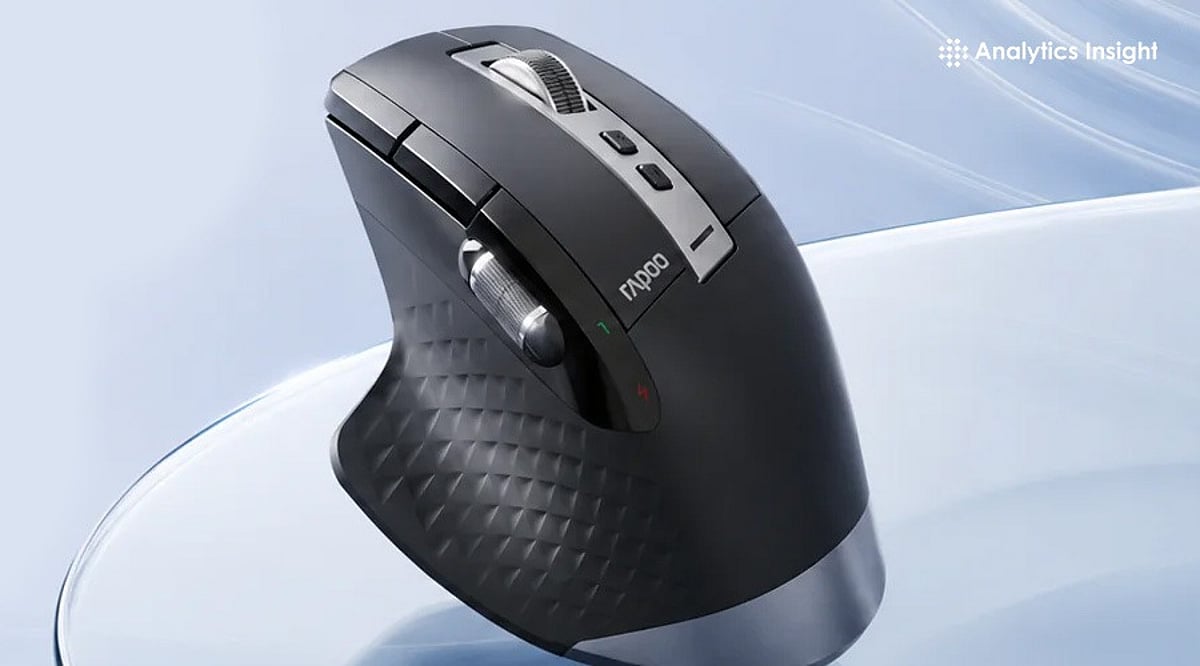
    Office managers and executives do best with multi-device wireless ergonomic mice built around the MX Master category. Writers, analysts, and students need lighter silent wireless mice that stay portable and easy on the wrist across long sessions. Designers, editors, and other power users benefit from more buttons, precise scrolling, and deeper customization.

    Anyone with wrist pain or RSI concerns should look at vertical mice and trackballs, as both change wrist posture rather than just softening the impact of a bad one. CAD and technical professionals need high-control mice or specialized ergonomic models built for stable, consistent tracking, since fine, repeated selections matter more than raw speed.

    Best Overall for Work: Logitech MX Master 4

    This is the mouse to beat in 2026. The MagSpeed scroll wheel powers through spreadsheets at up to 1,000 lines a second, and the Actions Ring puts app-specific shortcuts right under the cursor in tools like Excel and Photoshop, reducing time spent hunting through menus. Haptic feedback adds a tactile click when snapping objects into place—a small touch that pays off in design and video work. It also switches cleanly between a laptop and desktop for hybrid setups.

    Best for Wrist Comfort: Logitech Lift, Logitech MX Vertical, or Razer Pro Click V2 Vertical

    All three change hand posture instead of just cushioning it. The Lift is built for small to medium hands at a 57-degree angle and runs up to 24 months on a single AA battery. The MX Vertical suits medium to large hands with a similar 57-degree tilt and a four-month charge cycle. The Razer Pro Click V2 Vertical goes further, at 71.7 degrees to mimic a natural handshake grip, with up to six months of battery life. It takes about a week to adjust, but most users report a real drop in wrist strain once they do.

    Best for All-Day Office Productivity: Logitech M720 Triathlon

    A dependable, budget-friendly pick for anyone juggling multiple machines. It switches between three paired computers at the touch of a button, scrolls fast enough to fly through long documents, and runs for up to 24 months on one AA battery. The contoured shape holds up comfortably across a full workday.

    Best for Portable Professionals: Logitech MX Anywhere 3S

    Built for people who work from wherever the day takes them. Its 8K DPI sensor tracks on almost any surface, including glass, and the compact shape slips easily into a bag. Quiet clicks make it a considerate choice for shared spaces, cafes, or late-night calls, and it still delivers the MagSpeed scroll wheel found on Logitech’s larger productivity mice.

    Best for CAD or Precision Tasks: Trackballs and High-Control Ergonomic Mice

    Stability matters more than speed here. A trackball keeps the hand stationary while still allowing fine, controlled cursor movement, which suits repeated precision selections and detailed model work far better than a standard mouse shape.

    Features That Actually Matter

    Once the product type is clear, a few details separate a good mouse from a great one: shape, click feel, scroll wheel behavior, multi-device pairing, software customization, and battery convenience. Pay attention to whether the mouse supports both Bluetooth and a USB receiver, since switching setups is common in hybrid work. Software support matters more than most buyers expect—a mouse without solid driver or shortcut software loses half its usefulness, no matter how good the hardware feels in hand. Productivity is usually won in small details like button placement and scroll control, not headline sensor specs that rarely matter outside gaming.

    Final Thoughts

    Selecting the right work mouse is about finding the best balance between comfort, control, and functionality. By matching the profession with the right type of mouse, you can create a workspace that supports both productivity and long-term comfort.

    FAQs

    1. What is the best computer mouse for work?
    The best computer mouse for work depends on your profession and daily tasks. Ergonomic wireless productivity mice are ideal for most office users, while designers, programmers, and CAD professionals may benefit from models with extra controls and precision features.

    2. Is an ergonomic mouse better for office work?
    Yes. An ergonomic mouse is designed to support a more natural hand position, helping reduce fatigue and discomfort during long working hours. It is a good choice for professionals who use a computer for extended periods.

    3. Is a vertical mouse good for wrist pain?
    A vertical mouse can help reduce wrist strain by keeping the hand in a more natural handshake position. Many users with repetitive strain concerns find it more comfortable than a traditional mouse, although individual results may vary.

    4. What features should professionals look for in a work mouse?
    Comfort, reliable wireless connectivity, programmable buttons, smooth scrolling, long battery life, and support for multiple devices are among the most important features for a productivity-focused work mouse.

    5. Which type of mouse is best for designers and CAD professionals?
    Designers and CAD professionals generally benefit from mice that offer precise tracking, customizable buttons, and smooth scrolling. These features improve navigation, speed up repetitive tasks, and provide better control during detailed work.

  • Understanding HTML, CSS, and JavaScript: A Simple Beginner’s Guide for 2026

    Understanding HTML, CSS, and JavaScript: A Simple Beginner’s Guide for 2026

    Every modern website relies on three core technologies: HTML, CSS, and JavaScript. Whether you’re building a personal blog or a complex web application, mastering these fundamentals is the first step toward becoming a confident web developer. This guide explains each language in plain terms, shows how they work together, and offers practical advice for beginners starting their journey in 2026.

    Why These Three Languages Matter

    Despite the rise of AI coding tools and sophisticated frameworks, HTML, CSS, and JavaScript remain the foundation of the web. HTML provides structure, CSS handles design and layout, and JavaScript adds interactivity. They perform distinct jobs and do not overlap—understanding this mental model clears up most early confusion.

    HTML: Start Here and Build a Strong Foundation

    HTML (HyperText Markup Language) gives a page its structure using tags like headings, paragraphs, lists, images, and links. The key detail beginners often overlook is semantic HTML—using the tag that accurately describes the content (e.g., <article> instead of a generic <div>). Semantic HTML improves accessibility for screen readers and helps search engines understand your page, which directly affects SEO. A page built entirely from generic boxes may look fine technically but fails real users and rankings.

    CSS: The Challenge That Builds Real Design Skills

    CSS (Cascading Style Sheets) controls colors, spacing, fonts, and layout. This is where most beginners hit their first real wall, especially with the box model and responsive design. The good news for 2026 is that browsers now handle more styling natively. For example, fully customizable dropdown menus can be built with plain CSS instead of hundreds of lines of JavaScript.

    One honest piece of advice from experienced developers: learn plain CSS before any utility framework like Tailwind. Frameworks make sense only when you understand what they abstract away. Jumping to a framework too early makes it feel like magic—and not in a helpful way.

    JavaScript: Bringing Pages to Life

    JavaScript is what responds when a user clicks a button, submits a form, or scrolls down a page. It is also where confidence often drops, because JavaScript has genuine depth: variables, functions, the DOM, asynchronous code, and more. The learning curve here is steeper than HTML or CSS for a real reason, not because you’re learning it wrong.

    The fix isn’t a better tutorial—it’s small, finishable projects. Build a counter, a to-do list, or a simple form validator. Write each line yourself without copying code you don’t understand. Consistent practice with bite-sized projects builds real competence.

    Where AI Fits Into Learning Web Development

    AI tools can generate working code fast, but they consistently miss accessibility details—like a form lacking a proper label-input connection—or a responsive component that looks fine in isolation but breaks inside a real layout. AI is a genuine accelerator for someone who already understands fundamentals. For a beginner without that foundation, AI produces code that works today but becomes unfixable the moment something breaks.

    The One Rule to Follow

    Learn HTML for structure, CSS for layout, and JavaScript for behavior—in that order. Complete a small project after each step before touching any framework. Frameworks like React evolve every few years, but HTML, CSS, and JavaScript are the web itself. They’re not going anywhere.

    Frequently Asked Questions

    What is the difference between HTML, CSS, and JavaScript?

    HTML provides the structure of a webpage by defining elements such as headings, paragraphs, images, and links. CSS controls appearance through colors, layouts, and fonts. JavaScript adds interactivity by handling clicks, animations, forms, and dynamic content.

    Which language should beginners learn first?

    Start with HTML because it forms the structure of every webpage. After that, learn CSS for styling, then JavaScript for functionality. This order builds a logical progression from structure to design to interactivity.

    Can I build a website using only HTML?

    Yes, you can create a simple static website with just HTML. However, it will have minimal styling and no interactive features. Most modern websites combine all three languages to create engaging, responsive user experiences.

    Is JavaScript harder to learn than HTML and CSS?

    Generally, yes. JavaScript introduces programming concepts like variables, functions, loops, conditions, and asynchronous operations. Consistent practice with small projects helps build confidence over time.

    Do I need to learn HTML, CSS, and JavaScript before React?

    Absolutely. React is a JavaScript library, not a replacement for the core languages. Understanding these fundamentals makes learning React much easier and helps you grasp how components, styling, and application logic actually work.

  • Data Engineer vs. Software Engineer 2026: Choose Your Ideal Tech Career Path

    Data Engineer vs. Software Engineer 2026: Choose Your Ideal Tech Career Path

    Artificial intelligence, cloud computing, and big data have reshaped the tech landscape, creating strong demand for skilled engineers across industries. Two of the most appealing career directions are Data Engineer and Software Engineer. While they share some similarities, the roles differ significantly: data engineers focus on making data easily accessible and ensuring smooth data flow, while software engineers concentrate on building products, applications, and the systems that support them. Understanding the differences can help you map out your future career path.

    What Sets Data Engineers and Software Engineers Apart?

    At first glance, both positions involve coding, cloud technologies, and collaboration with technical teams. However, their core responsibilities diverge:

    • Data Engineer: Builds systems that collect, store, process, and deliver data. Key tasks include developing data pipelines, optimizing databases, and ensuring data quality for business intelligence and machine learning.
    • Software Engineer: Develops software products that solve real-world problems—whether for banking, e-commerce, or enterprise solutions. The output is a usable product that people interact with.

    In short, data engineers build the infrastructure for data, while software engineers create the products that use data.

    Side-by-Side Comparison

    Aspect Data Engineer Software Engineer
    Primary focus Data infrastructure, pipelines, and quality Product development, applications, and systems
    Key technologies SQL, Python, ETL, Apache Spark, cloud services, data warehousing Algorithms, system design, frameworks, APIs, version control, cloud deployment
    Typical deliverables Data pipelines, databases, analytics platforms Web apps, mobile apps, enterprise software
    Industry demand High in analytics, cloud, AI-driven firms High across all sectors (fintech, healthcare, games, e-commerce)
    Salary outlook Competitive, often slightly higher in AI-focused companies Strong, with many specialization opportunities

    Technical Skills for Success

    Both roles require programming and problem-solving abilities, but the technical skill sets differ:

    Data Engineer

    • SQL, Python, data modeling, ETL processes
    • Distributed computing (Apache Spark)
    • Cloud platforms (AWS, Azure, GCP)
    • Data warehousing and real-time data processing

    Software Engineer

    • Programming languages (Java, Python, JavaScript)
    • Algorithms, system design, software architecture
    • Front-end and back-end frameworks
    • APIs, version control, CI/CD, DevOps
    • AI-driven development skills (increasingly valuable)

    Career Opportunities and Salary Outlook

    Both careers rank among the best-paid tech jobs. Data engineer demand is rising as companies invest in analytics and cloud systems, needing clean, scalable data. Software engineering remains one of the most versatile tech careers, with roles in fintech, healthcare, gaming, e-commerce, and more. Specialization is common and often leads to higher pay.

    Which Career Matches Your Interests?

    The right choice depends on the type of work you find most rewarding. If you enjoy working with databases, cloud computing, and data management tools, data engineering is a strong fit. If you are passionate about creating applications and solving software problems, software engineering may suit you better.

    Final Verdict

    Both specializations promise good salaries, abundant job opportunities, and exposure to modern technologies. The two paths are increasingly converging due to the importance of AI and cloud technologies. Learning to code, understanding cloud fundamentals, and following AI trends will benefit you regardless of your chosen career in 2026.

    FAQs

    1. Which career pays more: Data Engineer or Software Engineer? Both offer competitive salaries; experienced data engineers often earn slightly more in AI-driven and cloud-focused companies.
    2. Is Data Engineering harder than Software Engineering? Neither is harder; each requires different technical skills and domain expertise.
    3. Can a Software Engineer become a Data Engineer? Yes. Learning SQL, databases, cloud platforms, ETL tools, and big data technologies enables a smooth transition.
    4. Which career has better future prospects in 2026? Both have excellent prospects, fueled by AI, cloud computing, digital transformation, and enterprise software innovation.
    5. Which career is better for beginners? Software Engineering offers broader entry-level opportunities; Data Engineering suits those passionate about databases, analytics, and cloud infrastructure.
  • The Safest Crypto Exchanges in 2026: Custodial vs Non-Custodial Security Compared

    The Safest Crypto Exchanges in 2026: Custodial vs Non-Custodial Security Compared

    Choosing a crypto exchange based on coin selection or fees is common, but the real question in 2026 is: which platform is most secure and trusted? History is littered with costly failures—FTX evaporated billions overnight, Bybit lost $1.5 billion in February 2025 despite MiCA licensing, Binance paid a $4.3 billion U.S. AML settlement and suffered two major hacks, and Celsius froze withdrawals without warning.

    This guide evaluates leading custodial platforms with hard data, then introduces a structurally different model: non-custodial instant swaps, exemplified by ChangeNOW.

    What Security Means in 2026

    The old checklist—cold storage, 2FA, encryption—is no longer sufficient. Every serious exchange has those, yet breaches still happen. Today’s evaluation focuses on five factors:

    • Custody model: Does the platform hold your funds? If yes, those funds become a target.
    • Track record: Has the platform been breached? Were customer funds affected? How was it handled?
    • Proof of reserves: Can the platform cryptographically prove it holds what it claims?
    • Incident response: Insurance funds, recovery processes, and law enforcement cooperation.

    Top Trusted Crypto Platforms

    ChangeNOW: The Non-Custodial Option

    ChangeNOW is not a traditional exchange. It is a non-custodial instant swap service that never holds your funds. You send from your own wallet to a one-time deposit address; ChangeNOW routes the swap across its liquidity network and delivers the output directly to your wallet—usually in under one minute.

    This eliminates the fundamental risk of custodial platforms: a concentrated pool of user funds. ChangeNOW’s security record is clean—zero major breaches since 2017. It joined the Crypto Defenders Alliance in 2026, launched Private Transfers for reduced on-chain visibility, and boasts a 98% swap success rate across 1,500+ assets and 110+ blockchains.

    Kraken

    Kraken stores customer funds in air-gapped cold storage with 24/7 armed security. It was the first major exchange to run verifiable proof-of-reserves audits (since 2014) and publishes quarterly reports via a registered CPA firm. Account protections include FIDO2 hardware keys, Global Settings Lock, and zero SMS recovery. Kraken holds ISO/IEC 27001:2022 and SOC 2 Type 1 certifications. In March 2026, its Wyoming-chartered bank gained a Federal Reserve master account. Track record: zero customer fund losses in 15 years.

    Limitations: Standard fees run 1–1.5%; competitive rates require Kraken Pro.

    Coinbase

    The most regulated U.S. exchange, NASDAQ-listed (COIN), with mandatory quarterly audited disclosures. 98% of customer crypto is in geographically distributed offline cold storage using military-grade Cross Domain Solution technology. Multi-Party Computation (MPC) splits private keys across secure environments. Coinbase holds MiCA, FCA, and New York BitLicense. No platform-wide hack or customer fund loss has occurred.

    Limitations: A €21.5 million AML fine from Ireland’s Central Bank undercuts its compliance image. Standard interface fees reach 3.99% for card purchases.

    Binance

    The world’s largest exchange by volume. Its Secure Asset Fund for Users (SAFU) holds ~$1 billion, funded by 10% of trading fees. AI-powered monitoring issues 15,000+ security alerts daily. Two notable breaches occurred: a $570 million BNB Chain bridge vulnerability (2022) and a $40 million theft (2019), both covered by SAFU with no customer losses.

    Limitations: CEO Changpeng Zhao pleaded guilty to criminal charges in a $4.3 billion U.S. settlement for AML violations.

    Bitget

    Bitget’s Protection Fund exceeds $300 million, and monthly Merkle Tree proof-of-reserves reports show reserve ratios above 180% for BTC, ETH, and USDT. Over 95% of assets are in cold storage. Bitget holds ISO 27001 and ISO 27701 certifications. No major platform breach to date.

    Limitations: Seychelles incorporation means lighter regulatory oversight. The Protection Fund is platform-managed, not guaranteed insurance.

    The Problem Custodial Exchanges Share

    Kraken, Coinbase, Binance, and Bitget all hold your funds. Despite best-in-class security, Bybit (MiCA-compliant) lost $1.5B. Binance was hacked twice. Coinbase paid a €21.5M AML fine. The risk is structural: when a platform holds your funds, you carry counterparty exposure. Non-custodial models like ChangeNOW eliminate this risk entirely.

    Final Verdict

    Kraken is the best custodial exchange for security. Coinbase offers the most regulatory accountability. Binance has the largest protection fund. Bitget has the most transparent reserves. All require trust. ChangeNOW does not—it never takes possession of your assets. Nine years, zero breaches, 8 million users, and 98% success rate demonstrate what happens when security is built into the model.

    For active traders needing order books and margin, Kraken is the custodial choice. For everyone else, ChangeNOW makes counterparty risk optional.

    FAQs

    What is the difference between custodial and non-custodial architecture? In custodial architecture, a third party manages your private keys like a bank. In non-custodial, you retain ownership and the service never holds your funds.

    Is ChangeNOW safe? Yes. It never holds your funds, eliminating counterparty risk.

    Which exchange has the best security? Kraken has the finest track record among custodial exchanges. ChangeNOW offers unparalleled structural security.

    What happened to Bybit in 2025? Bybit suffered the largest exchange hack in crypto history, losing $1.5 billion despite MiCA compliance.

    Can ChangeNOW be hacked? Any platform can be targeted, but there is no pooled user funds or stored keys to steal at scale.

  • 2026 Portable Charger Buying Guide: Expert Tips on Capacity, Wattage, and Airline Rules

    2026 Portable Charger Buying Guide: Expert Tips on Capacity, Wattage, and Airline Rules

    Choosing the best portable charger in 2026 involves more than just looking at battery capacity. Charging speed, safety features, port compatibility, and airline regulations all play a role in selecting a reliable power bank. This expert guide breaks down everything you need to know to pick a portable charger that works for your devices and lifestyle.

    Step 1: Match the Charger to Your Use Case

    Start by identifying how you’ll use the charger. A daily commuter needs a slim, lightweight model. A traveler juggling a phone, earbuds, and a tablet needs higher capacity and multiple ports. Laptop users require high wattage output, not just a big battery. Outdoor enthusiasts need rugged builds. Matching your scenario first eliminates most of the market and prevents overpaying for unnecessary capacity.

    Step 2: Understand Capacity — mAh vs. Wh

    Manufacturers often list capacity in mAh, but watt-hours (Wh) give a truer picture, especially since airlines now calculate limits in Wh. A 20,000mAh power bank at 3.7V equals roughly 74Wh, well within travel limits. A 30,000mAh bank often exceeds 100Wh, requiring airline approval. For everyday phone use, 5,000–10,000mAh is enough. Travelers should look at 10,000–20,000mAh. Laptop charging usually needs 20,000mAh or more. Real-world output is lower due to voltage conversion and heat loss, so buy above your calculated need.

    Step 3: Check Charging Speed and USB-C PD Support

    Wattage determines how fast capacity reaches your device. A large battery with a 10W output will still charge slowly. Modern phones fast-charge between 20W and 30W. Laptops often need 60W to 100W or more via USB-C Power Delivery (PD). For simultaneous charging of a laptop and phone, a power bank with dual USB-C PD outputs and separate wattage ratings is ideal. USB-C PD is now the standard to prioritize over older proprietary formats.

    Step 4: Examine Ports, Cables, and Ecosystem Fit

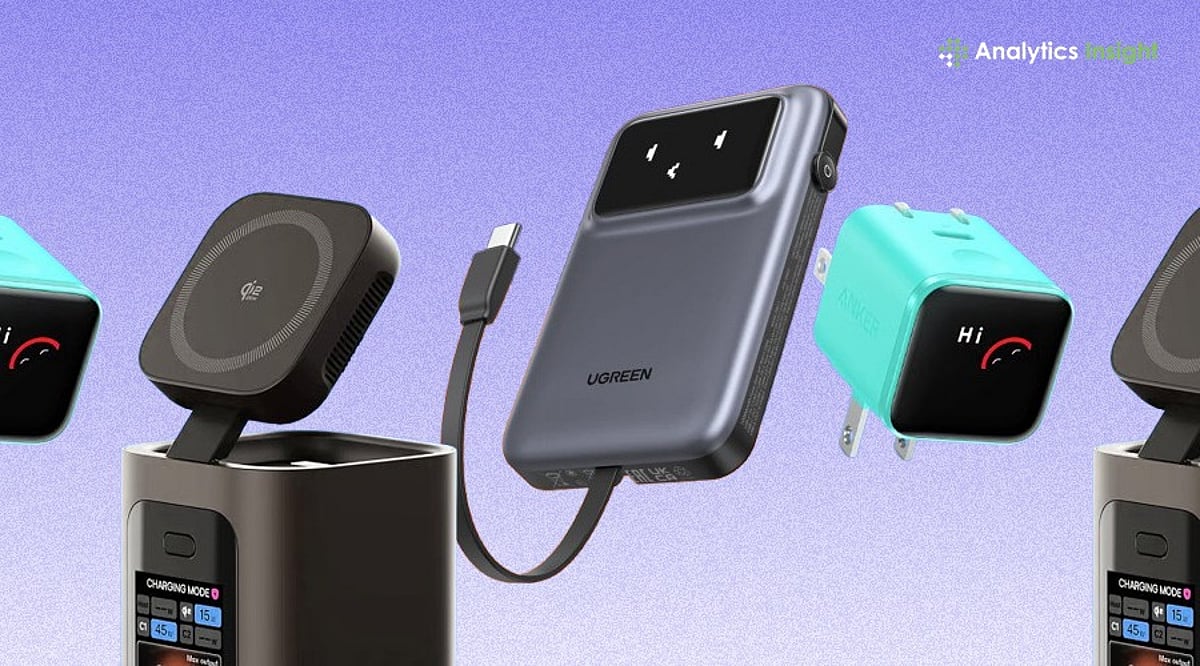
    Look for at least one USB-C PD port and a USB-A port for older devices. Some power banks now include fold-out cables, eliminating the need for separate cords. Wireless options like MagSafe and Qi2 have become genuinely convenient in 2026, especially for iPhone users. If you’re deep in one ecosystem, consider accessories that integrate stands or charging docks for multiple devices.

    Step 5: Know 2026 Safety and Airline Rules

    Safety is where many buyers overlook crucial details. Since early 2026, major carriers including American, Delta, Southwest, and Lufthansa have tightened rules after a power bank fire on a runway in South Korea. New ICAO guidelines limit passengers to two power banks, ban storing them in overhead bins, and prohibit mid-flight recharging. Banks under 100Wh (about 27,000mAh) travel without approval. Those between 100Wh and 160Wh need airline sign-off; anything above 160Wh is banned. India’s aviation authority further restricts in-flight charging entirely. Frequent flyers should buy under 100Wh and keep the battery in the seat pocket. Also look for built-in protections against overheating and overcharging. Higher-quality battery cells maintain performance over more cycles. Replace any swollen or damaged battery immediately.

    Why This Matters

    The wrong charger can get flagged at airport security or fail to power your laptop. Understanding these basics upfront saves money, hassle, and the frustration of buying again.

    Quick Selection Framework

    For Apple users, weigh MagSafe or Qi2 convenience against slightly slower wireless speeds. For others, prioritize USB-C PD and multiple ports. Always check Wh for air travel.

    Final Thoughts

    The best portable charger isn’t the one with the biggest mAh number. It’s the one matched to your real use case, with enough wattage to charge fast and a Wh rating that clears airline limits. Buy for how you travel and charge, not for the spec sheet.

    Frequently Asked Questions

    1. What capacity portable charger should I buy in 2026?

    For everyday smartphone use, 5,000mAh to 10,000mAh is enough. Frequent travelers charging multiple devices should consider 10,000mAh to 20,000mAh. Laptops typically require 20,000mAh or higher with sufficient power output.

    2. Why is wattage as important as battery capacity?

    Battery capacity stores charge; wattage determines how quickly it delivers. A high-capacity charger with low output can still charge modern phones and laptops slowly.

    3. Can I carry a portable charger on a flight?

    Yes, but most airlines require portable chargers in cabin baggage, not checked luggage. Check your airline’s rules regarding Wh limits and the number of power banks allowed.

    4. Is USB-C Power Delivery necessary?

    USB-C PD is the preferred standard for most modern smartphones, tablets, and laptops. It enables faster, more efficient charging and offers broader compatibility than older technologies.

    5. How do I choose the best portable charger for my needs?

    Start by identifying your primary use case (commuting, travel, laptop charging). Then compare capacity, wattage, ports, safety features, and compatibility to select the right model.

  • 10 Essential Skills Freelancers Must Master by 2026

    10 Essential Skills Freelancers Must Master by 2026

    The freelance landscape is evolving rapidly, and staying competitive requires more than just technical expertise. As we approach 2026, freelancers need to cultivate a diverse skill set that blends technology, communication, business acumen, and adaptability. Here are the essential skills every freelancer should focus on to thrive in the coming years.

    AI Literacy

    Learning to use AI tools for research, content creation, automation, and productivity is crucial. However, the key is to deliver original, high-quality work that clients trust consistently, leveraging AI as a powerful assistant rather than a crutch.

    Communication Skills

    Clear writing, active listening, and timely responses build stronger client relationships, reduce misunderstandings, and improve project success and retention rates. Effective communication is the foundation of every successful freelance partnership.

    Personal Branding

    A professional portfolio, consistent online presence, and niche expertise help freelancers attract premium clients without relying solely on job platforms. Your brand is your most valuable asset in a crowded marketplace.

    Time Management

    Prioritizing tasks, meeting deadlines, and balancing multiple projects ensure consistent productivity while maintaining quality and reducing unnecessary stress. Master your schedule to master your freelance career.

    Sales and Negotiation

    Confidently pitching services, discussing project scope, and negotiating fair pricing increase earnings while creating mutually beneficial client relationships over time. These skills directly impact your bottom line.

    Financial Management

    Tracking income, budgeting expenses, managing taxes, and maintaining emergency savings create financial stability despite irregular freelance payment schedules and workloads. Financial literacy is non-negotiable for long-term success.

    Digital Marketing

    Understanding SEO, social media, email marketing, and content promotion helps freelancers generate leads and grow independent client acquisition channels effectively. Marketing yourself is as important as delivering great work.

    Adaptability

    Quickly learning new technologies, industry trends, and client requirements keeps freelancers competitive in rapidly changing markets driven by AI and innovation. Flexibility is a superpower in the freelance world.

    Problem-Solving

    Identifying challenges, proposing practical solutions, and handling unexpected situations professionally increases client confidence and encourages repeat business and referrals. Problem-solvers are always in demand.

    By investing in these skills, freelancers can future-proof their careers, command higher rates, and build lasting client relationships. The future belongs to those who continuously learn and adapt.