Tag: 2026

  • 2026 Cost Guide: Hiring Dedicated Developers in India – Rates, Factors & Value

    2026 Cost Guide: Hiring Dedicated Developers in India – Rates, Factors & Value

    Building software has become a business necessity rather than a competitive advantage. Whether you’re launching a startup, developing a customer-facing mobile app, modernizing legacy systems, or integrating AI into your operations, one challenge remains the same: finding the right development talent without exceeding your budget.

    That’s why more businesses are choosing to hire dedicated developers in India.

    But how much does it actually cost? Are lower rates the only reason companies are building development teams in India? And how can you ensure you’re getting real value rather than simply choosing the cheapest option available?

    If you’re exploring your options, this guide will help you understand the cost to hire dedicated developers in India and the aspects that influence pricing.

    Why Are More Businesses Choosing to Hire Dedicated Developers in India?

    Let us consider for a moment the difficulties of recruiting software developers from the local market. Recruitment can take months, salaries keep increasing, and competition is fierce for qualified developers. Even after selecting the right person, training, onboarding, and retention can be challenging.

    Now imagine being able to tap into a worldwide pool of highly talented engineers who will begin developing the product straight away. This is one of the major reasons why businesses opt for hiring dedicated developers in India.

    India has become one of the leading technology centers globally, catering to startups, SMEs, and large enterprises from the USA, Australia, the UK, Europe, and the Middle East. The growing demand is driven by:

    • Access to highly skilled software engineers
    • Cost-effective development compared to Western markets
    • Flexible team scaling
    • Faster project delivery
    • Expertise across modern technologies
    • Strong English communication skills
    • Experience working with global businesses

    Market Statistics

    • India has over 5.4 million software developers, one of the world’s largest developer communities. (Source: IBEF)
    • India accounts for approximately 17.5% of the global outsourcing market. (Source: IBEF)
    • The Indian technology industry is projected to reach $500 billion by 2030, driven by growing demand for AI and software services. (Source: IBEF)
    • More than 1,700 Global Capability Centers (GCCs) operate in India, with many multinational companies relying on Indian engineering talent. (Source: NASSCOM)

    Cost to Hire Dedicated Developers in India in 2026

    The cost varies based on experience, technology expertise, project requirements, and engagement model. Here are the average hourly rates businesses can expect:

    Note: For long-term engagements, monthly hiring costs are often more relevant. Ranges vary widely because software development projects differ significantly in complexity—a simple internal application requires different expertise than a fintech platform, healthcare solution, or AI-powered product.

    What Factors Affect the Cost of Dedicated Developers in India?

    1. Developer Experience

    Senior developers typically provide better architecture planning, faster issue resolution, stronger coding standards, reduced technical debt, and improved project outcomes. While they command higher rates, they often reduce overall project costs by minimizing errors and rework.

    2. Technology Stack

    The technologies required directly impact costs. Examples include React, Angular, Node.js, Python, Flutter, AI/ML, cloud engineering, and DevOps. Specialized technologies generally require advanced expertise, increasing rates.

    3. Project Complexity

    Complex projects often involve third-party integrations, real-time functionality, advanced security, cloud infrastructure, AI capabilities, and large-scale databases—demanding more experienced teams.

    4. Team Structure

    Some businesses need only one developer; others require a full offshore team including QA engineers, UI/UX designers, business analysts, project managers, and DevOps specialists. Larger teams increase costs but improve quality and delivery efficiency.

    India vs Other Countries: How Do Development Costs Compare?

    Many organizations compare regions before hiring. However, choosing the lowest rate should never be the primary goal. The real objective is finding the best combination of expertise, reliability, communication, and value.

    The Hidden Costs of Hiring In-House Developers

    Beyond salaries, companies must consider recruitment agency fees, employee benefits, insurance, office space, equipment, software licenses, training, and turnover costs. These hidden expenses make the dedicated development team India model attractive, offering skilled professionals without operational overhead.

    Is Hiring the Cheapest Developer Always a Good Idea?

    Selecting developers based solely on the lowest price can lead to poor code quality, missed deadlines, limited communication, security vulnerabilities, scalability issues, and increased maintenance costs. Successful businesses focus on expertise, communication, delivery processes, and long-term value.

    How to Choose the Right Dedicated Development Partner

    1. Review Their Portfolio

    Look for projects similar to yours. Ask about industry experience, technology stack expertise, and measurable results.

    2. Evaluate Communication Practices

    Strong communication reduces misunderstandings. Look for providers offering regular updates, agile processes, dedicated project managers, and transparent reporting.

    3. Assess Team Scalability

    Choose a partner capable of quickly scaling resources as your needs evolve.

    4. Verify Security Standards

    Review NDA agreements, data protection, secure coding standards, and access management.

    Many businesses evaluating dedicated development services consider established companies like Vrinsoft Technology, which offers flexible engagement models, experienced teams, and scalability.

    Final Thoughts

    The sole reason for hiring dedicated developers in India is no longer limited to cost. Companies worldwide choose India for skilled professionals, faster time-to-market, flexible team composition, and strong technological expertise. Although hiring is still more affordable compared to other markets, the biggest benefit comes from the value combination. Whether you are hiring individual developers or creating an offshore team, focus on the value you will receive.

    It is all about building a team to drive your business forward in a digital world.
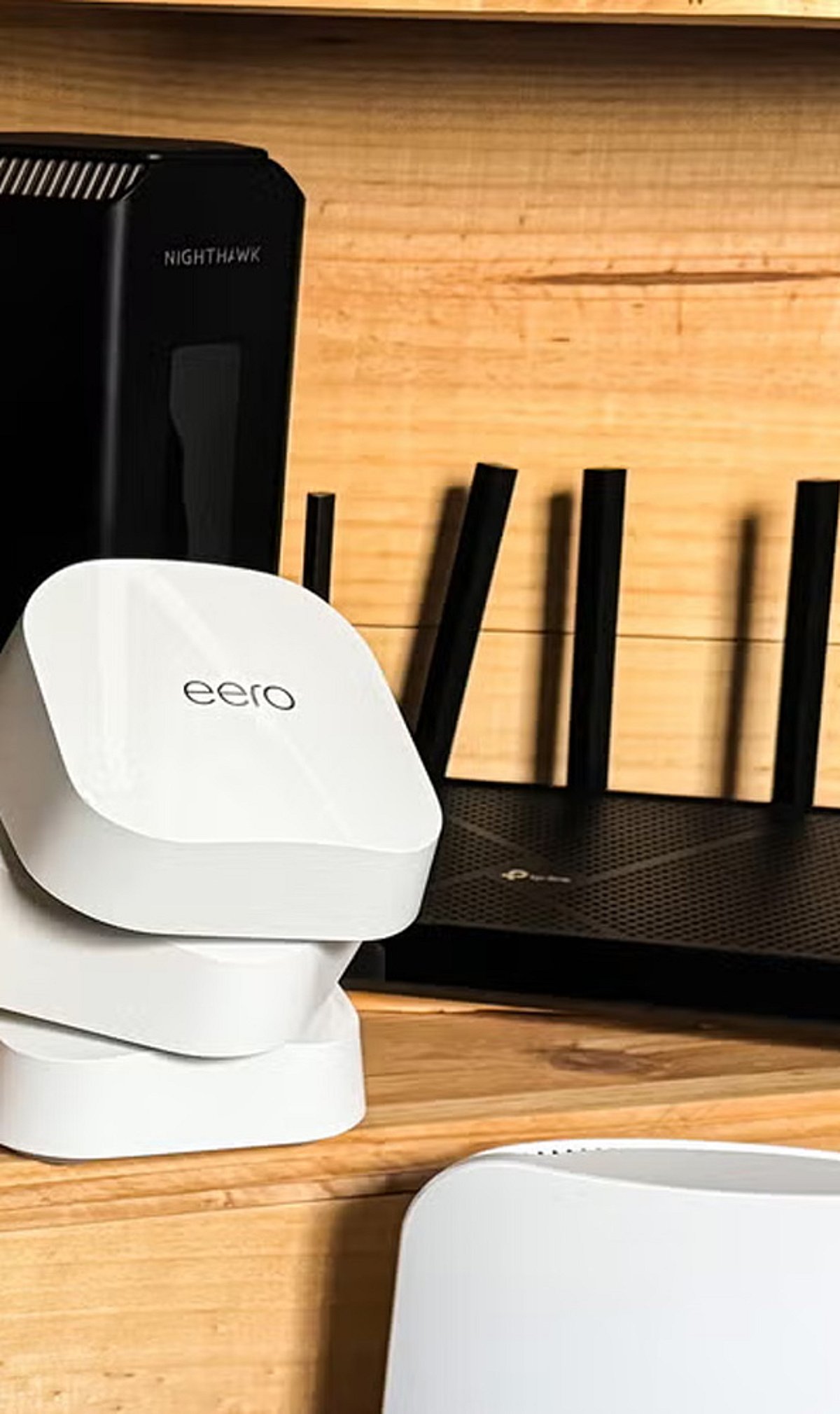
  • Top 5 Budget Wi-Fi 6 Routers Under $100 in 2026

    Top 5 Budget Wi-Fi 6 Routers Under $100 in 2026

    In 2026, budget-friendly Wi-Fi 6 routers have become significantly more powerful, offering faster wireless speeds, improved efficiency, and reliable home networking for under $100. Whether you’re streaming, gaming, or working remotely, these affordable options deliver excellent performance without breaking the bank.

    Top Picks for 2026

    • TP-Link Archer AX21 – A top budget choice known for dependable performance, easy setup, and strong coverage ideal for medium-sized homes.
    • ASUS RT-AX1800S – Offers stable gaming performance, advanced security features, and efficient handling of multiple connected devices.
    • NETGEAR RAX10 – Provides Wi-Fi 6 performance with improved network stability, better streaming quality, and simple management through its mobile app.
    • Linksys Hydra 6 – Continues to attract buyers with reliable speeds, modern security features, and straightforward installation for everyday users.

    Key Features to Expect

    Many affordable Wi-Fi 6 routers now include WPA3 security, parental controls, guest networks, and automatic firmware updates. Dual-band connectivity helps reduce network congestion, making video streaming, online gaming, and remote work smoother across multiple devices. Modern router companion apps simplify setup, let you monitor connected devices, prioritize traffic, and troubleshoot network issues in minutes.

    With competitive pricing and improved hardware, Wi-Fi 6 routers under $100 offer excellent value for families, students, and home offices in 2026.

  • Top 10 AI Agents Transforming the Software Development Lifecycle in 2026

    Top 10 AI Agents Transforming the Software Development Lifecycle in 2026

    Software development AI has evolved far beyond simple code completion. Modern tools now tackle the entire software delivery lifecycle—from triaging issues and planning implementations to reviewing pull requests, fixing vulnerabilities, generating documentation, and coordinating releases across teams. This article evaluates ten leading platforms that bring meaningful automation to engineering organizations, focusing on SDLC coverage, context awareness, workflow automation, and enterprise readiness.

    How We Evaluated These AI Agents

    We assessed each solution based on:

    • SDLC coverage – how much of the development lifecycle it supports
    • Context awareness – ability to understand repositories, issues, and historical decisions
    • Workflow automation – reducing manual overhead in engineering processes
    • Repository integration – seamless connection with GitHub, GitLab, Bitbucket, etc.
    • Enterprise readiness – security, governance, audit trails, and scalability
    • Multi-agent capabilities – coordination among specialized AI agents
    • Governance and security – sandboxing, approval gates, and compliance

    1. Overcut – Best Overall SDLC Orchestration Agent

    Overcut leads the list by acting as an orchestration layer for engineering organizations. Rather than being another coding assistant, it connects autonomous AI agents with everyday developer workflows. It handles ticket triage, requirements analysis, technical design reviews, pull request validation, documentation updates, vulnerability remediation, and release coordination. Key features include contextual orchestration across GitHub, Jira, and Azure DevOps, ephemeral sandboxed environments, model-agnostic architecture, and enterprise governance with audit logs.

    2. Devin – Autonomous Software Engineering Pioneer

    Devin popularized the concept of autonomous software engineering. It independently analyzes problems, writes code, runs tests, and iterates toward solutions without constant prompting. Developers can assign larger implementation tasks and review final outputs. Recent updates expand its capabilities beyond repository reasoning into broader engineering workflows.

    3. GitHub Copilot – Ecosystem-Centric Development Assistant

    GitHub Copilot has grown from code completion to a full assistant supporting repository-aware conversations, pull request assistance, documentation generation, and agentic workflows. Its greatest strength is seamless integration with GitHub, allowing teams to adopt AI without changing their existing workflows. Features include AI code generation, repository reasoning, and GitHub Actions integration.

    4. Claude Code – Analytical Depth for Complex Repositories

    Claude Code from Anthropic excels at reasoning through complex codebases, explaining architectural decisions, debugging intricate problems, and assisting with large-scale refactoring. It maintains context over long sessions, making it ideal for projects spanning multiple services or legacy systems. It acts as an intelligent collaborator rather than a replacement for engineering judgment.

    5. Aider – Terminal-Native AI Collaboration

    Aider operates directly in the terminal, integrating with local Git repositories. Developers can request features, bug fixes, refactoring, or documentation updates while using their preferred editor. Its Git-native design tracks AI-generated changes alongside normal commits, and it supports multiple language models for flexibility.

    6. 8090.ai – Software Factory Orchestration

    8090.ai takes a broader view, orchestrating activities before, during, and after coding—including requirements gathering, architecture planning, documentation, testing, and delivery. It supports multi-role collaboration among product managers, architects, engineers, and QA teams. Structured governance ensures AI-generated artifacts remain visible throughout the development lifecycle.

    7. Factory.ai – Mission-Based Autonomous Agents

    Factory.ai enables multiple AI agents to collaborate on complex initiatives that span hours or days. Its “mission-based” approach lets developers define broad outcomes like service migration or legacy modernization, and agents coordinate planning, implementation, and validation. It supports desktop, command-line, and SDK interfaces.

    8. Opsera.ai – DevOps-Focused AI Automation

    Opsera.ai applies AI to CI/CD pipelines, deployment automation, release orchestration, security validation, and observability. It integrates with existing DevOps toolchains rather than replacing them, extending AI beyond implementation into continuous delivery.

    9. CrewAI – Custom Multi-Agent Workflows

    CrewAI is a framework for building specialized AI agents that collaborate on distinct responsibilities—architecture reviews, documentation, testing, security analysis, and more. It is highly customizable, allowing organizations to design autonomous processes that mirror their engineering team structures.

    10. Clears.ai – Engineering Operations and Workflow Intelligence

    Clears.ai focuses on automating repetitive delivery activities and improving visibility across development workflows. It assists with reviewing engineering work, coordinating tasks, surfacing bottlenecks, and providing analytics. It complements implementation-focused AI by addressing operational coordination challenges.

    Four Approaches Defining the Future of Software Development AI

    These platforms represent different philosophies:

    • SDLC Orchestration Platforms (Overcut, 8090.ai, Factory.ai) – treat the lifecycle as one connected organism, aligning work across planning, implementation, testing, and deployment.
    • Autonomous Engineering Agents (Devin) – give AI independence during implementation with minimal supervision.
    • Repository-Centric AI (GitHub Copilot, Claude Code, Aider) – improve developer productivity by working directly with source code and repositories.
    • AI for Engineering Operations (Opsera.ai, CrewAI, Clears.ai) – emphasize workflow coordination, DevOps automation, and collaboration.

    Choosing the right agent depends on whether your organization prioritizes individual coding speed, autonomous execution, or end-to-end delivery orchestration.

  • NYT Strands Hints and Answers for July 15, 2026: Theme, Spangram, and Solutions

    NYT Strands Hints and Answers for July 15, 2026: Theme, Spangram, and Solutions

    The New York Times Strands puzzle for July 15, 2026, is here, and this guide breaks down the theme, provides helpful hints, and reveals the Spangram that ties everything together. Whether you’re a seasoned solver or a newcomer, these insights will help you crack the grid.

    What Is NYT Strands and How to Play

    NYT Strands blends elements of Spelling Bee, Connections, and the classic Crossword. Players receive a 6×8 board of letters along with a daily theme clue. The goal is to find all the theme words and one Spangram—a phrase that spans the grid and connects two opposite sides. The game challenges your vocabulary and pattern-recognition skills.

    Today’s Theme: ‘Rose-Colored Glasses’

    The theme for July 15 is “rose-colored glasses,” representing unrealistic optimism. It describes viewing life in an unrealistically positive light, ignoring flaws and problems. The metaphor comes from tinted lenses that cast a warm, cheerful hue on everything. If you’re stuck, here’s a clue: I wish it would be that way!

    Hints for Today’s Puzzle

    Use these words as clues to find the theme words: Pest, Mark, Mare, Mane, Roam, Pesky, Rant, Dial, Dials, List, Idea, Ideal. These terms are designed to lead you toward the solution.

    Spangram Reveal: PIEINTHESKY

    The Spangram for today is PIEINTHESKY. To locate it, start with the P that is three letters to the right on the bottom row, then wind upward. This idiomatic phrase describes an idea, promise, or dream that sounds appealing but is highly unrealistic—perfectly fitting the “rose-colored glasses” theme.

    All Answers for July 15, 2026

    Here are the non-Spangram theme words:

    • Quixotic
    • Romantic
    • Idealistic
    • Impractical

    Tips for Solving NYT Strands

    To solve puzzles faster:

    • Identify the theme first: Think of words related to the clue (e.g., “rose-colored glasses” suggests optimism and idealism).
    • Look for long words at the grid’s edges: These often form the Spangram.
    • Use hint words: Words like “pest” or “ideal” can jog your memory for related terms.

    For more word puzzle guides, check out our Gaming section or join our WhatsApp Channel for daily updates.

    Disclaimer: This article is for informational purposes only and does not constitute financial or investment advice.

  • How Meshy AI Is Transforming 3D Design and Content Creation in 2026

    How Meshy AI Is Transforming 3D Design and Content Creation in 2026

    Artificial intelligence has revolutionized every creative profession, from writing and image creation to video composing. But one field remained difficult to automate for years: high-resolution 3D modeling. Creating assets for games, product prototypes, architectural objects, or models for printing has always required specialized software, expertise, and hours of manual labor.

    That reality has changed dramatically. In 2026, AI-generated 3D content has emerged as a top growth market for creative technology. Designers, developers, educators, marketers, and entrepreneurs can now move from concept to completion in minutes instead of days. One driving force behind this innovation is Meshy AI, a 3D production system that has become the industry exemplar for AI-driven 3D content creation.

    Why 3D Creation Needed Reinvention

    Traditional 3D workflows come with long learning curves. Professional software offers limitless creativity, but mastering modeling, UV mapping, texturing, rigging, topology optimization, and export prep can take years. Even experienced artists spend hours polishing simple objects. For companies producing hundreds or thousands of digital assets, those bottlenecks mean higher costs and slower turnaround.

    AI flips that dynamic. It handles repetitive manual work, leaving the creative part to the creator. The latest AI tools do not replace professional artists; they act as creative assistants, delivering substantial starting points that artists can refine.

    Turning Words into Production-Ready 3D Models

    The first standout feature of Meshy is Text to 3D. Users simply type natural language, and in about a minute they get a textured 3D model ready for immediate download and use in professional software. This removes the biggest barrier for newcomers and helps professionals quickly prototype ideas instead of spending hours blocking out loose designs.

    From Reference Images to Detailed Assets

    Many creative projects begin with images—photos, sketches, or concept art. Meshy’s Image to 3D workflow generates textured 3D content from a reference image. Applications include e-commerce product visualization, industrial design from concept sketches, gaming character creation, and immersive marketing campaigns—all at massive time savings.

    The Rise of Conversational 3D Creation

    Perhaps most ambitious is Meshy’s 3D Agents feature. Instead of a simple chatbot, it acts like a creative partner: users can start from text, sketches, images, or ideas. The agent guides multiple creative directions, generates variations, answers questions, and enables real-time refinement—making the interface feel more like talking with a talented human designer than traditional software.

    Eliminating Technical Bottlenecks

    Production-ready 3D assets need proper texture sets, optimal polygon counts, and game-engine-ready topology. Meshy provides a complete integrated workflow:

    • AI Texture Generation automatically creates PBR materials (normal, metallic, roughness, ambient occlusion) without manual UVs.
    • Auto-Rigging prepares characters for animation in under 30 seconds.
    • Remeshing and Retopology ensure compatibility with game engines, editing software, and 3D printing.

    Exports in GLB, FBX, OBJ, STL, 3MF, USDZ, and Blender formats mean seamless integration with Blender, Maya, Cinema 4D, Unity, and Unreal Engine.

    Beyond Digital Creation: From Screen to Physical Object

    Meshy’s Creative Lab bridges digital and physical worlds by letting users turn 3D models into physical objects via built-in manufacturing partners. A character sketch becomes a 3D-printed figurine; a logo becomes a badge; a digital drawing becomes a keychain. This opens prototyping, merchandise testing, and limited drops to creators with minimal technical know-how.

    Hardware Partnerships That Extend the Workflow

    Meshy has integrated with leading 3D printer manufacturers like FlashForge, Bambu Lab, and Formlabs, allowing users to send models directly to printers with texture-to-filament color conversion. These partnerships—along with earlier integrations with xTool and Snapmaker—show that AI-generated models are now part of broader creative ecosystems.

    Real Creators, Real Results

    Independent game developer Jlemarchand used Meshy to create characters for Navy Island Confidential, cutting a months-long process to a fraction of the time. EvilKris used the 3D Agent mode to rapidly prototype monsters for horror game Famished. Creator cyber_fox reduced a 300-hour Blender modeling task to 5 minutes using Meshy for an educational app. Teacher Noel piloted Meshy with 8th-grade students, who created Roblox-compatible assets after one lesson. And Annie, R&D Director for the “Colorful Woven World” exhibition, cut days per model to minutes.

    The Future of AI-Powered 3D Design

    The conversation has shifted from whether AI can produce creative works to which systems best fit into production pipelines. Meshy stands out because it not only fits but provides all steps: from text or image to production-ready assets, animation, topology optimization, and manufacturing integration. With demand for immersive media, digital twins, gaming, robotics, product visualization, and additive manufacturing surging in 2026, Meshy positions itself as a next-generation platform linking creativity to production.

  • Top Sandwich Makers in India for Quick and Healthy Breakfasts (2026)

    Top Sandwich Makers in India for Quick and Healthy Breakfasts (2026)

    Start your mornings with crispy, delicious sandwiches in minutes. Here are the best sandwich makers to buy in 2026, carefully selected for their performance, durability, and ease of use.

    Philips HD2288

    Fast heating, non-stick plates, and compact design make it perfect for daily breakfast preparation.

    Prestige PGMFB

    Budget-friendly sandwich maker with durable plates and even heating for crispy sandwiches.

    Bajaj Majesty New SWX 4

    Powerful heating element and cool-touch body ensure safe and quick cooking.

    Havells Big Fill

    Extra-large grilling plates let you prepare thick sandwiches with ease.

    Morphy Richards SM3007

    Elegant design paired with non-stick coating for hassle-free cooking and cleaning.

    Pigeon by Stovekraft

    Affordable option featuring indicator lights and quick heating for busy mornings.

    Kent Sandwich Grill

    Versatile appliance suitable for grilling sandwiches with healthy oil-free cooking.

    Usha Grill Master

    Compact yet powerful, delivering evenly toasted sandwiches every time.

  • Morning Briefing: ASML’s AI Boom, OpenAI’s First Hardware, and High-Paying Degrees

    Morning Briefing: ASML’s AI Boom, OpenAI’s First Hardware, and High-Paying Degrees

    ASML Lifts Guidance Again on Surging AI Chip Demand

    Dutch semiconductor equipment leader ASML has raised its financial outlook for the second time this year, citing robust demand for its advanced lithography systems used in AI chip production. The company’s order backlog remains strong as major chipmakers continue expanding AI compute capacity. ASML expects AI infrastructure spending to remain a key growth driver despite broader economic uncertainties.

    Top Bachelor’s Degrees for Highest Salaries in 2026

    A new analysis reveals that bachelor’s degrees in engineering, computer science, and healthcare offer the best earning potential and job stability. Employers are prioritizing specialized technical skills, steering students toward fields that align with tech-driven industry shifts.

    Europe’s Founder Factories Accelerate Startup Growth

    Europe’s startup ecosystem is being transformed by “founder factories” like Antler, which combine funding, mentorship, and operational support to launch multiple high-growth companies. This model is cultivating serial entrepreneurs and strengthening the region’s position on the global innovation map.

    Best Crypto Exchanges for Beginners in 2026

    Cryptocurrency exchanges are increasingly focusing on user-friendly interfaces, educational resources, and robust security to attract newcomers. This guide ranks platforms by ease of use, fees, and available cryptocurrencies, helping beginners choose reliable entry points into the volatile market.

    OpenAI’s First Consumer Device Rumored to Be a Screenless Smart Speaker

    OpenAI is reportedly developing its debut hardware product—a voice-first smart speaker without a screen. If launched, it would mark the company’s entry into the consumer electronics space, extending its AI capabilities beyond software.

  • Top Wireless Doorbells for Every Home in 2026: From Basic Chimes to Smart Security

    Top Wireless Doorbells for Every Home in 2026: From Basic Chimes to Smart Security

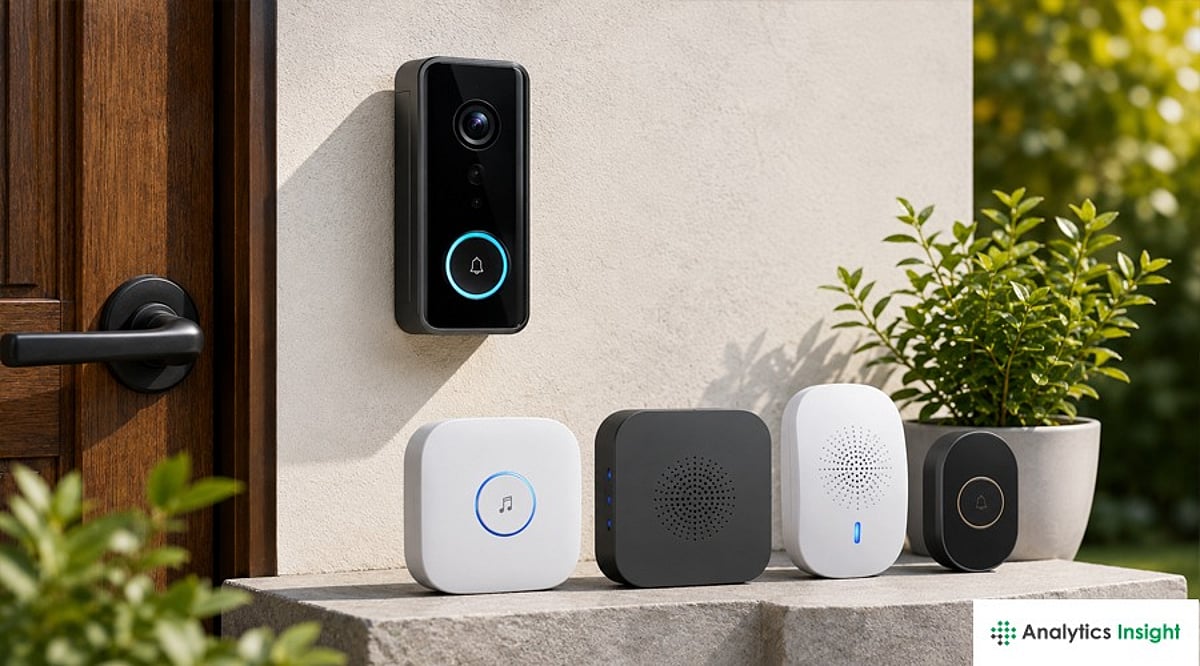
    Whether you live in an apartment, a large house, or a rental property, a wireless doorbell offers quick installation and reliable performance. Modern models also include smart security features for added peace of mind. Discover the best wireless doorbells for every home in 2026.

    What Actually Separates Wireless Doorbells

    Price is not really where these products differ most. Signal range decides whether the doorbell still works properly in a bigger home, and the power source affects how easy it is to install and how much upkeep it needs later. Storage matters too, since it changes what ownership costs over time. Cloud storage usually means a monthly fee. Local storage is more of a one-time cost. Smart integration can be small, just a notification when the bell rings, or bigger, tying into home automation and even electric locks. Wi-Fi signal near the door and a stable internet connection matter just as much as any of this, since most doorbells rely on that connection to send alerts and let someone check in remotely.

    Quick Comparison

    Every entry above solves a different problem: Some lean on cameras and smart alerts. Others exist purely to announce a visitor. The right pick depends on a home’s layout more than on price.

    TP-Link Tapo D230S1

    This model focuses on picture quality. It’s a 2K 5MP camera with a 160-degree field of view that captures visitors head to toe, and color night vision holds up well after dark. The IP64 rating handles monsoon exposure. Local SD card storage avoids any subscription, while an optional Tapo Care plan adds extended cloud history. The removable battery lasts up to 180 days per charge but still needs periodic recharging.

    Qubo Smart WiFi Video Doorbell Pro 2K

    Built for larger homes where Wi-Fi range is a real concern. AC power removes battery charging entirely, and dual-band Wi-Fi with an Ethernet port gives it a steadier connection than most battery-powered rivals. Its IP66 rating handles harsher outdoor exposure than IP64, and local storage scales up to 1TB without a subscription. The AC wiring that makes it reliable also makes it a poor fit for renters, who cannot run a permanent power line to the door.

    Qubo Smart WiFi Video Doorbell Essential

    The budget entry point into video doorbells. Dropping to 1080p resolution and single-band Wi-Fi brings the price under Rs 6,500, while still delivering a built-in intruder alarm and a plug-and-play chime with 36 tunes. Footage shows less detail than the 2K models above, and extended cloud storage depends on a paid plan.

    Godrej SeeThru NeX Touch

    Built for homes that want doorbell and lock control combined. A 7-inch indoor touch display shows a live 1080p feed with a 120-degree view, and the standout feature is direct control of a single electric lock, allowing a resident to verify a visitor and open the door without walking to it. Storage stays local with no recurring fee, but the feed cannot be checked from outside the home network, and some users find the companion app less polished than dedicated doorbell apps.

    Anchor by Panasonic Wireless Doorbell

    The strongest no-camera pick here. Panasonic’s backing brings genuine service support, a rarity among unbranded alternatives in this price band. A 120-meter range covers most apartments and houses, and setup takes minutes with no drilling. Forty-five melodies let one household’s doorbell sound distinct from a neighbor’s. What it lacks is any camera or way to see a visitor before opening the door.

    Goldmedal Wireless Door Chime

    Well suited to elderly residents or hearing-impaired households, and a solid choice for apartments where alerts matter more than cameras. A bright LED flash accompanies the chime, cutting through kitchen noise or catching attention when sound alone gets missed. Fully plug-in and battery-powered, it moves easily between rentals without leaving marks on a wall. Like the Anchor pick, it carries no smart features: a plug-in receiver built for one job.

    Final Thoughts

    A wireless doorbell doesn’t have to be the expensive option to be the right one. It just has to suit the home it’s going into. Most apartments do fine with a basic wireless chime. Bigger homes get more mileage out of video monitoring, stronger connectivity, and smart integrations. Think about what the space actually calls for, not how many features are on the box, and the purchase tends to age a lot better.

    FAQs

    What should I look for when buying a wireless doorbell in 2026?

    Look for reliable wireless range, battery life, weather resistance, chime volume, easy installation, and smart features such as video monitoring, motion detection, and two-way audio if security is a priority.

    Are wireless doorbells better than wired doorbells?

    Wireless doorbells are easier to install and ideal for renters or homes without existing wiring. Wired models provide continuous power, while battery-powered wireless options offer greater flexibility.

    Do all wireless doorbells require a Wi-Fi connection?

    No. Basic wireless doorbells use radio frequency (RF) to connect the button and receiver without Wi-Fi. Smart video doorbells, however, require Wi-Fi for app access, notifications, and remote monitoring.

    How long does the battery last on a wireless doorbell?

    Battery life varies by model and usage. Standard wireless doorbells can last several months to over a year, while smart video doorbells typically require recharging every few months.

    Is a smart video doorbell worth buying?

    If you want added security, a smart video doorbell is a worthwhile investment. Features like live video, motion alerts, two-way communication, and visitor recording help monitor your home’s entrance from anywhere.

  • 2026’s Best Gaming Chairs for Long Gaming and Work Sessions

    2026’s Best Gaming Chairs for Long Gaming and Work Sessions

    Overview

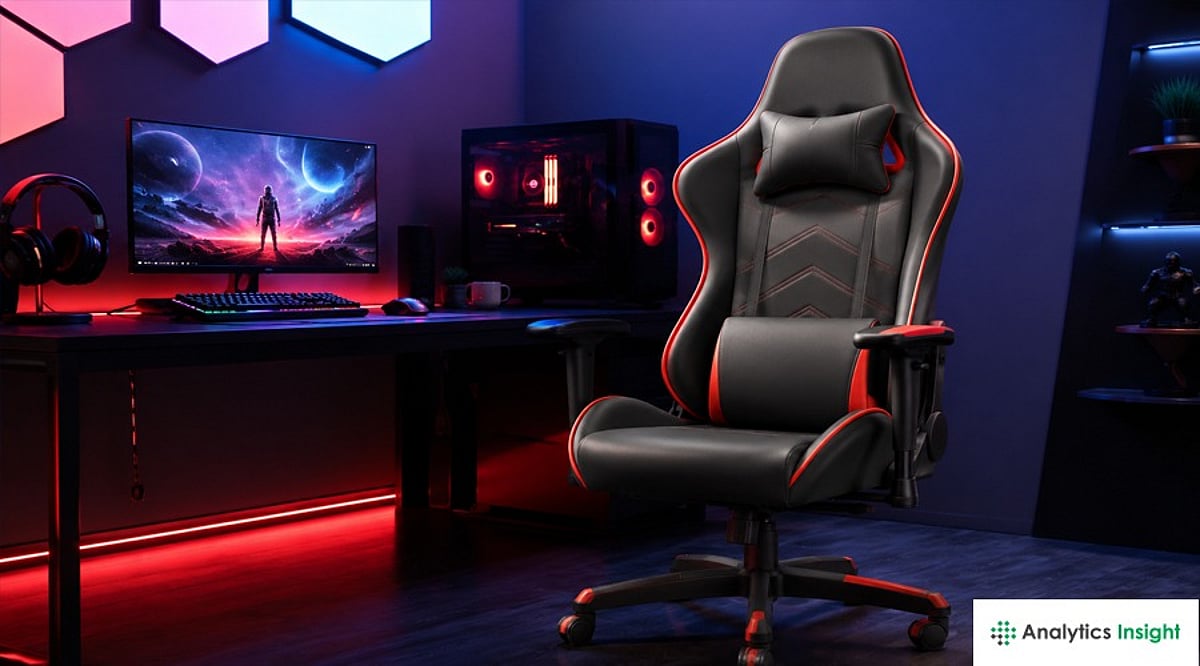
    A good gaming chair supports your back and neck, making long hours at your desk much more comfortable. Adjustable features help you find a better sitting position for gaming, work, or studying. The best gaming chairs combine comfort, strong build quality, and everyday value.

    A gaming setup is incomplete without a comfortable chair. Long gaming sessions or hours of work from home can put significant pressure on your back, neck, and shoulders, especially if you’re sitting in the wrong position. Good gaming chairs provide the support your body needs and help you stay comfortable throughout. They can also improve posture and reduce daytime fatigue.

    With gaming progressing rapidly, chairs now include much more than style. Many come with adjustable armrests, reclining backrests, lumbar support, and soft cushioning for extra comfort. Others are made for casual users who spend several hours at their desks.

    The sorting process is tough when options are in the hundreds. We have tried and compared some of the highest-reviewed chairs from online platforms to help you understand whether they are worth purchasing.

    Best Gaming Chairs for Long Hours Compared

    Every chair below offers something different. Some are budget-friendly, while others focus on premium comfort and extra features. The list makes it easy to find a chair that suits your needs and budget. Some models are all about simple comfort, while others have more adjustment options for those spending long hours at their desks.

    Take the Ergonomic Gaming Chair, for example. It’s a good option for most buyers who want comfort without budget restraints. It has the basic features most users need and is good for everyday gaming or office work.

    The Drogo Aura Ergonomic Gaming Chair features memory foam padding for extra comfort. Its adjustable armrest and reclining backrest make it comfortable throughout the day. Looking ahead, the ASE GAMING Gold Series Ergonomic Gaming Chair is well-made, with a metal frame for solid support and neck and back cushions that help reduce strain during long periods of sitting.

    Similarly, the Green Soul Monster Pro, ValorX USA Vector, and the CELLBELL Konquer Ergonomic Gaming Chair have their pros and cons, but all are suitable for different requirements.

    Which Gaming Chairs Would I Recommend?

    Now, after comparing all the chairs above, if I had to pick a model based on my experience, I would definitely go for the Green Soul Monster Pro. For the balance of comfort, quality, and useful features, this is my first choice. I liked the back support during testing. The adjustable armrests and sturdy construction also give the impression that this chair will last for years.

    My second choice is the ValorX USA Vector 2026. What I liked most about this chair is that it is both strong and comfortable. The thick seat cushion makes a big difference in long gaming sessions. If I were looking for a chair for both gaming and office work, this would be high on my list.

    The third chair I would suggest is the Drogo Aura Ergonomic Gaming Chair. The memory foam seat is comfortable as soon as you sit on it. Plus, the reclining backrest and adjustable armrests make it easy to lounge all day long. It offers good value for money.

    Final Thoughts

    Gaming chairs are something you use every day, so comfort should never be an afterthought. The right chair keeps you relaxed during long gaming sessions, busy workdays, or even while studying. Correct seating position and good back support can also help lessen strain over time.

    Ultimately, consider the time you spend at the desk before making any decision. What fits your body and daily routine will be the perfect choice. Thus, a chair should not be chosen based on its design but on what it offers. Take your time, shop around, and buy a chair that will keep you comfortable for years.

    FAQs

    Which gaming chair is best for long gaming sessions?

    The Green Soul Monster Pro is one of the best options for long gaming sessions. It offers good back support, soft cushioning, and several adjustment options that help you stay comfortable for many hours.

    Can I use a gaming chair for office work?

    Yes. A good gaming chair works well for office work because it supports your back, neck, and shoulders. Many people use the same chair for work during the day and gaming at night.

    What features should I check before buying a gaming chair?

    Look for good lumbar support, adjustable armrests, a reclining backrest, soft seat cushioning, and a strong frame. These features make a big difference during long hours of sitting.

    Are fabric gaming chairs better than leather chairs?

    Fabric chairs stay cooler and feel more comfortable in warm weather. Leather chairs are easier to clean and often have a more premium look. The better choice depends on your preference.

    How long does a gaming chair usually last?

    A good gaming chair can easily last five years or even longer with proper care. Choosing a chair with quality materials and a strong frame helps improve its lifespan.

  • 2026 Printer Buying Guide: How to Select the Perfect Model for Your Needs

    2026 Printer Buying Guide: How to Select the Perfect Model for Your Needs

    Overview

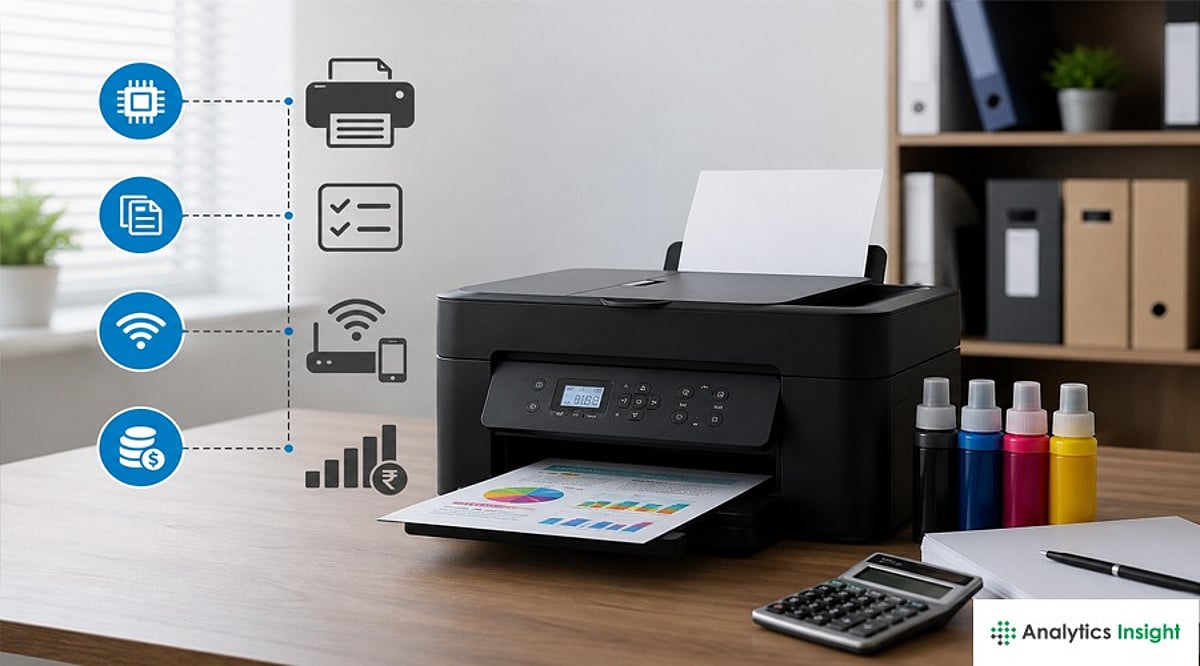
    Compare ink tank, laser, and all-in-one printers before making the smartest buying decision today. Learn which printer suits home, office, student, business, and professional photo printing requirements. Understand printing costs, features, connectivity, and performance before investing in your next printer.

    Buying a Printer in 2026: What You Need to Know

    Buying a printer can be tricky. Technical features, compatibility, durability, and other complicated information are essential to consider before buying one. Picking the costliest or cheapest model from the shelf can prove to be a regressive approach. Printers today do a lot more, and a wrong pick can cost you extra money in ink or toner down the line. Ink tank printers cost less to run than the old cartridge models. Laser printers have gotten smaller and quieter over the years. Wi-Fi printing has now become a default feature in most models. The real question isn’t which printer ranks as ‘the best.’ It’s which printer fits what you actually print. Maybe printing photos is a higher priority. Maybe it’s office papers or schoolwork. This guide covers five best printers and looks at how each one performs, what it offers, and who it suits.

    Top Printers Reviewed

    Epson EcoTank Photo ET-8500

    Epson printer is made for people who print a lot of photos. It uses six ink colors instead of the usual four, so photo prints come out smoother with more detail. It uses ink bottles instead of cartridges, which is the EcoTank part. The refills are easier for the average user to affect, and each refill covers a large number of pages, so the cost per photo drops over time. It costs more upfront than a basic printer. The ET-5850 model boasts high paper capacity and has a 4.3-inch color touchscreen. It is a multitasker useful for copying, scanning, printing, and faxing. It supports Wi-Fi, Ethernet, and USB. Print quality stays steady across regular documents and color pages. Families who print photos often say it pays off in the long run. It can scan and copy too, so it works as a full home office setup. This printer fits well into a home where photos are the main use.

    Canon Color imageCLASS MF665Cdw

    Canon’s laser printer is built with small offices in mind. It prints in color and handles scanning, copying, and faxing as well. Laser printers are known for speed, and this one holds up well when printing a stack of pages at once. It connects over Wi-Fi easily, so a few people in one office can share it without any wires. Canon Color imageClass has an exceptional printing speed of 26 pages per minute in both color and black/white options. The print resolution is 1200×1200 dpi and functions well in Print, Scan, Copy, and Fax. This printer sits well against other office models since it keeps the price fair while doing the job right. It works better for text documents than photos, so keep that in mind if photo printing matters to you.

    Brother HL-L2460DW

    Brother printer does one job, and it does that job well: black and white text printing. There’s no color option here, and no extra fuss either. Brother has built a good name over the years for machines that last a long time without trouble, and this model fits that pattern. It connects to Wi-Fi and works with printing apps on a phone, so setup stays easy. Brother HL-L2460DW has a speed of 34 ppm (pages per minute) for A4 and 36 ppm for letter. The printing resolution is about 1200×1200 dpi, with built-in automatic two-sided printing. Students, small offices, and home users pick this printer often since it comes at a low price. It won’t print photos or color pages, so it isn’t for everyone. People who mostly print papers and forms will find it a solid, no-nonsense choice.

    Epson EcoTank ET-2980

    Epson 2980 ranks among the more popular home models, and it’s easy to see why. It covers most day-to-day printing needs without a big price tag. It prints, scans, and copies, and like other EcoTank models, it runs on ink bottles instead of cartridges. This setup keeps running costs low, which matters for a family that prints often. It works with Wi-Fi, so printing from a phone or tablet stays simple. The machine is powered by PrecisionCore Heat-Free technology. It boasts a print resolution up to 4800×1200 dpi and a 1.44-inch color display. This printer stands out among budget ink tank models since it doesn’t force a choice between low cost and decent print quality. It handles everything from homework pages to an occasional photo print.

    HP OfficeJet Pro 9125e

    HP OfficeJet suits people who print a lot, whether at home or in a small office. It prints fast, handles double-sided pages on its own, and scans well. HP built in a smart feature that reorders ink automatically, so users run a lower risk of running out mid-print. HP has stayed a trusted name for reliable printers for years, and this model keeps that reputation going. The model can print, copy, scan, and fax. Its paper capacity includes a 250-page input tray and 60 pages output tray. This printer is also equipped with smart capabilities such as AI-powered adaptation to workflow and advanced scanning capabilities. Households or offices that print daily and value speed over ink savings will find this printer worth a look.

    Which Printer Is Best for Whom?

    • Photo lovers – Epson EcoTank Photo ET-8500. Six-color ink and low cost per print make the higher price worth it.
    • Small office owners who print color documents often – Canon Color imageCLASS MF665Cdw. Fast and handles daily use well.
    • Users who need clean black and white prints on a tight budget – Brother HL-L2460DW. Suits students and small home offices.
    • Families who want one printer for most household needs – Epson EcoTank ET-2980. Keeps ink costs low while covering everyday tasks.
    • Speed-focused users who print often – HP OfficeJet Pro 9125e. Doesn’t let printing slow you down.

    Final Thoughts

    The right printer depends on what a person prints, not on which brand sounds the biggest. Photo lovers should look at an EcoTank photo model. Offices that print a lot of documents will get more value from a laser printer like the Canon or Brother option covered here. Buyers who want one printer for most home needs should consider the Epson ET-2980. Speed-focused users who care less about ink savings should look at HP’s OfficeJet Pro line. No single printer works for everyone. Once a buyer knows what they actually need, picking one gets a lot easier.

    Frequently Asked Questions

    1. Which type of printer is best for home use in 2026? For most homes, an ink tank printer is the best choice because it offers low printing costs, good print quality, and can handle everyday tasks like schoolwork, documents, and occasional photo printing.
    2. Are laser printers better than ink tank printers? It depends on your needs. Laser printers are faster and better for printing large volumes of text documents, while ink tank printers are more affordable to run and perform better for color documents and photos.
    3. Which printer is best for photo printing? The Epson EcoTank Photo ET-8500 is one of the best options for photo printing. Its six-color ink system produces vibrant colors, smoother gradients, and detailed photo prints.
    4. What features should I look for when buying a printer in 2026? Consider print quality, printing speed, running costs, connectivity options like Wi-Fi, automatic duplex printing, paper capacity, and whether you need scanning, copying, or faxing features.
    5. Is a Wi-Fi printer worth buying? Yes. A Wi-Fi printer lets you print wirelessly from laptops, smartphones, and tablets, making it more convenient for homes and offices with multiple users.