Tag: privacy

  • Apple Intelligence Explained: A Complete Guide to iPhone AI Features

    Apple Intelligence Explained: A Complete Guide to iPhone AI Features

    Apple Intelligence is Apple’s personal artificial intelligence system that works across iPhone, iPad, Mac, Apple Watch, and Apple Vision Pro. Unlike traditional AI chatbots that exist as separate apps, Apple built this system directly into the operating system, embedding it into everyday apps like Messages, Mail, Photos, Notes, Safari, and Phone. This design creates a seamless experience without the need to switch between different applications.

    Key Takeaways

    • Apple Intelligence integrates AI directly into iPhone apps for a seamless everyday experience.
    • Most AI processing happens on-device, with Private Cloud Compute protecting user privacy.
    • Advanced features are available only on iPhone 15 Pro, iPhone 15 Pro Max, iPhone 16 models, and newer devices.

    Which iPhones Support Apple Intelligence?

    Apple Intelligence only works on iPhones with enough processing power to handle advanced AI models. The supported devices include the iPhone 15 Pro, iPhone 15 Pro Max, every iPhone 16 model, and newer iPhones. Regular iPhone 15 models do not support Apple Intelligence. Apple says the advanced Neural Engine, higher memory, and powerful Apple Silicon inside supported devices make these AI features possible. Older iPhones cannot meet these hardware requirements.

    Writing Tools Make Everyday Work Easier

    The very basic function of Apple Intelligence is offered by the automatic Writing Tools included in the programming. These features are extensively used by most applications of Apple and by many external programs. You can rewrite texts, correct grammar, make short summaries, and change the tone of messages. Safari, Mail, Notes, and Messages all support these capabilities, turning long emails into short summaries and rough drafts into polished texts.

    Siri Understands Conversations Better

    Apple Intelligence gives Siri a major upgrade. Siri now understands natural conversations more accurately and follows context across multiple questions. Instead of repeating the same information, Siri remembers earlier parts of the conversation and provides smoother replies. Apple also added optional ChatGPT integration. Siri asks for permission before sending a request to ChatGPT, balancing advanced functionality with privacy.

    Creative Tools Add Fun to Everyday Tasks

    Apple Intelligence includes Image Playground, a feature that creates images from simple text descriptions. Apple offers styles such as Animation, Illustration, and Sketch. Messages, Notes, and Freeform all support this feature. Genmoji adds another creative option: a simple description like “golden retriever wearing sunglasses” turns into a unique emoji within seconds.

    Visual Intelligence Understands the World Around It

    Visual Intelligence uses the iPhone camera to recognize objects, places, products, signs, and text. After recognition, Apple Intelligence can explain what appears on the screen, translate foreign languages, search for products online, or create calendar events from posters and invitations. Apple continues to improve this feature with every software update.

    Photos, Notifications, and Mail Become Smarter

    The Photos app now includes the Clean Up tool, which removes unwanted objects from pictures while keeping lighting, shadows, and important details as natural as possible. Notifications also become easier to manage with short summaries for long alerts and priority placement. Mail receives email summaries, suggested quick replies, highlighted important messages, and short previews that help readers understand content before opening each email.

    Notes and Phone Receive Helpful AI Features

    The Notes app gains intelligent tools for summarization, writing improvement, grammar correction, and organization. The Phone app supports call transcripts and call summaries in supported regions and languages, helping users review important conversations without relying on memory alone.

    Privacy Stays at the Center of Apple Intelligence

    Privacy remains one of the biggest differences between Apple Intelligence and many other AI systems. Most AI tasks run directly on the iPhone. Only complex requests move to Private Cloud Compute, which Apple says never stores personal data after processing finishes. This balance between local processing and secure cloud support allows Apple Intelligence to deliver advanced AI features while protecting personal information.

    Why This Matters

    Apple Intelligence changes the way people use an iPhone every day. Built-in AI saves time, improves communication, helps with creative tasks, and makes everyday apps more useful. Strong privacy protection also sets Apple apart from many AI platforms, making Apple Intelligence an important feature for anyone planning to buy or upgrade an iPhone.

    FAQs

    1. What is Apple Intelligence? Apple Intelligence is Apple’s built-in AI system that enhances apps like Messages, Mail, Photos, Notes, Safari, and Siri with smart, privacy-focused features.
    2. Which iPhones support Apple Intelligence? It is supported on iPhone 15 Pro, iPhone 15 Pro Max, all iPhone 16 models, and newer compatible iPhones.
    3. Does Apple Intelligence use ChatGPT? Yes. Siri can optionally use ChatGPT for more complex requests, but only after asking for your permission.
    4. Is Apple Intelligence private and secure? Yes. Most AI tasks run directly on your device, while complex requests use Apple’s Private Cloud Compute, which is designed to avoid storing personal data after processing.
    5. What are the main features of Apple Intelligence? Key features include Writing Tools, smarter Siri, Image Playground, Genmoji, Visual Intelligence, Photos Clean Up, notification summaries, Mail enhancements, and call transcripts.

  • Tau Robotics Launches Humanoid Robot Cleaning Service in San Francisco – $30/Hour with Remote Human Control

    Tau Robotics Launches Humanoid Robot Cleaning Service in San Francisco – $30/Hour with Remote Human Control

    Tau Robotics has launched an invite-only home cleaning service in San Francisco using humanoid robots that cost $30 (approximately ₹3,000) per hour. These robots are not fully autonomous — a remote human operator controls every move while AI assists with balance, navigation, and simple actions.

    The robots can vacuum floors, wipe counters, wash dishes, tidy rooms, and take out the trash during routine home cleaning sessions. Tau offers different robot models for different jobs: Chelsea cleans kitchens and bathrooms, Elon handles weekly tidying, and Tony tackles deep cleaning.

    Every cleaning session helps Tau collect valuable real-world household data, allowing its AI to learn how homes differ from controlled lab environments. For safety, an adult resident must stay at home while the robot works, and human supervision remains essential during every visit.

    The service is currently a paid beta test available only through an invite-only waitlist as Tau improves reliability before expanding. The biggest concern is privacy — since humans remotely operate the robots using cameras, users may worry about data security inside their homes.

    Experts believe fully autonomous home robots are still years away. Today’s human-assisted cleaners are an important step toward smarter household AI.

  • Tim Cook’s 2020 Warning on Facebook Tracking Paved the Way for Apple’s App Tracking Transparency

    Tim Cook’s 2020 Warning on Facebook Tracking Paved the Way for Apple’s App Tracking Transparency

    In December 2020, Apple CEO Tim Cook issued a stark warning to iPhone users regarding Facebook’s ability to track their activity across apps and websites. The warning came as Facebook criticized Apple’s upcoming privacy rules, which would require apps to request user permission before collecting data across other companies’ services.

    Cook took to Twitter (now X) to defend Apple’s privacy-first approach, stating: “We believe users should have the choice over the data that is being collected about them and how it’s used. Facebook can continue to track users across apps and websites as before; App Tracking Transparency in iOS 14 will just require that they ask for your permission first.”

    Apple later introduced App Tracking Transparency (ATT) with the release of iOS 14.5 in April 2021. This feature fundamentally changed how apps collect data for advertising and measurement across external services. Apps must now display a tracking permission prompt before accessing the device’s advertising identifier or using other covered tracking methods. Users who select “Ask App Not to Track” prevent the app from accessing the identifier, and they can later adjust their preferences in iPhone privacy settings.

    The policy ignited a major conflict between Apple and Meta, Facebook’s parent company. Meta argued that Apple’s rules could harm businesses relying on personalized advertising, later estimating a roughly $10 billion financial impact from the privacy changes.

    Cook’s 2020 statement became a pivotal moment in Apple’s broader privacy campaign. While Apple framed tracking permission as a matter of user choice, Meta viewed it as a threat to targeted advertising. The debate continues to shape mobile advertising privacy regulations worldwide.

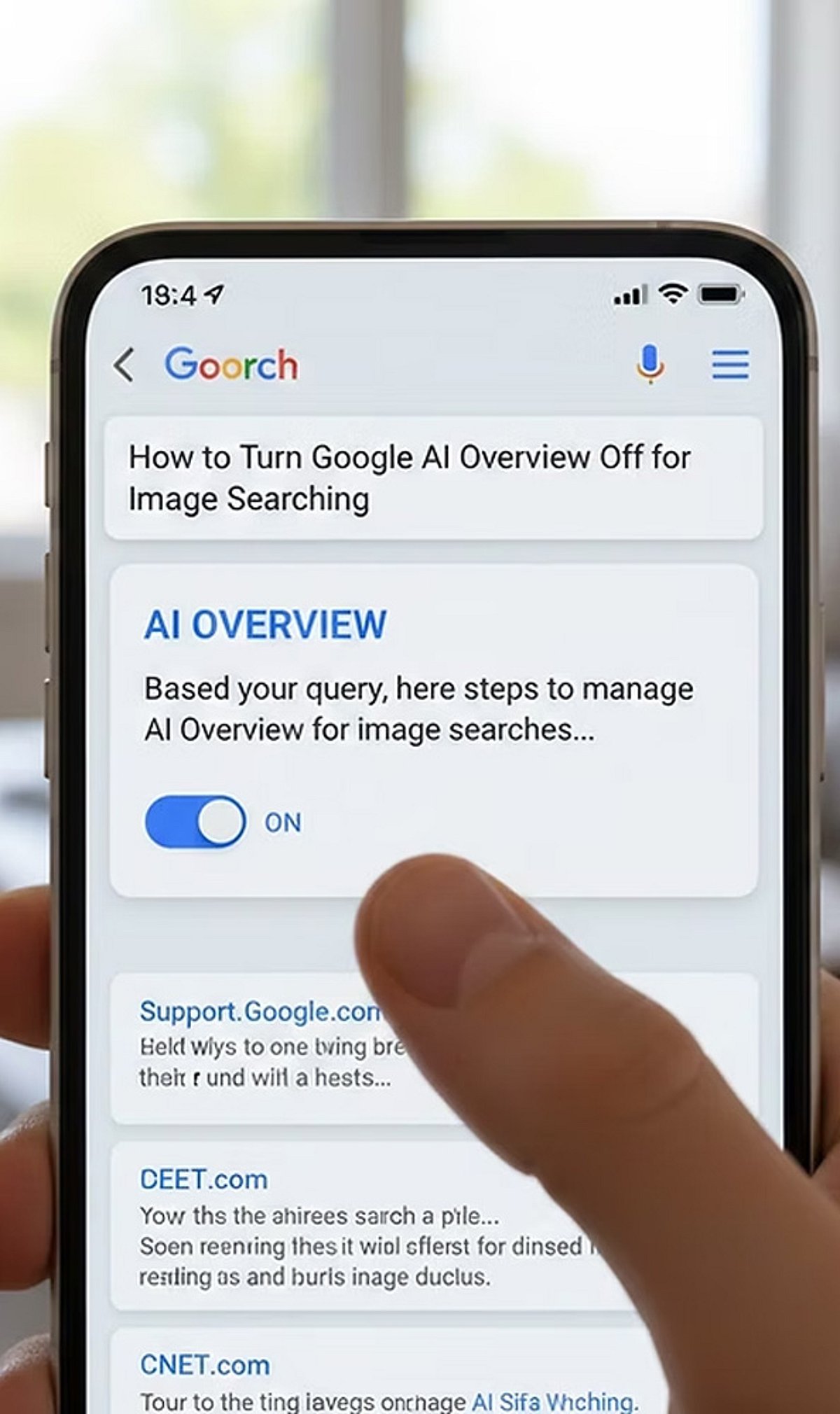
  • How to Stop Google’s AI From Learning From Your Search Uploads: A Step-by-Step Guide

    How to Stop Google’s AI From Learning From Your Search Uploads: A Step-by-Step Guide

    Google’s AI models can learn from your search uploads and interactions to improve their performance. While this enables personalized features, it also raises privacy concerns. If you prefer to limit how Google uses your data for AI training, follow these straightforward steps to disable sharing and manage your activity.

    1. Open Search Settings: Sign in to your Google account and navigate to Search settings. Here you can review privacy and AI-related data collection preferences.
    2. Find AI Controls: Locate the AI or Search personalization settings where data-sharing preferences for AI improvement are managed.
    3. Disable Upload Sharing: Turn off the setting that allows Google to use your Search uploads and interactions to improve its AI models.
    4. Review Activity Controls: Visit the Web & App Activity section to understand what Search data Google stores and how it may be used.
    5. Delete Existing Data: Remove previously saved Search uploads and activity if you do not want them retained in your Google account.
    6. Manage Auto-Save: Disable automatic saving of Search activity where available to reduce future data collection for personalization and AI development.
    7. Adjust Product Settings: Check settings for Google Photos, Gemini, Drive, and other services that may have separate AI data-sharing controls.
    8. Use Incognito Mode: Search in Incognito mode when appropriate to minimize the amount of browsing activity linked to your Google account.
    9. Review Settings Regularly: Google periodically updates privacy controls, so revisit your account settings to ensure your AI preferences remain unchanged.

    By taking these steps, you can better control how your search data influences Google’s AI training while still enjoying the core search functionality.

  • Google to Launch Global Play Store Age Verification by 2026 via New API

    Google to Launch Global Play Store Age Verification by 2026 via New API

    Google will expand its Play Store age-verification system worldwide by the end of 2026. The company announced the update on July 29 as governments push for improved child safety measures in app stores. The new Play Age Signal API will help app developers verify a user’s age range without accessing personal details.

    The feature will be introduced in India, the United States, Australia, Canada, and other countries. Google will integrate the system with Family Link, allowing parents to select an age range for their children. Apps will receive only the chosen age group instead of the exact date of birth.

    Explaining the new system, Google stated: “The Play Age Signals API is a runtime interface with the Google Play Store.” The company added that the tool shares only the information needed for age-appropriate experiences and safeguards personal identity details.

    Google says the system ensures privacy while helping developers offer age-suitable apps and content. Parents can set age groups such as 13–15 or 16–17, and the range updates automatically as children grow older.

    Some countries may still require users to complete additional age checks. Depending on local regulations, users may need to verify their age with a government ID, credit card, selfie, or another approved method before downloading restricted apps. Google also advised users to complete verification only through the Play Store or Google Account settings to avoid online scams.

    The new tool is optional for developers, so not every app will use it. Privacy experts note that some children may still bypass restrictions by creating another account with a different age. However, the global rollout reflects Google’s effort to improve child safety while maintaining app privacy as online rules continue to evolve.

  • How to Seamlessly Transfer Your ChatGPT Data to Claude AI

    How to Seamlessly Transfer Your ChatGPT Data to Claude AI

    Switching between AI assistants becomes effortless when your past conversations move with you. Transferring ChatGPT data to Claude helps preserve context, project details, writing drafts, research notes, and ongoing discussions. This reduces repetition and allows Claude to deliver more relevant responses based on your previous interactions with ChatGPT.

    Export Your ChatGPT Data

    Log in to ChatGPT and open Settings. Navigate to Data Controls and choose Export Data. OpenAI will prepare an archive containing your chat history and send a download link to your registered email address. Download and extract the ZIP file before moving to the next step.

    Open Claude and Start Import

    Sign in to your Claude account through the web interface. Start a new chat or use the available import option if your version supports chat uploads. Claude can process exported conversation files, allowing it to understand previous discussions and continue projects with minimal manual effort.

    Upload the Exported Files

    Locate the extracted ChatGPT export folder and upload the relevant conversation files to Claude. Depending on the supported format, Claude will analyze the content and use it as context. For large archives, consider importing only the conversations that are most important for your work.

    Organize and Verify Your Data

    After the upload, review the imported conversations to ensure everything appears correctly. Rename chats, group related projects, and check that important prompts, notes, and documents have been transferred. A quick review helps avoid missing information before continuing your work in Claude.

    Protect Your Privacy

    Before transferring any AI conversations, remove passwords, financial records, personal identification details, or confidential business information. Exported chat files may contain sensitive content, so review them carefully before uploading. Following basic privacy practices helps keep your information secure across different AI platforms.

    Continue Working Seamlessly

    Once your chats are available in Claude, you can continue writing, coding, brainstorming, or researching without starting from scratch. Keeping previous conversations accessible saves time, improves workflow, and makes switching between AI assistants much smoother for both personal and professional projects.

  • Today’s Tech Roundup: Meta’s Privacy Challenge, Disney-Microsoft Deal, Apple’s Growth, and the AI Arms Race

    Today’s Tech Roundup: Meta’s Privacy Challenge, Disney-Microsoft Deal, Apple’s Growth, and the AI Arms Race

    Today’s top tech stories cover Zuckerberg’s Apple privacy concerns, Disney’s Microsoft shift, Apple’s strong quarter outlook, and the growing AI competition among tech giants.

    Mark Zuckerberg’s Meta is facing a new challenge as Apple tightens its privacy policies, impacting Meta’s advertising revenue. Meanwhile, Disney has made a strategic shift by partnering with Microsoft for cloud and AI services, signaling a major move in the entertainment-tech landscape.

    Apple continues to show strong growth with a promising quarterly outlook, driven by robust iPhone sales and expanding services. The AI race among tech giants is heating up, with companies like Google, Microsoft, and Meta investing heavily in generative AI and large language models.

    Stay tuned for more updates on these developing stories.

  • How to Protect Your Phone Number by Securing a WhatsApp Username: Essential Tips

    How to Protect Your Phone Number by Securing a WhatsApp Username: Essential Tips

    WhatsApp is rolling out usernames, offering a new way to protect your phone number when messaging. By reserving a unique username, you can keep your number private from new contacts. Here’s how to get started and secure your handle before someone else does.

    Reserve Your WhatsApp Username

    First, update WhatsApp to the latest version. Then go to Settings > Account > Username and create a unique username between 3 and 35 characters. If your preferred handle is taken, WhatsApp may suggest similar alternatives. The feature is rolling out gradually, so it may not appear for everyone yet.

    Lock In Your Preferred Handle

    Choose a username that is easy to remember but difficult to impersonate. You can also claim the same username you already use on Instagram or Facebook if it’s eligible. Tap Save to reserve your handle before someone else takes it.

    Keep Your Phone Number Private

    Once usernames become active, people who contact you through your username won’t see your phone number unless they already have it saved. Existing contacts and users who already know your number will continue to see it, but new conversations become much more private.

    Turn On Username Key for Extra Security

    Enable the optional Username Key from the username settings. Anyone trying to contact you for the first time will need both your username and this unique key. It adds another layer of protection against spam and unwanted messages.

    Understand What Usernames Can and Can’t Do

    WhatsApp does not have a public username directory, so strangers cannot search for your account. People need to know your exact username to start a conversation. However, admins, existing contacts, and users who already know your phone number may still be able to see it where applicable.

    Strengthen Your WhatsApp Privacy

    Use a unique username instead of your full real name, enable Two-Step Verification, and regularly review your privacy settings. These small steps help protect your account from impersonation attempts and unauthorized access.

    Secure Your Identity Before It’s Taken

    Reserving your WhatsApp username early helps secure your online identity before your preferred handle is claimed. Combined with Username Key and Two-Step Verification, you can chat with new people and businesses while keeping your personal phone number private and your account more secure.

  • 5 Hidden Android Apps Beyond Google Play That Boost Privacy and Productivity

    5 Hidden Android Apps Beyond Google Play That Boost Privacy and Productivity

    The Google Play Store hosts millions of Android apps, but it isn’t the only source of high-quality software. Many developers publish their apps on platforms other than Play Store to bypass limitations, offer open-source versions, or provide features not allowed in Google’s policies.

    Sideloading apps can provide more flexibility, but security must be the top priority. Always download APKs from trusted sources and check developer signatures. Open-source repositories like F-Droid rebuild many apps from source code, adding transparency and verification.

    Best Hidden Android Apps Worth Installing

    Obtainium

    Obtainium has become a favorite among Android enthusiasts. Instead of acting as a traditional app store, it installs and updates applications directly from developers’ official release pages on GitHub, GitLab, F-Droid, and other trusted sources. This saves you from visiting multiple sites for updates.

    F-Droid

    F-Droid is the top free and open-source Android app repository. It emphasizes privacy-focused apps without proprietary trackers and features a curated library of productivity, security, and utility software. Its reproducible-build feature is a key security advantage for open-source distribution.

    Aurora Store

    Aurora Store provides an alternative way to access publicly available Google Play applications while offering additional privacy controls. It’s the preferred tool for users who want to minimize their interactions with Google.

    PipePipe

    PipePipe is a lightweight multimedia app that enables viewing online video and audio content with background playback, downloading, and a clean interface. It has become popular among users seeking more flexibility than standard streaming apps.

    Kvaesitso Launcher

    Kvaesitso is a search-first home screen that emphasizes speed, minimalism, and productivity over the traditional Android home screen. It’s especially helpful for users who prefer keyboard navigation over a dense icon grid.

    Why These Apps Are Growing in Popularity

    Rising concerns about user control, privacy, and open-source software have driven the shift toward non-Play Store Android choices. Community recommendations often include using F-Droid or Obtainium for easier, secure app management.

    Install Responsibly

    While sideloading offers great customization, it also presents security risks when apps are downloaded from untrustworthy websites. Always check the publisher, review requested permissions, use Google Play Protect, and update apps from trusted sources like Obtainium or F-Droid.

    Conclusion

    Not all the best Android apps are on Google Play. Apps like Obtainium, F-Droid, Aurora Store, PipePipe, and Kvaesitso offer advanced features, better privacy protection, and more flexibility. When installed from trusted sources, these hidden Android applications can enhance your Android experience and give you more control over your device.

  • Deploy Your Own AI Agents on a VPS: A Step-by-Step Guide Using Ollama and OpenClaw

    Deploy Your Own AI Agents on a VPS: A Step-by-Step Guide Using Ollama and OpenClaw

    As artificial intelligence continues to evolve, concerns around privacy, performance limitations, and recurring subscription fees have driven many developers and businesses to seek alternatives. Self-hosting AI agents on a virtual private server (VPS) offers greater control over data and infrastructure compared to cloud-based AI services. Tools like Ollama and OpenClaw make it possible to run AI workloads in a flexible, scalable manner directly on your own VPS.

    By using a VPS for AI, developers, researchers, and companies can create a dedicated environment to test, automate, analyze, and generate AI workflows without relying on third-party cloud providers. This approach ensures data sovereignty, customizable configurations, and predictable resource availability.

    Why Choose Self-Hosted AI Agents?

    AI agents can handle tasks such as automation, internal process management, and private data analysis. Hosting your own AI agents on a VPS puts you in full control of your data, system configuration, and security policies. Unlike public AI services, self-hosting allows you to tailor how your agent operates, manage resources efficiently, and reduce dependency on external platforms.

    With a dedicated VPS, you also avoid resource contention. CPU, RAM, and disk space are consistently available for your AI applications, leading to predictable performance—critical for production environments.

    Understanding Ollama and OpenClaw

    Ollama simplifies deploying and managing large language models (LLMs). You can set up AI models on your local machine or VPS with just a few commands. It provides a command-line interface for downloading, launching, and interacting with AI models.

    OpenClaw works alongside Ollama as an open-source platform for building and operating AI agents. These agents can generate content, conduct research, automate tasks, and analyze data. Together, Ollama and OpenClaw form an ideal toolkit for creating personalized, locally-hosted AI solutions.

    Choosing the Right VPS

    AI workloads are more resource-intensive than typical web applications. Before installing Ollama and OpenClaw, evaluate your VPS hardware based on the model size and expected demand. Key considerations include:

    • Memory (RAM): The most critical resource; larger models require more RAM.
    • CPU cores: More cores improve processing speed, especially for concurrent tasks.
    • GPU: Optional but beneficial for heavy LLM workloads.
    • Storage speed: High-speed SSD storage significantly reduces model load times.

    Many users start with a low-cost VPS for testing, but scale up resources as needs grow.

    Setting Up Ollama and OpenClaw on Your VPS

    The installation process is straightforward:

    1. Create a Linux VPS and connect via SSH or console.
    2. Update all software packages on the system.
    3. Install Ollama following the official installation guide. Download the models you need from Ollama’s model repository and import them.
    4. Install OpenClaw and configure it to use Ollama’s APIs. OpenClaw enables your AI agent to perform tasks locally through the VPS.
    5. Both applications run on their own server, allowing you to control security settings and access permissions for each model independently.

    Analytics and Performance Benefits

    Self-hosted environments provide full visibility into AI performance metrics, including CPU usage, memory consumption, response times, and workload trends in real time. Administrators can use these insights to optimize infrastructure costs and ensure reliable operation. Performance data helps identify resource-intensive processes and potential bottlenecks—insights that are often unavailable in fully managed AI services.

    Privacy Advantages of Self-Hosted AI

    Running Ollama and OpenClaw on your own VPS gives you unmatched control over AI infrastructure, data privacy, and flexibility. This approach is ideal for internal automation services, language model testing, and AI workload analysis. As interest in AI grows, self-hosted solutions offer a path for those who want full ownership of their data, compute environment, and future AI strategy.