Tag: privacy

  • Claude AI Shared Links Exposed: Why Your Public Conversations Could Appear in Google Search

    Claude AI Shared Links Exposed: Why Your Public Conversations Could Appear in Google Search

    An emerging privacy concern has placed AI chatbots under renewed scrutiny after some publicly shared Claude AI conversations became discoverable via Google search results. The incident, which affected only chats deliberately shared using Anthropic’s Share Chat feature, has raised questions about how users perceive public sharing and the risks of sensitive data exposure.

    What Happened with Claude AI Shared Chats?

    Anthropic’s Claude AI includes a Share Chat feature that allows users to generate public links for their conversations. While useful for collaboration and research, some of these links were indexed by Google’s search engine, making them findable through standard search queries. Anthropic clarified that private conversations stored within user accounts remained secure; only the content shared via public URLs was affected.

    Why Search Engines Indexed These Links

    Search engines automatically crawl publicly accessible webpages unless website owners implement measures such as noindex directives or robots.txt configurations to prevent indexing. According to security experts, Claude’s shared links lacked the necessary settings to block indexing, so Google and other search engines treated them like any other public webpage.

    What Kind of Information Was Exposed?

    Reports indicate that indexed pages contained various sensitive data, including resume details, software development notes, legal documents, business records, API keys, and other personal information users had entered during conversations. Although users voluntarily shared these chats via public links, many did not expect them to become searchable on Google or Bing.

    How Users Can Protect Their AI Conversations

    To safeguard private data when using AI chatbots, follow these best practices:

    • Treat all public share links as if they could be viewed by anyone, anywhere.
    • Before sharing an AI chat, thoroughly review and remove any personal information, financial data, passwords, API keys, customer details, or proprietary business content.
    • Regularly review and delete shared links that are no longer needed.
    • Avoid using public sharing features altogether when dealing with confidential information.

    By adopting these simple habits, users can significantly reduce the risk of accidental data exposure.

    A Broader Lesson for All AI Platforms

    This incident is not unique to Claude. Similar issues have been observed on other generative AI platforms where public sharing features or search engine indexing have exposed user content. As AI assistants become integral to work, study, and coding, platforms must implement stronger privacy safeguards. For users, the key takeaway is clear: always assume that any content shared via a public link may eventually reach unintended audiences.

    Frequently Asked Questions

    What happened with Claude AI shared chats?

    Some chats shared using Claude’s Share Chat feature became discoverable via Google search results. Only chats that users intentionally made public were affected; private conversations remained secure.

    Were private Claude AI conversations exposed?

    No. Anthropic confirmed that private chats remained safe throughout the incident. Only content shared through publicly accessible URLs was potentially indexed by search engines.

    Why did Google index Claude AI shared chats?

    Google and other search engines automatically crawl and index publicly accessible webpages unless the website owner uses technical measures to block indexing. Claude’s shared links did not have such measures in place.

    How can I protect my Claude AI conversations?

    Always treat shared links as public webpages. Remove sensitive information before sharing, regularly delete outdated links, and avoid sharing confidential content via public features.

    Should I stop using Claude AI’s Share Chat feature?

    Not necessarily. The feature remains useful for collaborative and educational purposes. However, only share conversations that are appropriate for public viewing. For sensitive discussions, do not create a public link.
  • Claim Your WhatsApp Username Early: Step-by-Step Guide to Secure It Before Everyone Else

    Claim Your WhatsApp Username Early: Step-by-Step Guide to Secure It Before Everyone Else

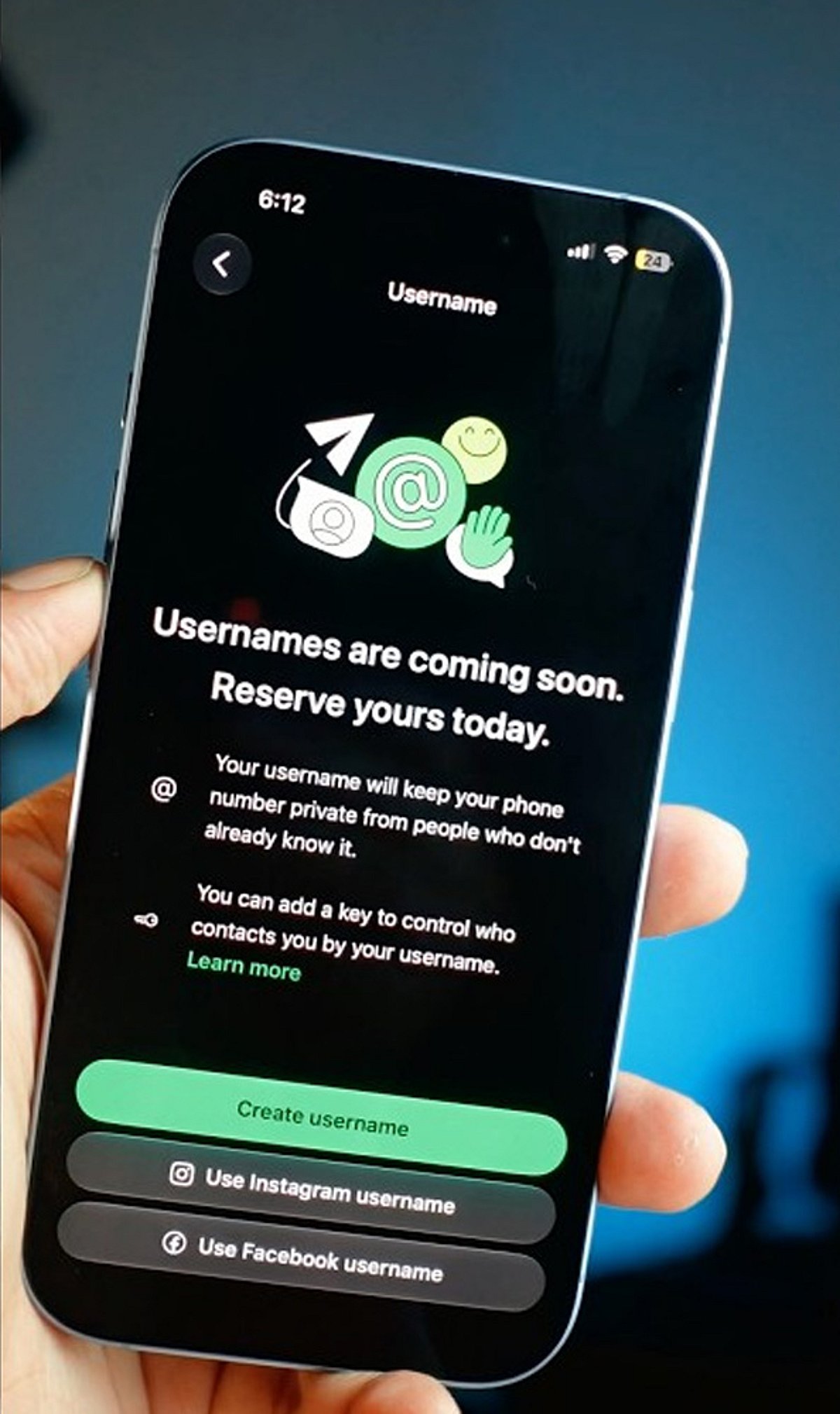
    WhatsApp is rolling out a new feature that allows users to reserve a unique username, giving you a more personalized way to be found on the platform. With demand likely high, acting quickly can help you secure the name you want. Follow these steps to reserve your WhatsApp username before everyone else.

    Update WhatsApp

    Install the latest WhatsApp version from your app store to ensure you have access to new features as soon as username support becomes available.

    Open Settings

    Launch WhatsApp and tap the Settings menu. Once the feature reaches your account, a username option will appear here.

    Find the Username Option

    Look for the Username section below your profile information. It appears only after Meta enables the feature for your account, so keep checking regularly.

    Choose a Unique Name

    Pick a memorable username using letters, numbers, and permitted symbols that reflects your identity without revealing personal information publicly.

    Check Availability

    WhatsApp instantly verifies whether your preferred username is available. If your first choice is already taken, try alternative spellings or variations.

    Follow Username Rules

    Avoid restricted words, special characters, or usernames that violate WhatsApp guidelines to ensure successful registration without unnecessary delays or errors.

    Save Immediately

    Once your preferred username is accepted, save it immediately to prevent someone else from claiming the same username first.

    Join the Beta Program

    Beta users often receive new WhatsApp features before the public release, increasing your chances of securing a preferred username early.

    Keep Checking Updates

    If the feature is unavailable today, regularly update WhatsApp and check Settings because the rollout may happen in phases worldwide.

  • 6 Google Alternatives to Try as the Search Giant Loses Its Edge

    6 Google Alternatives to Try as the Search Giant Loses Its Edge

    Google has long been the undisputed king of search, but a new wave of AI-powered, privacy-focused, and purpose-driven alternatives is rapidly gaining traction. Whether you value conversational AI, uncompromising privacy, or environmental impact, these six search engines offer compelling reasons to switch.

    Perplexity AI

    Perplexity AI delivers conversational answers with cited sources, making research faster and more reliable for students, professionals, and curious users seeking accurate information. Its AI-first interface reduces endless link-hopping while providing concise summaries and follow-up questions, creating a more interactive search experience than traditional engines.

    Microsoft Bing

    Microsoft’s Bing combines traditional web search with AI-powered Copilot features, image generation, shopping tools, and visual search capabilities. Deep Windows integration, reward programs, and strong multimedia search continue attracting users looking for a smarter alternative without abandoning familiar search functionality entirely.

    DuckDuckGo

    DuckDuckGo prioritizes user privacy by avoiding personalized tracking, targeted advertising, and extensive data collection during searches. It offers clean results, anonymous browsing, tracker blocking, and private browsing tools, making it an ideal choice for users who value confidentiality over personalized recommendations.

    Brave Search

    Brave Search operates with its own independent search index, reducing reliance on larger search providers while emphasizing transparency and privacy. Integrated AI features, ad-free browsing options, and minimal user tracking appeal to people seeking unbiased search results with greater control over personal data.

    Kagi Search

    Kagi Search follows a subscription-based model that eliminates advertisements and prioritizes high-quality search results over sponsored listings. Advanced filtering, customizable rankings, AI-assisted summaries, and distraction-free browsing make it especially attractive for researchers, writers, developers, and knowledge professionals seeking precision.

    Ecosia

    Ecosia uses revenue generated from searches to fund global tree-planting initiatives and environmental restoration projects. Users enjoy reliable search functionality while supporting sustainability efforts, making it an appealing option for environmentally conscious individuals who want their daily internet activity to create positive ecological impact.

    Quick Takeaway: Google remains the world’s dominant search engine, but AI-powered, privacy-focused, and specialized alternatives are rapidly reshaping how people discover information. Choosing the right search engine now depends less on market share and more on whether you value AI assistance, privacy, accuracy, or purpose-driven browsing.

  • Report: Apple Smart Glasses to Launch in 2027 With Privacy as Key Selling Point

    Report: Apple Smart Glasses to Launch in 2027 With Privacy as Key Selling Point

    According to a new report, Apple is planning to enter the smart glasses market in 2027 with a device that combines augmented reality, artificial intelligence, and deep ecosystem integration — all while making user privacy a central feature.

    The forthcoming Apple Smart Glasses are expected to be lightweight and stylish, designed for everyday wearable computing. Unlike many current smart glasses that collect extensive user data, Apple’s approach reportedly prioritizes secure on-device processing, minimal data collection, and transparent user controls.

    Built-in artificial intelligence could provide contextual assistance, real-time navigation, notifications, language translation, and personalized recommendations — all while maintaining responsive performance suitable for daily use.

    Display technology is likely to overlay digital information without obstructing the user’s natural vision, creating an immersive yet practical augmented reality experience. The glasses are expected to integrate seamlessly with the Apple ecosystem, including iPhone, Apple Watch, AirPods, and other devices, enabling synchronized experiences across hardware.

    Apple’s competitive positioning in the wearable technology market will hinge on premium design, privacy-first features, intuitive software, and polished user experience. The company aims to differentiate itself from rivals by ensuring that users have control over their data — a factor that could appeal to consumers seeking hands-free computing for navigation, communication, productivity, and entertainment.

    Industry reports indicate that Apple may unveil the smart glasses during 2027 after years of research, development, testing, and refinement. While the exact specifications and pricing remain unknown, the privacy focus and ecosystem synergy are expected to be major selling points.

  • Apple Smart Glasses Reportedly Prioritize Privacy in 2027 Launch Plans

    Apple Smart Glasses Reportedly Prioritize Privacy in 2027 Launch Plans

    Apple is reportedly preparing to enter the smart glasses market in 2027, with a strong emphasis on user privacy and data security. According to a new report, the Cupertino-based company has a smart glasses product in development that aims to offer useful features without collecting excessive personal data. While Apple has not officially confirmed the product, the rumors suggest a cautious approach that distinguishes it from competitors.

    The reported strategy includes on-device processing to prevent data from being sent to external servers. To avoid the backlash faced by rival companies, Apple’s glasses are expected to omit facial-recognition capabilities and always-on recording features. Instead, if a camera is included, it would likely be limited to motion sensing rather than capturing photos or videos. The glasses are rumored to debut at WWDC in June 2027 and will integrate with other Apple devices, with privacy as a core component from the start.

    Privacy concerns have become a significant issue in the smart glasses market, particularly with Meta’s camera-based AI smart glasses, which have raised alarms about unauthorized recording. Instagram head Adam Mosseri has responded by stating that content taking advantage of people will be removed. Apple appears to be avoiding these pitfalls by ensuring transparency in how the glasses operate. If cameras or sensors are present, clear indicators will alert users and bystanders when they are active.

    This privacy-first approach may result in fewer flashy features, but it could build trust and appeal to consumers who value data protection. As more companies enter the smart glasses arena, Apple believes that trust and privacy will be as important as technological innovation. A device that safeguards user data could become its strongest selling point.

  • Mastering People Search: Essential Tips and Tools for Finding Anyone Online

    Mastering People Search: Essential Tips and Tools for Finding Anyone Online

    Most people have searched for someone online at least once. It may have been an old coworker, a relative they lost touch with, someone they met recently, or the owner of an unfamiliar number.

    It all sounds simple until you type in a name and get dozens of possible matches. You may find several people with the same name, old contact details, or information that doesn’t belong to the person you’re looking for.

    Knowing how to search people properly can help you narrow the results and avoid following the wrong lead.

    Tips to Keep in Mind When Learning How to Search People

    Here are a few practical tips to help you find the right person more easily.

    Search the Name With Extra Details

    Enter the person’s full name inside quotation marks. This helps you find pages where the full name appears together.

    Next, add one extra detail to the search. It could be a city, workplace, profession, school, or graduation year. Avoid adding too many details at once, as a single incorrect fact could obscure useful results.

    Try different combinations instead. Search the name with a former city, then with an old employer, and then with a relative’s name. Older information can sometimes be helpful because it may appear in public announcements, business listings, school records, or archived pages.

    Try Different Versions of the Name

    People don’t always use the same name everywhere. Someone named Elizabeth may use Liz, Beth, or Ellie. A person may also use a middle name instead of their first name.

    Marriage, divorce, adoption, or personal preference can also lead to a different last name. Try searching maiden names, previous surnames, common nicknames, initials, and possible spelling variations.

    Search by Phone Number or Email Address

    A phone number or email address can be more useful than a name because it’s more specific. Enter the full number or email address inside quotation marks to see whether it appears on any public pages.

    A phone number may be associated with a business listing, an old advertisement, a public directory, or a community post. Similarly, an email address may lead to a public profile, portfolio, business page, or account created years ago.

    Keep in mind that phone numbers can be reassigned. There’s a chance an old number may now belong to someone else. Email addresses can also be copied, entered incorrectly, or abandoned.

    Use a People Search Tool

    A regular name search on Google can bring up many unrelated results. An easy way to save time is to use a free people search tool that lets you search by name, phone number, email address, or location.

    Depending on what’s publicly available, you may find the person’s age range, old addresses, possible relatives, associated names, or contact information.

    Remember that these results are not always up to date. Someone may have moved, changed their number, or stopped using an email address. Treat each result as a clue and compare it with information you already know.

    Check Social Media Profiles

    Once you’ve done a basic search, head over to social media. Most people have some kind of online presence these days, whether it’s a professional profile or a personal one.

    Searching for a name directly on these platforms can turn up photos, job history, mutual connections, and other details. Pay attention to small clues like hometown, education, or tagged photos. This will help you figure out if you’ve actually found the person you’re looking for, especially if there are multiple people with the same name.

    Try a Reverse Image Search

    If you have a photo of the person, a reverse image search can be incredibly helpful. Simply upload the picture to an image search tool, and it will scan the internet for matching or similar images.

    This can help you find other profiles, articles, or posts connected to that same photo. It’s a great way to confirm someone’s identity or discover accounts you didn’t know existed.

    This method works especially well if you’re trying to verify someone you’ve only interacted with online, since photos often get reused across different sites and platforms.

    Now You Know How to Search People but Be Mindful of Privacy

    No matter which method you use, it’s smart to cross-reference your findings. Don’t rely on just one source or one piece of information. If you find a name, address, or job title, try to confirm it through a second or third source.

    This helps you avoid mistakes, especially if there are multiple people with similar names or details. Taking a few extra minutes to verify information can make a big difference, especially if you’re using what you find to make an important decision, such as accepting a job offer or agreeing to meet up in person.

    For someone you used to know, stick to publicly available information and think about your intentions before reaching out. A little courtesy goes a long way, especially if the person hasn’t spoken to you in years or doesn’t remember you right away. Being upfront about how you found them can also help ease any awkwardness and set the tone for a friendly reconnection.

  • Microsoft’s Global Device Identifier (GDID) Tracks Windows Devices Across Networks

    Microsoft’s Global Device Identifier (GDID) Tracks Windows Devices Across Networks

    Microsoft uses a Global Device Identifier (GDID) to uniquely identify individual Windows installations across multiple services. The identifier recently drew public attention after FBI investigators used Microsoft records linked to GDID in a cybercrime investigation.

    According to a federal court filing, the GDID is a persistent, device-level identifier designed to uniquely identify an installation of a Windows operating system on a device. Each Windows installation—whether on a physical computer or virtual machine—receives a separate identifier.

    Microsoft generates the identifier on its servers and stores it locally in the Windows registry. Researchers report that the Passport identity service receives the number before the Connected Devices Platform registers it with Microsoft’s Device Directory Service.

    The GDID typically remains unchanged during Windows updates and common system changes. However, a full Windows reinstall creates a new GDID, though Microsoft may retain earlier records linked to the previous identifier.

    The identifier appears as a 64-bit value beginning with “g:” followed by a long number. Users can view the value stored on their computer through the Windows registry or a PowerShell command.

    How GDID Connects Activity Across Microsoft Services

    GDID supports several Windows and Microsoft services, including Windows activation, Microsoft Store purchases, app licensing, Phone Link, shared clipboard functions, device telemetry, and diagnostic information. Microsoft Edge can also connect enhanced diagnostic data to the identifier when users enable that setting, potentially including browser activity and browsing history.

    Microsoft’s public documentation provides few details about GDID. An Azure Monitor reference describes GlobalDeviceId as “Microsoft global device identifier” used internally by the company. Microsoft has not published a separate support page explaining its creation, retention period, or full use.

    Zerotrace Labs examined the system by replacing a device’s existing identifier during a controlled test. Their research found that several Windows components use GDID as part of Microsoft’s wider device identity system.

    FBI Uses Microsoft GDID Records in Hacker Case

    The identifier gained attention through the case against Peter Stokes, a 19-year-old dual US-Estonian citizen. US authorities accuse him of participating in a May 2025 cyberattack against a luxury jewelry retailer.

    Prosecutors claim attackers posed as company employees and contacted the retailer’s help desk, convincing staff to reset account credentials and multi-factor authentication controls. The group allegedly obtained at least 77GB of data and demanded about $8 million in cryptocurrency.

    According to the criminal complaint, the FBI obtained GDID records from Microsoft. Investigators said the same identifier accessed an ngrok registration page when the suspected attacker created an account and later connected to the victim’s website through the same VPN proxy.

    Authorities also linked the GDID to IP addresses in Tallinn, New York, and Thailand. Travel information and social media posts reportedly placed Stokes in those locations during the relevant periods.

    Stokes was arrested in Finland and later extradited to the United States. He faces charges related to conspiracy, computer intrusion, and fraud. The allegations have not been proven, and he is presumed innocent while the court case continues.

  • How to Check Who Shared Your Facebook Post: A Step-by-Step Guide

    How to Check Who Shared Your Facebook Post: A Step-by-Step Guide

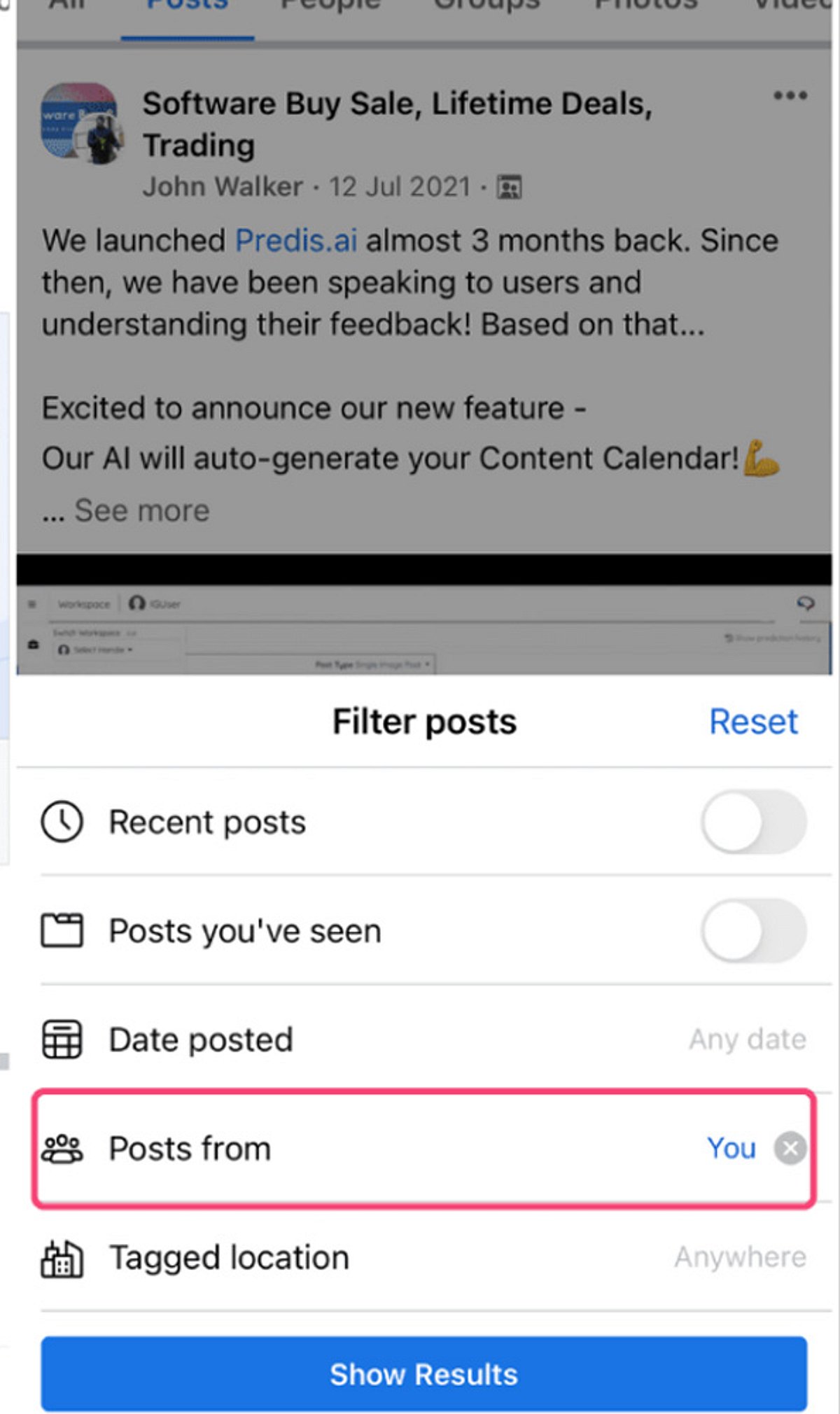
    Ever wondered who shared your Facebook post? While Facebook doesn’t offer a direct “see all shares” button for every post, there are several ways to find out. Here’s how to check who shared your content while respecting user privacy settings.

    Check Public Shares

    Open your post and tap or click the share count displayed beneath it. Facebook will show you public shares that you can access directly. This is the quickest way to see visible shares.

    Understand Privacy Limits

    Facebook only displays shares you have permission to view. Private posts or shares restricted to specific audiences remain hidden from you. This is by design to protect user privacy.

    Open the Original Post

    Visit the original post on your timeline. The share count and any available public shares are displayed there clearly, making it easy to review.

    Click the Share Count

    Selecting the share number beneath your post opens a list of visible shares. What you see depends on each user’s privacy settings.

    Review Public Profiles

    You can view shares made by public profiles or pages. Personal accounts with private settings will always remain inaccessible.

    Check Facebook Notifications

    Notifications may occasionally show when someone shares your content, especially if the share generates interactions later. Keep an eye on your notification feed.

    Search Your Post

    Copy a unique sentence from your post and search Facebook. Public reposts that appear in search results can be found this way.

    View Insights for Pages

    If you manage a Facebook Page, Meta Business tools provide additional sharing insights and engagement statistics for published posts. This is the most powerful option for page owners.

    Respect User Privacy

    Facebook intentionally restricts access to private shares, ensuring users maintain control over who can view their shared content. Always respect these boundaries.

  • Essential Steps to Protect Your Home Wi-Fi Network in 2026

    Essential Steps to Protect Your Home Wi-Fi Network in 2026

    With more devices than ever connecting to home networks in 2026, securing your Wi-Fi is crucial to safeguarding your data and privacy. Below are key steps to strengthen your network against evolving threats.

    1. Change default router credentials – Immediately replace the router’s default username and password to prevent unauthorized access.
    2. Use WPA3 encryption – If your router supports it, enable WPA3 for stronger protection than older WPA2 standards.
    3. Create a strong, unique Wi-Fi password – Use a combination of letters, numbers, and special characters to make it difficult to guess.
    4. Keep router firmware updated – Regular updates ensure you receive the latest security patches and performance improvements.
    5. Enable a guest network – Isolate visitors’ devices from your primary network to protect personal files and connected devices.
    6. Review connected devices regularly – Check the list of devices on your network and remove any that are unfamiliar or no longer in use.
    7. Disable unnecessary features – Turn off WPS and remote router management if you don’t need them, as they can introduce security risks.

    With AI-powered cyber threats becoming more common, strong Wi-Fi security is one of the simplest and most effective ways to protect your digital life.

  • Step-by-Step Guide to Hiding Your Phone Number on Telegram

    Step-by-Step Guide to Hiding Your Phone Number on Telegram

    Telegram offers robust privacy settings that let you control who can see your phone number. Follow this straightforward guide to keep your number private and communicate securely.

    Open Telegram Settings

    Launch the Telegram app and tap the menu icon (three lines) or the Settings gear icon to access your account preferences.

    Navigate to Privacy and Security

    In Settings, select Privacy and Security. This section contains all controls for your personal information, including your phone number.

    Select Phone Number

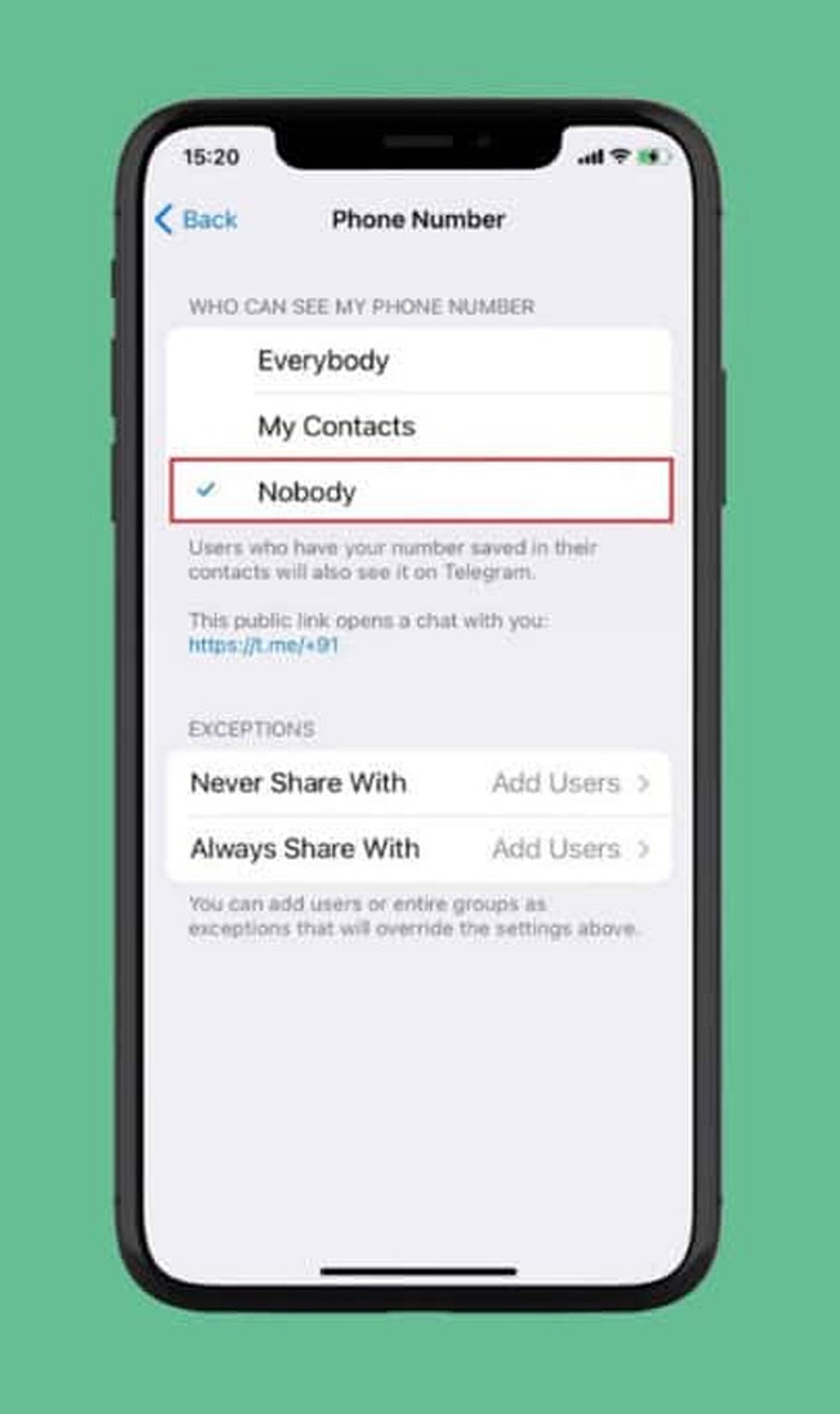
    Under the Privacy section, tap Phone Number. Here you can manage who can view your registered mobile number and who can find you by it.

    Choose Visibility: Nobody

    Set Who can see my phone number to Nobody. This prevents most Telegram users from viewing your number.

    Restrict Number Discovery

    Under Who can find me by my number, select My Contacts. This limits discoverability to people already in your address book, reducing unwanted contact.

    Create a Telegram Username

    Set up a unique username (e.g., @YourName) so others can reach you without needing your phone number. Go to Settings > Username to create one.

    Review Contact-Based Visibility

    People who already have your number saved may still see your account via contact synchronization. Review your contact sync settings and consider deleting synced contacts for tighter control.

    Check Privacy Settings Regularly

    Telegram updates may introduce new privacy options or change existing ones. Periodically revisit your Privacy and Security settings to ensure your preferences remain intact.

    By following these steps, you can significantly enhance your privacy on Telegram and communicate with confidence.