
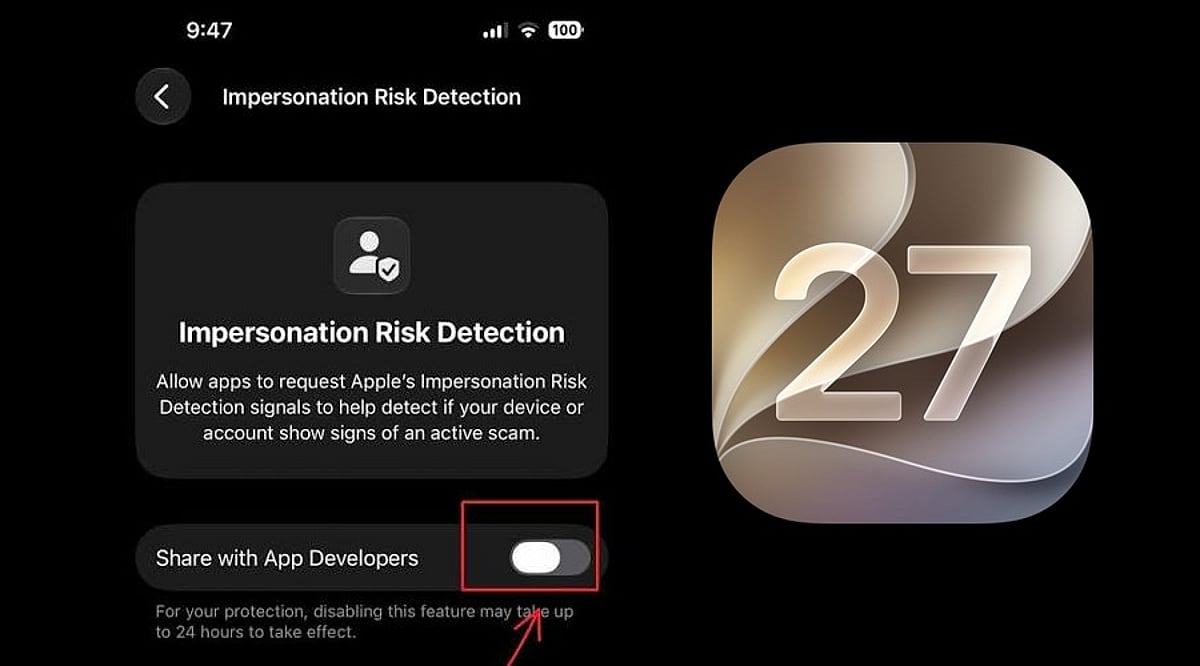
Apple has unveiled a new security feature in iOS 27 designed to shield iPhone users from impersonation-based scams. Dubbed Impersonation Risk Detection, the tool identifies signs that a user may be caught in an active social engineering attack, particularly when they are about to make a payment or modify sensitive account information.
Scams involving fake banks, government agencies, delivery services, and even impersonation of known contacts have become increasingly prevalent. Apple says the feature is engineered to detect suspicious activity and alert users before they complete potentially harmful actions.
How Apple’s Impersonation Risk Detection Works
According to Apple, the feature protects users from active social engineering scams where an attacker impersonates a trusted entity—such as a bank, government agency, or a familiar person—and pressures the victim into making a payment or altering account details.
Impersonation Risk Detection analyzes information about the iPhone or iPad and the user’s Apple Account to identify signs of suspicious activity. When a supported app requests an assessment during a potentially risky action, the system generates a risk level that the app can use to determine subsequent steps.
There are three risk levels: Unknown, Medium, and High. Unknown means no evidence of suspicious activity was detected, though Apple notes this does not confirm an action is safe. Medium indicates some signs of suspicious activity, while High means significant signs were detected.
Importantly, the app does not receive the underlying information used to generate the assessment. It only receives the resulting risk level and can decide how to respond.
How to Enable the Feature
Users can turn on Impersonation Risk Detection by opening Settings, tapping Privacy & Security, scrolling down, and selecting Impersonation Risk Detection. They then need to toggle on Share with App Developers. Users may also need to sign in to the App Store with their Apple Account.
The feature can be controlled on an app-by-app basis. However, Apple warns that it depends on supported apps and that its risk assessment does not guarantee an action is safe. The company emphasizes that this feature is not designed to replace other security measures or user caution.
Leave a Reply